Still emailing PDFs and chasing signatures? Learn how to automate DocuSign for new client contracts and trigger onboarding instantly.
In this article
You've closed the deal. The client said yes. And then nothing happens for three days while you find time to dig up a contract template, customise it in Word, and email it as a PDF. That dead air between verbal agreement and signed contract is where deals cool off, clients reconsider, and competitors swoop in. If you're running a growing service business, you've probably felt this every time a new client comes on board. This post shows you how to automate DocuSign for new client contracts so the paperwork sends itself the moment a deal is won, and the entire onboarding chain kicks off the instant it's signed.
The Real Cost of Sending Contracts Manually
Every manual step between "yes" and "signed" is a chance for the deal to fall apart. You're not just losing time, you're leaking revenue. Businesses lose an average of almost 9% of annual revenue through poor contract management (World Commerce & Contracting, 2025). For a $2M service business, that's roughly $180,000 walking out the door because paperwork moved too slowly.
The numbers get sharper when you look at deal completion. 32% of organisations report reduced completion rates and abandoned deals as a direct consequence of inefficient agreement processes (Forrester Research, 2024). That's nearly one in three deals dying not because the client didn't want to buy, but because the process between agreement and execution created too much friction.
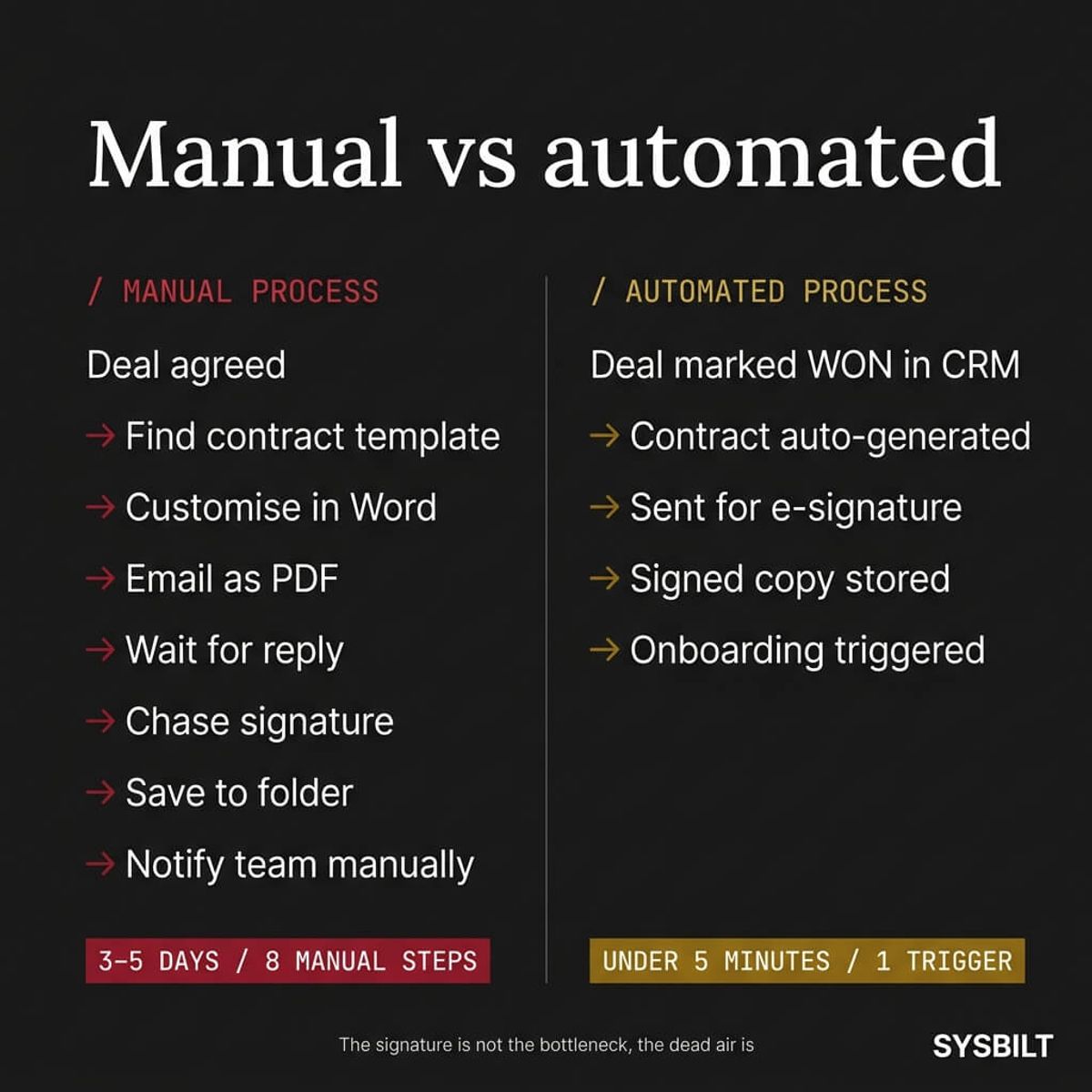
The pattern looks the same in almost every growing service business. The deal is agreed over the phone. You make a mental note to send the contract. Two days later you remember. You open a Word template, change the client name, export it as a PDF, and email it with "please sign and return." Then you wait. Then you follow up. Then you wait again.
Meanwhile, the client's enthusiasm quietly fades. They start searching for alternatives, or they get a faster response from a competitor. By the time your signed contract comes back, three to five days have passed and the momentum that made them say yes in the first place has evaporated. The deal isn't lost because of price or quality. It's lost because of silence.
"Contracts are central to every revenue and cost decision, yet too often their financial implications are overlooked. In today's volatile markets, that oversight is proving more costly than ever."
What an Automated Contract Workflow Actually Looks Like
The whole process can run without you touching it. Here's what the trigger chain looks like from start to finish:
- 01A deal is marked as won in your CRM (HubSpot, Pipedrive, or whatever you're currently using)
- 02Your automation platform (Make.com or Zapier) detects the status change
- 03A contract is auto-generated from a pre-approved template, populated with the client's name, scope, and pricing pulled directly from the CRM deal record
- 04The contract is sent for e-signature via DocuSign or PandaDoc, and the client gets an email with a signing link
- 05Once signed, the completed contract is stored automatically in your file system (Google Drive, Dropbox, or your CRM's document library)
- 06The signature event triggers onboarding: welcome email, project creation, internal team notification, and first invoice
That's one trigger and five automated steps. No Word documents, no PDF attachments, no "just following up on that contract" emails three days later.
The key difference between this and the manual version isn't just speed. It's consistency. The automated workflow runs the same way every single time, regardless of how busy your week is or whether you remembered to follow up. Every new client gets the same professional experience from the moment they say yes.
The Tools That Make It Work (Without Coding)
You don't need a developer to set this up. The Australian digital signature market hit USD 117.1 million in 2024 and is projected to reach USD 891.1 million by 2030 (Grand View Research, 2024), which means the tools are mature, well-supported, and built for businesses your size.
Here's what you need:
- An e-signature tool. DocuSign and PandaDoc are the two most common options. Both offer template libraries, mobile signing, and audit trails. Both are legally binding in Australia under the Electronic Transactions Act 1999 (Commonwealth) and equivalent state legislation
- A CRM. HubSpot, Pipedrive, or any CRM that supports deal stages and webhook triggers. The CRM is where the automation starts
- An automation platform. Make.com or Zapier connects your CRM to your e-signature tool and to everything that happens after the signature. Make.com currently handles more complex multi-step workflows, while Zapier is simpler to configure for basic triggers
DocuSign vs PandaDoc for Australian Businesses
Both tools do the core job well, but they suit different situations:
| DocuSign | PandaDoc | |
|---|---|---|
| Best for | Businesses that only need signing | Businesses that also build proposals and quotes |
| Template system | Basic merge fields | Advanced document builder with drag-and-drop |
| CRM integration | Strong native connectors for HubSpot and Salesforce | Strong native connectors for HubSpot, Pipedrive, and Zoho |
| AU compliance | Full Electronic Transactions Act support | Full Electronic Transactions Act support |
| Starting price | From approx. AUD $25/month per user | From approx. AUD $35/month per user (includes proposals) |
If you're only automating the signature step, DocuSign is simpler and cheaper. If you also want to automate proposal creation and keep the whole document flow in one tool, PandaDoc gives you more out of the box. Either way, the important thing isn't which tool you pick. It's that it's connected to your CRM and your automation platform so data flows without manual handling.
What Happens After the Signature (and Why Nobody Talks About It)
Most guides about contract automation stop at the signature. That's like building a front door and forgetting to build the house behind it.
The real value of automating contract signing isn't the signature itself. It's what the signature triggers next. When a client signs, your system should automatically:
- Create the project in your project management tool with the scope pulled from the CRM deal
- Send a welcome email to the client with next steps, key contacts, and what to expect in week one
- Notify your team via Slack or email with the client details and signed contract attached
- Generate the first invoice in Xero or your accounting software, matched to the contract terms
- Start the onboarding checklist so nothing falls through the cracks between sales and delivery
Why the Post-Signature Chain Matters More Than the Signature
The gap between "contract signed" and "client fully onboarded" is where most service businesses lose the goodwill they built during the sales process. The client signs feeling excited, and then radio silence. No welcome email, no introduction to the team, no clear next step. Three days later they're wondering if they made the right decision.
When the post-signature chain is automated, the experience flips completely. The client signs and immediately receives a welcome email with a clear timeline. Your team gets notified with everything they need to start work. The first invoice is generated and queued. The client feels looked after from the very first moment, and your team doesn't waste an hour on admin that should've happened automatically.
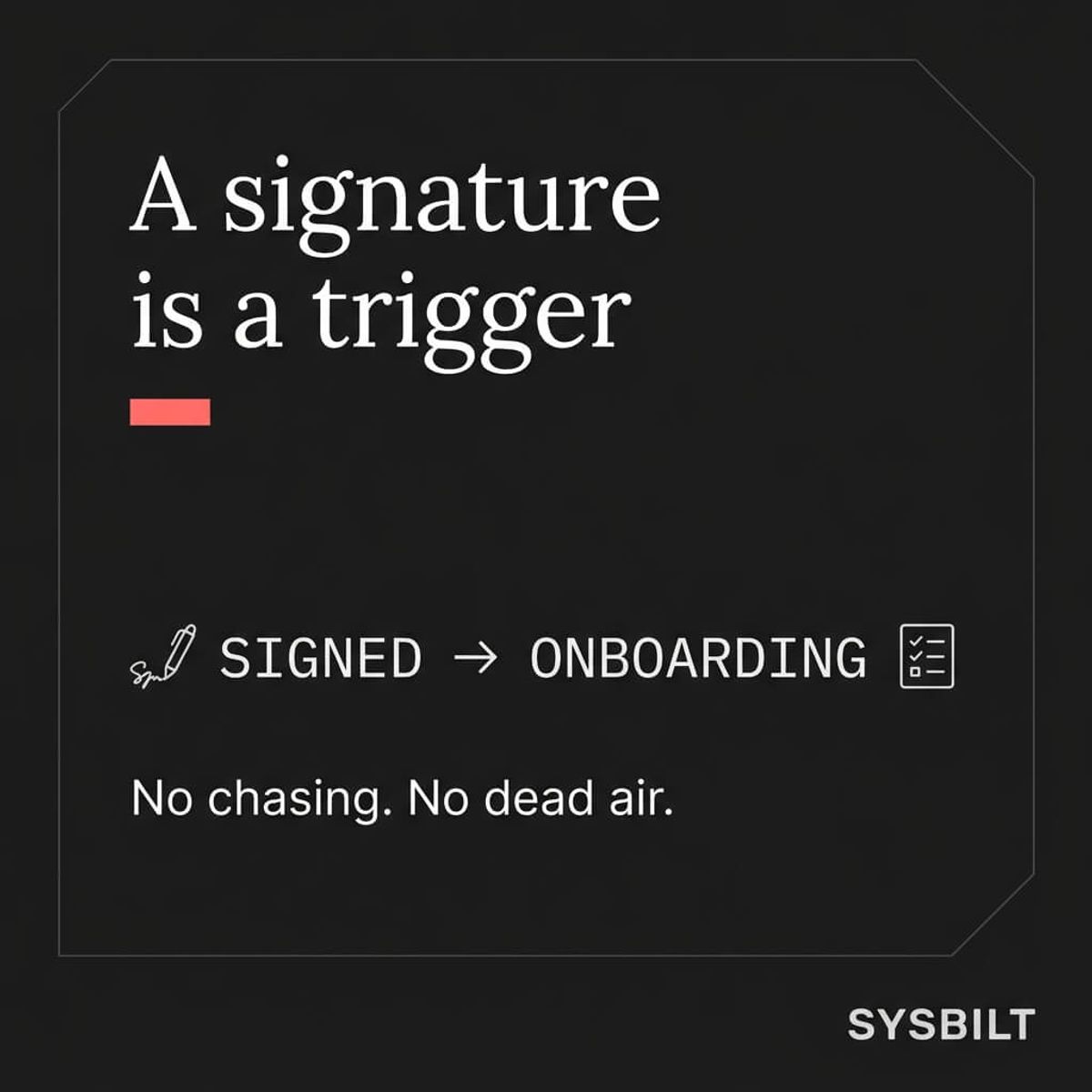
This is where automation as a connected system matters more than automation as a standalone feature. Each step feeds the next. The CRM triggers the contract, the contract triggers the onboarding, and the onboarding triggers the first invoice. Nothing waits on you to remember, and nothing stalls because you're busy delivering work for another client.
40% of Australian SMEs are currently adopting AI and automation tools, up from 35% the previous quarter (Australian Department of Industry, Science and Resources, 2024). This isn't bleeding-edge technology anymore. It's the baseline your competitors are building toward right now.
How to Get Started This Week
You don't need to build the entire chain in one go. Start with these three steps and expand from there:
- 01Pick your e-signature tool and create one contract template. Choose DocuSign or PandaDoc. Build a single reusable template for your most common engagement type. Include merge fields for client name, scope, and pricing so the template can be populated automatically
- 02Connect it to your CRM. Use Make.com or Zapier to create one automation: when a deal moves to "won" in your CRM, generate and send the contract. That single connection eliminates the biggest bottleneck in your sales-to-delivery handover
- 03Add one post-signature trigger. Pick the most valuable next step, usually the welcome email or the internal team notification, and automate that too. Once you see it working, you'll naturally want to build the rest. The full chain from contract to onboarding to first invoice can be built incrementally over a few weeks without disrupting your current workflow
The goal isn't perfection on day one. It's removing yourself from the contract process so deals don't stall while you're busy delivering for other clients. Every manual step you eliminate is one less thing that depends on your memory, your availability, and your energy at the end of a long week.
The gap between "yes" and "signed" costs more than most businesses realise. It costs you time, it costs you deals, and it costs you the smooth start that turns a new client into a long-term one. Automating contract signing connects your sales process to your delivery process in a single unbroken chain, and that's the difference between a business that grows through you and a business that grows without you.

WRITTEN BY
Felipe Chaparro
Systems Architect and Founder of SYSBILT. Felipe engineers custom automation, AI workflows, and performance web architectures for scaling Australian service businesses.