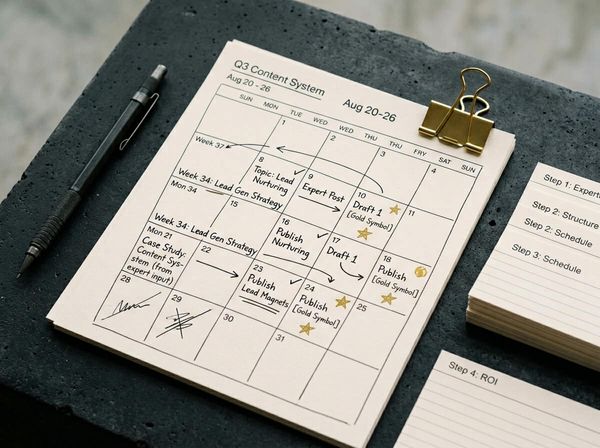
Posting keeps chewing up your week, automate social media posting with a simple weekly system so you stay consistent and win back your time.
In this article
- //Why social media keeps stealing your week
- //What you should automate and what you should keep manual
- //The simplest stack that works without buying enterprise tools
- //The 60-minute weekly workflow record repurpose schedule
- //How to prove it is working so you do not automate the wrong thing
- //Where this fits in the bigger system
You don't need more motivation to post, you need fewer decisions during the week. If you're trying to automate social media posting and it still feels like a daily grind, the problem usually is not the scheduler.
In this post, we'll show you a simple weekly system that turns social from a constant interruption into a repeatable process. We'll cover what to automate, what to keep manual, your tech stack that works, and a 60-minute workflow you can run every week.
Why social media keeps stealing your week
Most operators think the time sink is writing captions. It usually isn't.
The real cost is context switching. You are trying to do deep work, then you remember you have not posted, then you open Instagram, then you get pulled into messages, then you check what's trending, then you realise your last photo is the wrong size for the next platform, and now you've lost the thread of what you were doing.
This matters because your customers are not just scrolling for entertainment, they are using social to decide whether to trust you.
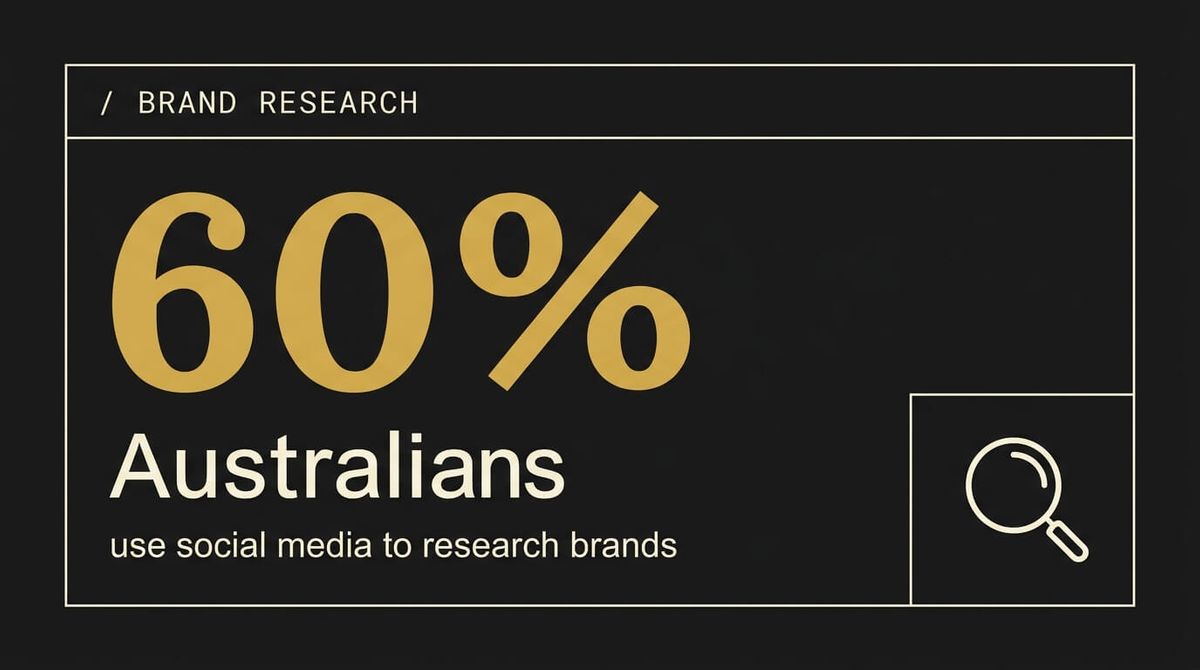
Six in ten Australians use social media to research brands (We Are Social Australia, 2025). There are 21M social media user identities in Australia, which is 78% of the population (We Are Social Australia, 2025).
If you are inconsistent, it does not just slow growth, it makes the business look smaller than it is.
"Social is where discovery starts, trust is built and relevance is won."
What you should automate and what you should keep manual
Automation is not the goal. A calmer week is the goal.
If you automate the wrong parts, you'll end up with a feed that looks consistent, but feels empty. That is the fastest way to build a "dead brand".
Here is the line we recommend.
Automate these parts
- Scheduling and publishing
- Schedule posts in a batch once a week.
- Let the tool publish automatically so you are not tied to a time of day.
- Formatting variants
- One idea, multiple versions, sized and formatted for each platform.
- The goal is to avoid redoing the same work because a platform wants a different crop or length.
- Link tracking and UTM tags
- If you share links, add UTMs so you can see what actually drives enquiries.
- Use a consistent naming pattern so your reporting is not a mess later.
- Evergreen reposting
- If a post performed well and it is still true, repost it.
- Most people did not see it the first time anyway.
Keep these parts manual
- Engagement windows
- Set one or two short windows a week where you reply to comments and DMs.
- Keep it human, keep it specific, and then close the app.
- Anything reputation-sensitive
- Replies to complaints.
- Anything that could be taken the wrong way without context.
- Judgement calls that protect your voice
- Your best content usually has a point of view.
- Automate distribution, not judgement.
If you're worried it is "not OK" to automate, the honest answer is that your audience does not care whether you pressed publish manually. They care whether what you post is useful, accurate, and consistent.
The simplest stack that works without buying enterprise tools
You can automate social media posting without a complicated toolset. The right stack depends on how many platforms you post to, how often you post, and whether more than one person needs to approve content.
Start simple and upgrade only when you hit a real constraint.
Step 1: Use native schedulers where they are strong
If you mainly post to Instagram and Facebook, Meta Business Suite scheduling can be enough to start.
Native tools are usually:
- Free or low cost
- Good enough for basic scheduling
- Less likely to break because of API changes
They become painful when:
- You need approvals
- You need to manage multiple brands
- You need a proper calendar across platforms
- You need better analytics and link tracking
Step 2: Move to one scheduling tool when the admin grows
When you hit the limits above, pick one tool that matches your channels and workflow.
Use these criteria:
- Channels supported (Instagram, Facebook, LinkedIn, YouTube, Google Business Profile if that matters to you)
- Calendar view that makes it obvious what is going out and when
- Approvals if your team is involved
- Analytics that are easy to review without spending half an hour clicking around
Most list posts will try to push you into a huge suite. You probably do not need that.
If you post across more platforms, or if you need approvals, a dedicated scheduler can save you time. If you are trying to connect posting to the rest of your operations, a workflow tool can help.
Step 3: Add automation only where it removes real friction
A workflow tool like Make.com or Zapier is not a scheduler. It is the glue.
It is useful when you want to:
- Create a post task automatically when a new video is uploaded
- Turn an approved caption into scheduled platform variants
- Save every published post and link into a central content log
- Push tracked results into a dashboard later
Do not build a complex automation just because you can. If it does not remove a weekly pain, it is noise.
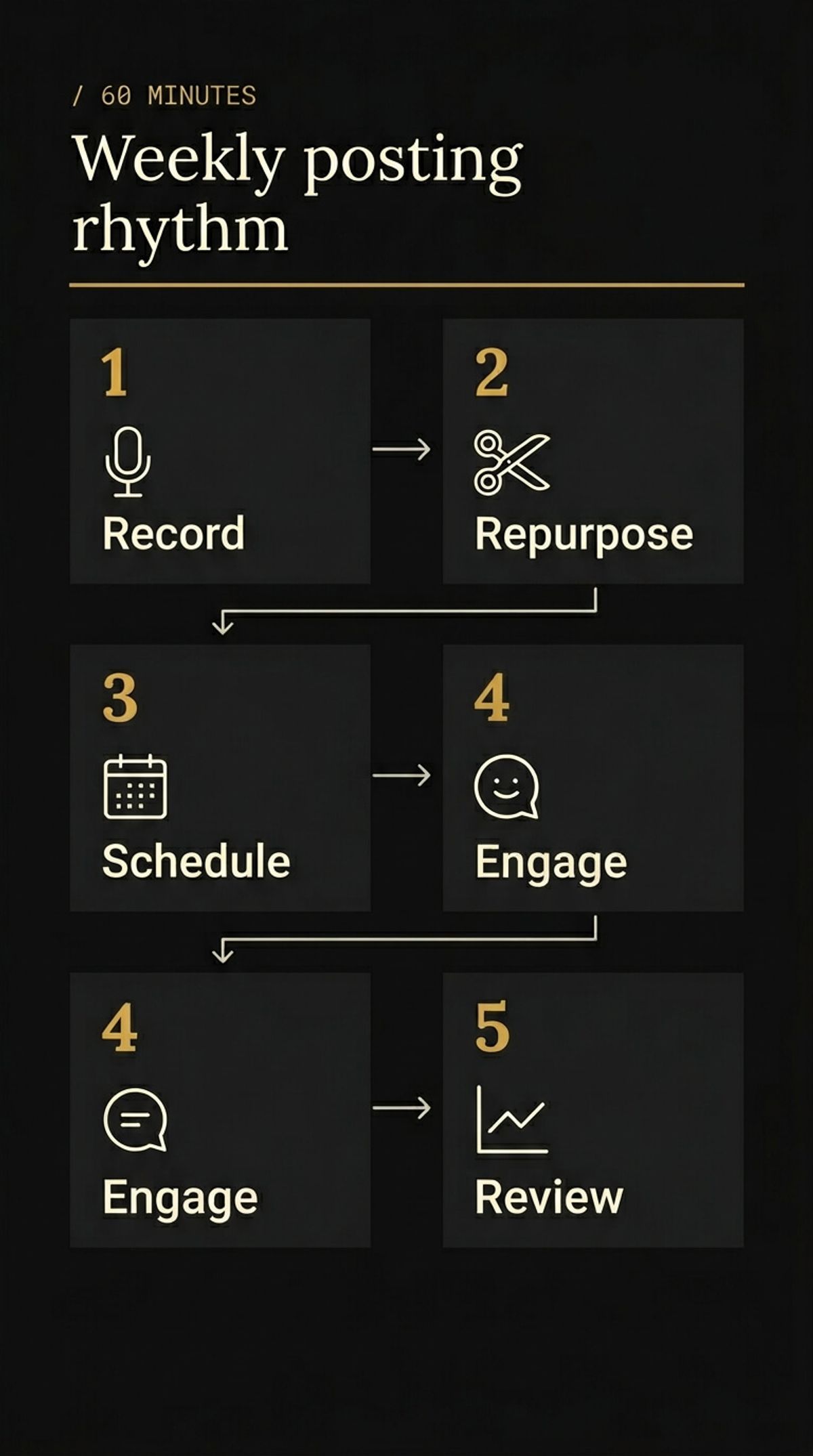
The 60-minute weekly workflow record repurpose schedule
This is the part most posts skip. Tools are not the system. The system is the rhythm.
Here is a weekly workflow that works for a time-poor operator. The goal is not perfection, it is consistency without stealing your week.
01Record once
Pick one topic that comes up every week in your business.
Examples:
- A common question customers ask
- A mistake you see people make
- A simple before and after story
- A quick lesson you wish you knew earlier
Record a 5 to 10 minute video or voice note. Do not overthink the production.
02Repurpose into platform-specific versions
Turn that one idea into a small set of outputs:
- 1 short video clip
- 1 short text post
- 1 image-based post with a single takeaway
Keep the message consistent, adjust the format.
If you have a team, this is where you delegate. If you do not, keep the repurposing rules simple so it stays doable.
03Schedule everything in one sitting
Open your scheduler and schedule the week's posts.
A simple approach:
- 3 posts per week on your primary platform
- 1 post per week on your secondary platform
Schedule further ahead if you can, but do not build a schedule so far out that you cannot respond to what is happening in the business.
04Set two engagement windows
Pick two short windows, for example:
- Tuesday 11:30am for 15 minutes
- Thursday 4:00pm for 15 minutes
Reply to comments and DMs, then close it.
This is how you stay human without letting social creep into every day.
05Put one link in the system
If you want social to drive enquiries, you need a simple place to send people. Usually that is:
- A specific service page
- A contact page
- A lead magnet if you have one
If you want help building a weekly rhythm like this, and wiring it into the rest of your systems so it runs without you, start with our Content Systems pillar: Content Systems.
How to prove it is working so you do not automate the wrong thing
The trap with automation is that it makes you feel productive, even if the content is not doing anything.
You only need a few numbers to keep yourself honest.
Pick 1 to 2 outcome metrics
For most service businesses, start with:
- Enquiries (form submissions, calls, DMs that turn into real conversations)
- Booked calls (if you use an online booking flow)
If you share links, add:
- Referral traffic from social into your site
Remember, social media is a brand research channel. Social media ad spend in Australia was USD 4.73B in 2025, up 11% year on year (We Are Social Australia, 2025). Your organic content is competing with a lot of paid attention.
Run a 10-minute weekly review
Once a week, look at:
- What got saves, replies, or meaningful comments
- What drove profile visits or clicks
- What led to a real enquiry
Then make one change next week:
- Double down on the topic that got traction
- Change the format for a post that flopped
- Tighten the call to action so it is clearer what to do next
If you track your links, you'll stop guessing. If you do not, you will keep posting based on vibes.
Where this fits in the bigger system
If you're in growth mode, social is not a marketing hobby. It is part of your capacity plan.
When you automate social media posting properly, you are not just saving time. You are protecting focus, reducing the founder bottleneck, and creating a repeatable way to stay visible.
That is exactly what our Content Systems work is about. We build the content supply chain, the workflow, and the tracking so you can stay consistent without giving up your weekends.
See how we fix this
See the exact system we build to fix this
Book a call to build your weekly content system
WRITTEN BY
Felipe Chaparro
Systems Architect and Founder of SYSBILT. Felipe engineers custom automation, AI workflows, and performance web architectures for scaling Australian service businesses.