Slow quotes cost you jobs. Learn how to automatically send a quote after a call so prospects never go cold again.
In this article
You take the call and promise to send a quote. Three hours later you're in a meeting or out on a job, and the quote hasn't moved from your head to the customer's inbox. By the time you finally sit down tonight, the prospect has already called someone else.
If you've ever wondered how to automatically send a quote after a call, this post walks through how to build a system that handles it for you. You won't need to open a laptop or remember to follow up.
The Real Cost of a Slow Quote
Every hour between hanging up the phone and pressing send, your chances of winning that job are dropping. Research published in Harvard Business Review found that firms contacting a potential customer within an hour were nearly seven times more likely to qualify the lead than those that waited even an hour later, and more than 60 times more likely than companies that waited 24 hours or longer (Oldroyd, McElheran & Elkington, 2011).
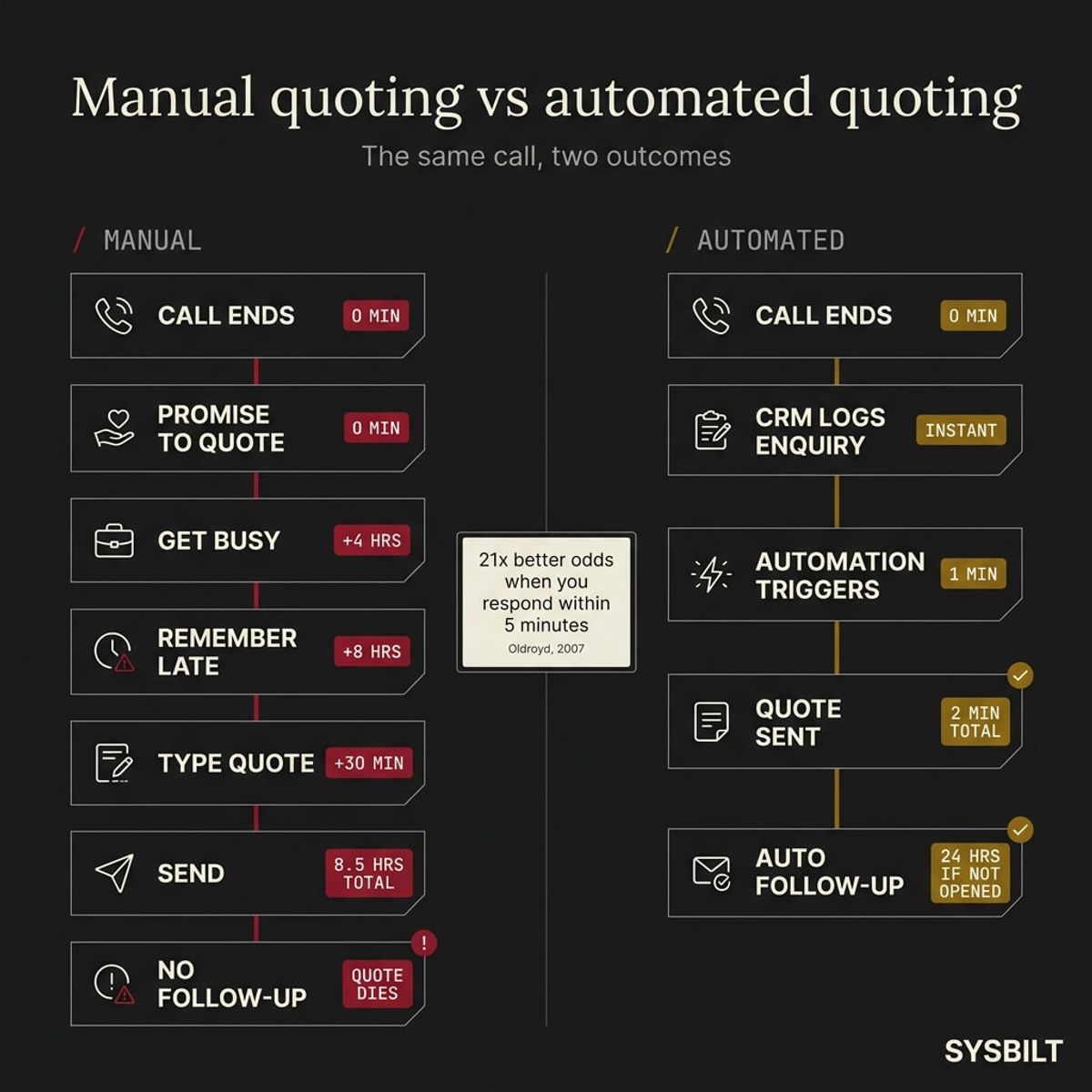
The MIT Lead Response Management Study put an even finer point on it. Leads contacted within five minutes were 21 times more likely to convert than those contacted at the 30-minute mark (Oldroyd, 2007). That study analysed over 15,000 leads and 100,000 call attempts across three years, and buyer expectations have only accelerated since then.
Now translate that into quoting. You take a call at 2pm, you're busy until 7pm, and you don't quote until 9pm. That's seven hours of silence where your prospect is wondering whether you even want the work.
For a service business quoting $2,000–$10,000 jobs, even one lost quote per week adds up fast. If you're sending 10 quotes a month and losing two or three purely because you were too slow, that's $4,000–$30,000 in annual revenue that walked out the door, not because your price was wrong but because your timing was.
Speed doesn't just win the first impression. It sets the tone for the entire relationship, and the business that quotes fast gets seen as organised and professional while the one that quotes late gets seen as too busy to care.
Why Most Business Owners Still Quote Manually (and Why It Fails)
The pattern is always the same. You take the call, scribble the details on a notepad or tap them into your phone, and tell the customer you'll send something through tonight. Then the next job starts, the day gets away from you, and by the time you sit down you're trying to remember what the caller actually wanted.
Some business owners use spreadsheets to track their quotes. Others rely on email templates they copy and paste from a folder. A few have tried standalone quoting apps that weren't connected to anything else, so the quote data lived in a silo and the follow-up never happened.
The problem with these approaches isn't creating the quote itself. Most people can type one up in ten minutes. The real bottleneck is the gap between the call ending and the moment you finally sit down to write it, and that gap is where jobs go to die.
Your competitor who quoted in 20 minutes didn't necessarily have a better price. They had a faster system. If you're still using spreadsheets to manage your clients and quotes, you're giving yourself extra manual steps that a CRM removes entirely.
How Automatic Quoting After a Call Actually Works
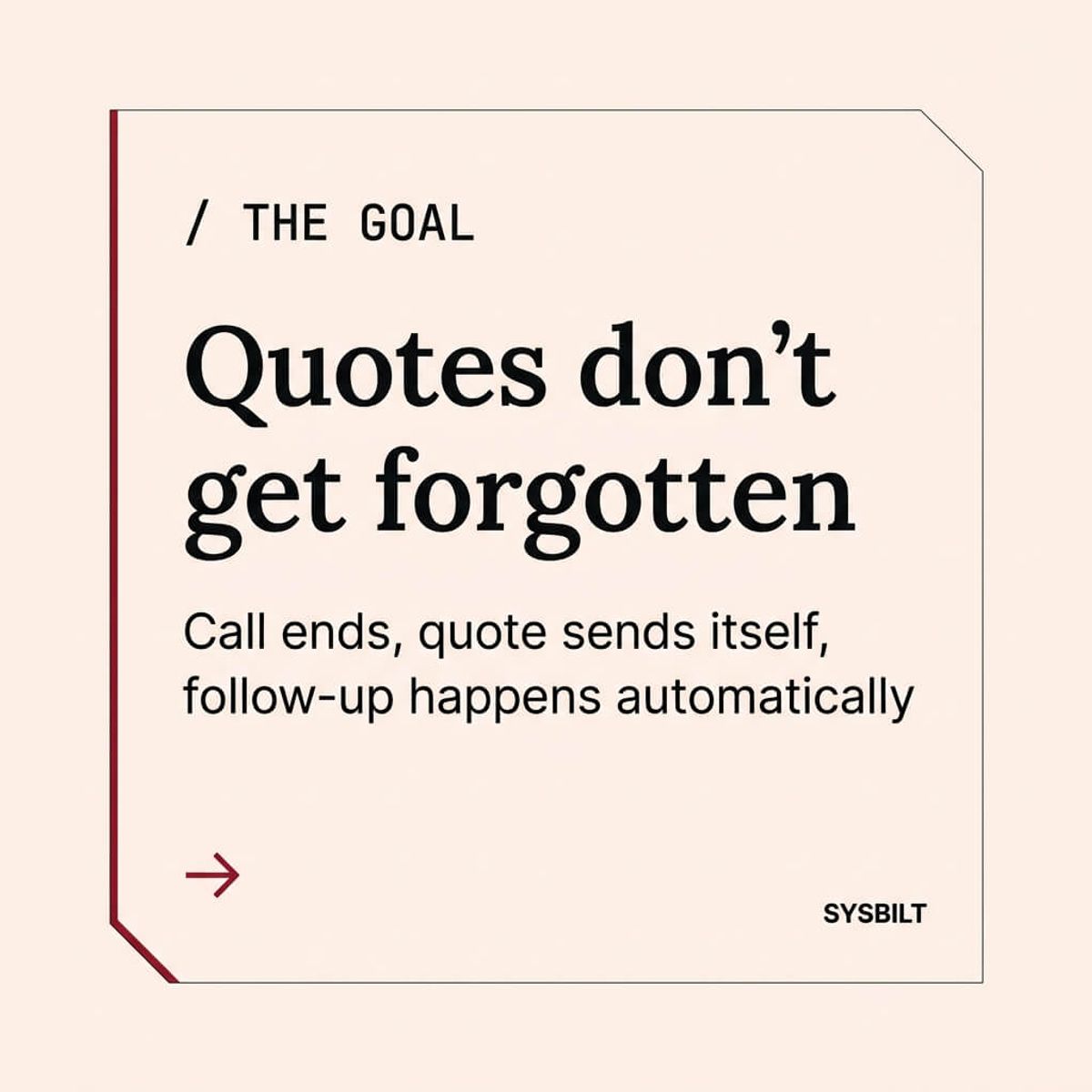
Here's what the workflow looks like when it's built properly:
- 01The call ends. You hang up. That's the last manual step.
- 02The CRM logs the enquiry. Your CRM (HubSpot, Pipedrive, or similar) captures the call details automatically through a connected phone system, or you enter them in 30 seconds via a quick mobile form.
- 03Automation triggers. A tool like Make.com detects the new CRM entry and fires the next step in the workflow.
- 04The quote generates from a template. Based on the service type, job size, or tags you set during the call, the system pulls the right quote template, fills in the customer's details, and formats it.
- 05The quote sends itself. The customer receives a professional quote via email or SMS within minutes of hanging up. You didn't open a laptop, you didn't type a thing, and you're already on to the next job.
You don't need to be at a desk for any of this. The entire workflow runs from your phone or runs without you touching anything at all. Automatic quoting is one of the first three tasks every service business should automate because it directly protects revenue you've already earned the right to win.
This is exactly what a CRM and lead tracking system is designed to do. The CRM captures the data, automation moves it, and the quote reaches the customer while you're already focused on something else.
What You Need to Set This Up (Without a Degree in IT)
You don't need custom software or a developer on retainer. The setup has three components, and none of them require technical skills beyond what you already use on your phone every day.
1. A CRM that captures call data
You need somewhere for the enquiry to land that isn't your memory. HubSpot's free CRM handles this well for small service businesses, and Pipedrive is another solid option. The important thing is that every call creates a real record with the customer's name, contact details, and what they're after, instead of a mental note that fades by dinner.
2. A quote template library
Build templates for your most common jobs. If you quote the same three or four service types regularly, each one gets a template with your standard pricing, terms, and branding pre-loaded. When the automation triggers, it picks the right template based on the service type you tagged during the call.
3. An automation tool that connects them
Make.com connects your CRM to your quoting tool and your email or SMS platform. It watches for new CRM entries tagged as "needs quote" and fires the workflow automatically. The setup takes hours, not months, and a basic version can be running within a few days.
Here's what to have ready before you build:
- Your top 3–5 most common quote types with standard pricing
- A CRM account with a deal pipeline (even a simple one)
- Your business email connected and branded
- A clear tag or status in the CRM that marks an entry as "ready to quote"
Start with your most common quote type, get it running, and expand from there. You don't need to automate every edge case on day one.
What to Do After the Quote Sends Itself
Sending the quote fast is the first win. What happens next determines whether you actually close the job.
A properly built system doesn't just send the quote and hope for the best. It tracks whether the customer opened it. If they haven't viewed the quote within 24 hours, the system sends a follow-up SMS or email automatically, without you writing it, remembering to check, or setting a reminder.
Research shows that 80% of sales require five or more follow-up contacts after the initial conversation, but 44% of salespeople give up after just one attempt (Close.com, 2023). For a business owner who's already flat out, even a single follow-up is easy to forget. Automated follow-up removes that failure point entirely and does it without adding anything to your day.
Your CRM also gives you a single view of every quote that's out in the wild right now. Every enquiry, every quote, and every follow-up lives in one place. You can check your pipeline from your phone in 30 seconds and know exactly where each potential job stands.
Once the quote is accepted, the logical next step is automating the contract and onboarding process so the momentum doesn't stall between a "yes" and the first day of work.
Our CRM and lead tracking systems are built for this entire workflow, from capturing the call to generating the quote to following up when it hasn't been opened. It's not about adding more software to your day. It's about building a system that does the admin you keep putting off, so every call you take has the best possible chance of becoming a job.

WRITTEN BY
Felipe Chaparro
Systems Architect and Founder of SYSBILT. Felipe engineers custom automation, AI workflows, and performance web architectures for scaling Australian service businesses.