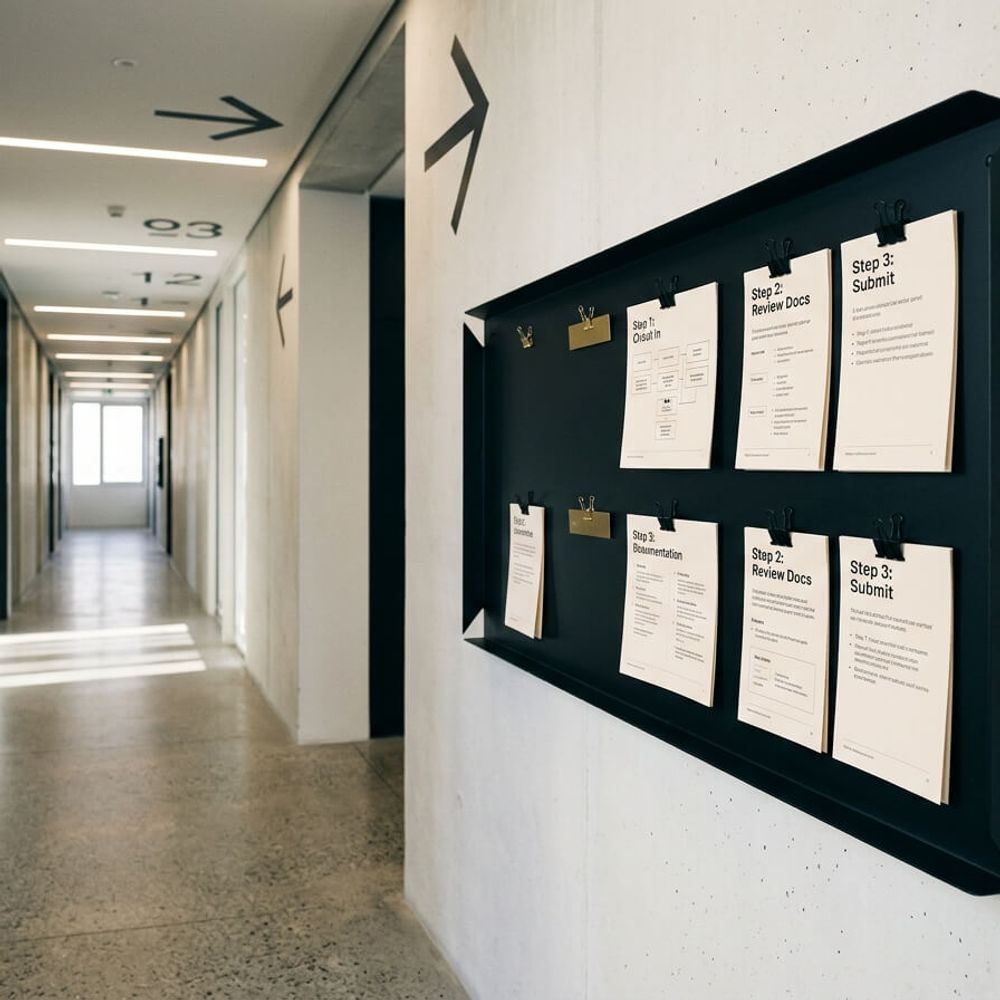
Your team ignores process docs because they weren't written for them. Learn how to document business processes your team will read and follow.
In this article
You spent a weekend writing down how your business runs. Every process, every step, every decision point, captured in a document your team could follow whenever they needed it. Six months later, nobody has opened the file. The documentation exists, but it isn't working. This post covers how to document business processes your team will read, and it starts with the uncomfortable reason most process documentation ends up ignored: the person who wrote it wasn't the person who needs to use it.
Why Your Team Ignores the Processes You Wrote
When a business owner sits down to document how something works, they write from a decade of experience. That sounds like the right approach, but it's the root of the problem. You skip steps without realising it, you reference context that only makes sense if you were there on day one, and you assume knowledge that a new starter simply doesn't have.
The result reads like a brain dump. It covers too much ground, glosses over the small actions that trip people up, and assumes every reader shares the same background you do. Your team opens it once, gets lost by paragraph three, closes the file, and walks over to ask you the question anyway. You've spent your weekend writing something that made you feel productive but changed nothing about how your team actually operates.
"Your job is not to be a fire killer. Your job is to prevent fires."
That gap between "documented" and "actually used" has a real cost. Replacing a single team member in a typical Australian service business runs between $28,000 and $35,000 for roles in the $60K to $80K salary range (Scale Suite, 2026). Every undocumented process that walks out the door with a departing employee makes the next hire slower, more expensive, and more dependent on you personally to fill the gaps. The average Australian employee turnover rate is 16%, and 34% of organisations now report turnover at or above 20%, the highest proportion on record (AHRI, 2024). If your processes aren't documented in a way your team can actually use, you're rebuilding institutional knowledge every time someone leaves.
What Readable Process Documentation Actually Looks Like
There's a straightforward test. If a new starter can pick up a process document on day one and complete the task without asking someone for help, the documentation works. If they still need to tap a colleague on the shoulder, the document has failed regardless of how thorough it looks on paper.
The difference between documentation that gets ignored and documentation that gets used comes down to five practical things:
| Documentation That Gets Ignored | Documentation That Gets Used |
|---|---|
| Written by the owner from memory | Written by the person who does the task |
| Multi-page Word document | One page per process |
| Stored in a shared drive nobody opens | Lives where the team already works |
| Text-heavy paragraphs | Screenshots, short steps, screen recordings |
| Written once and never updated | Reviewed quarterly |
One in four people who started a new job in 2025 described their onboarding experience as "bad," with the figure rising to 35% among part-time workers (Employment Hero, 2025). Poor process documentation is a direct contributor. When a new starter can't find clear answers to basic questions about how to do their job, they either make mistakes, interrupt colleagues constantly, or leave before probation ends.
The fix isn't better formatting or fancier templates. It's changing who writes the documentation, where it lives, and how it's structured from the start.
Five Rules for Processes Your Team Will Actually Use
These won't turn you into a technical writer. They'll make sure the documentation you create gets opened on a Monday morning instead of sitting in a folder gathering dust.
Let the person who does the task write the first draft
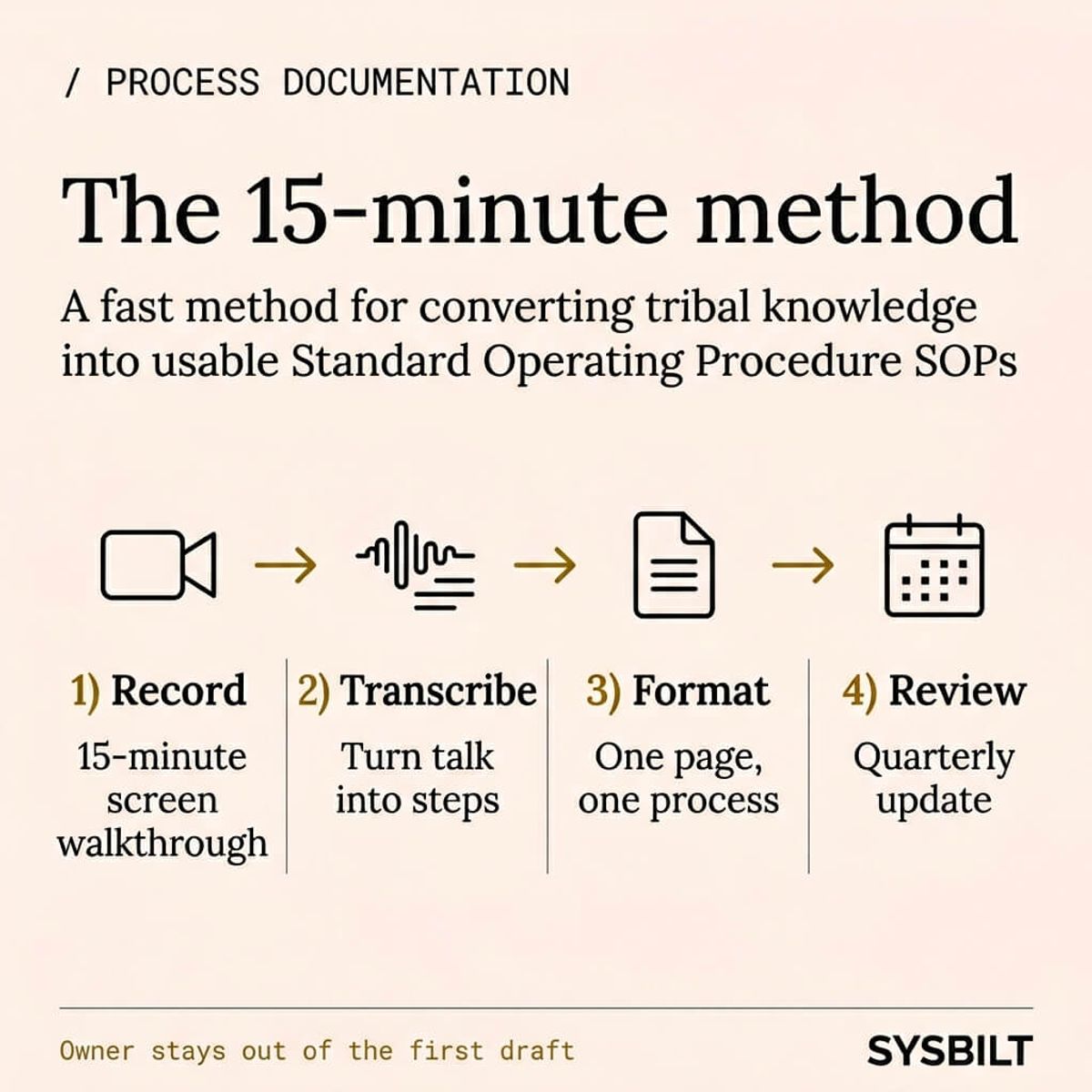
The owner's version of a process reflects the owner's understanding. The team member's version reflects what actually happens at 9am on a Tuesday. Start with a 15-minute screen recording of the person doing the task from beginning to end, then turn that recording into a written process. You'll capture steps, workarounds, and decision points that the owner didn't know existed. The person closest to the work always produces better documentation than the person who designed the work.
One process per document, no longer than one page
A 12-page operations manual is a reference book that nobody reads. A one-page document for "how to send a quote after a phone call" is a tool that gets used daily. Keep each document focused on a single task with a clear starting point and a clear end point. If a process genuinely needs more than one page, it's probably two separate processes that should be split apart.
Use screenshots and screen recordings, not paragraphs
A two-minute Loom video showing exactly where to click will always beat a full page of written instructions. Visuals reduce misinterpretation and speed up task completion, particularly for team members who learn better by watching than by reading. For any software-based task, annotated screenshots with numbered steps should be the minimum standard. Written paragraphs are for context and exceptions, not for step-by-step instructions.
Store it where the team already works
If your team lives in Notion, put the documentation in Notion. If they use Google Workspace, put it there. The worst approach is building a standalone documentation platform that requires a separate login, a separate bookmark, and a separate habit. The best documentation system is the one your team already opens every morning without thinking about it. If they have to go looking for the documentation, they won't go looking.
Review and update quarterly, or it becomes fiction
A process document written six months ago for a workflow that has since changed is worse than having no document at all. It actively misleads new starters and creates confusion for experienced team members who remember the old way but aren't sure which version is current. Set a quarterly review date for every document, assign a specific person to own each review, and delete anything that no longer reflects how the work actually gets done.
How to Get Your Team Involved Without Adding to Their Workload
The biggest objection to process documentation is always time. Your team is already flat out, and asking them to stop and write things down feels like adding work on top of work. In a growing service business where everyone is already stretched, that's a hard sell.
The fix is the interview method. Sit with each team member for 15 minutes. Record their screen while they walk through the task step by step, explaining what they're doing and why as they go. Then have someone else, whether that's an office manager, a virtual assistant, or an AI transcription tool, turn that recording into a clean one-page process. The team member spends 15 minutes talking through what they already do. The documentation gets created without disrupting their day or adding to their task list.
Next, appoint a systems champion, and it can't be you. This is someone on your team who owns the documentation library, keeps it current, and flags when a process has drifted from what's written down. The business owner can't fill this role, because removing the owner as the single point of knowledge is the entire reason you're documenting processes in the first place.
Six out of ten Australian managers have had an employee leave during probation, with 43% of those employees leaving within the first month due to poor onboarding practices (HROnboard, cited by Employee Matters AU). A systems champion who keeps documentation accessible and up to date can directly reduce that early attrition by making sure every new starter has clear answers before they've even finished their first week.
Finally, make documentation a shared habit rather than a one-off project. When someone finds a step that's wrong or missing, they update the document on the spot. When a new process gets created, the person who builds it writes the first version before moving on. Over time, this becomes part of how the business operates rather than something that gets done once and slowly decays.
What Changes When Your Team Actually Follows the Process
When documentation works, three things shift. New starters get productive faster because the answers are already written down and accessible. Mistakes drop because the instructions are clear, current, and unambiguous. And you, the business owner, stop being the person everyone asks before they can take the next step.
That last shift matters most if your business can't grow without you in every decision. When someone leaves and their knowledge isn't documented, you lose weeks of productivity rebuilding what they knew. When someone new starts and there's no clear path from day one to competence, they take twice as long to become useful, and some won't make it past the first month at all.
Good process documentation isn't about creating a perfect library of standard operating procedures. It's about building a system where your team can operate independently, make confident decisions, and bring new people up to speed quickly, all without depending on you for every answer. That's the shift from a business that needs you present for every conversation to one that runs its own rhythm even when you're not in the room.
This is what a team training system is designed to deliver. Not just the documents themselves, but the training infrastructure, visual SOPs, and adoption systems that make sure documentation gets created, gets maintained, and actually gets used by the people who need it.

WRITTEN BY
Felipe Chaparro
Systems Architect and Founder of SYSBILT. Felipe engineers custom automation, AI workflows, and performance web architectures for scaling Australian service businesses.