You're spending on ads but can't prove what drives calls. Learn how to track phone calls from your website and invest in what actually works.
In this article
- //You're Spending on Marketing and You Can't Prove What Works
- //How to Track Phone Calls From Your Website Without the Jargon
- //How to Set Up Call Tracking for Your Business
- //What the Data Tells You and What to Do With It
- //How Call Tracking Fits Into Your Broader Business System
- //Choosing the Right Call Tracking Setup for Your Business
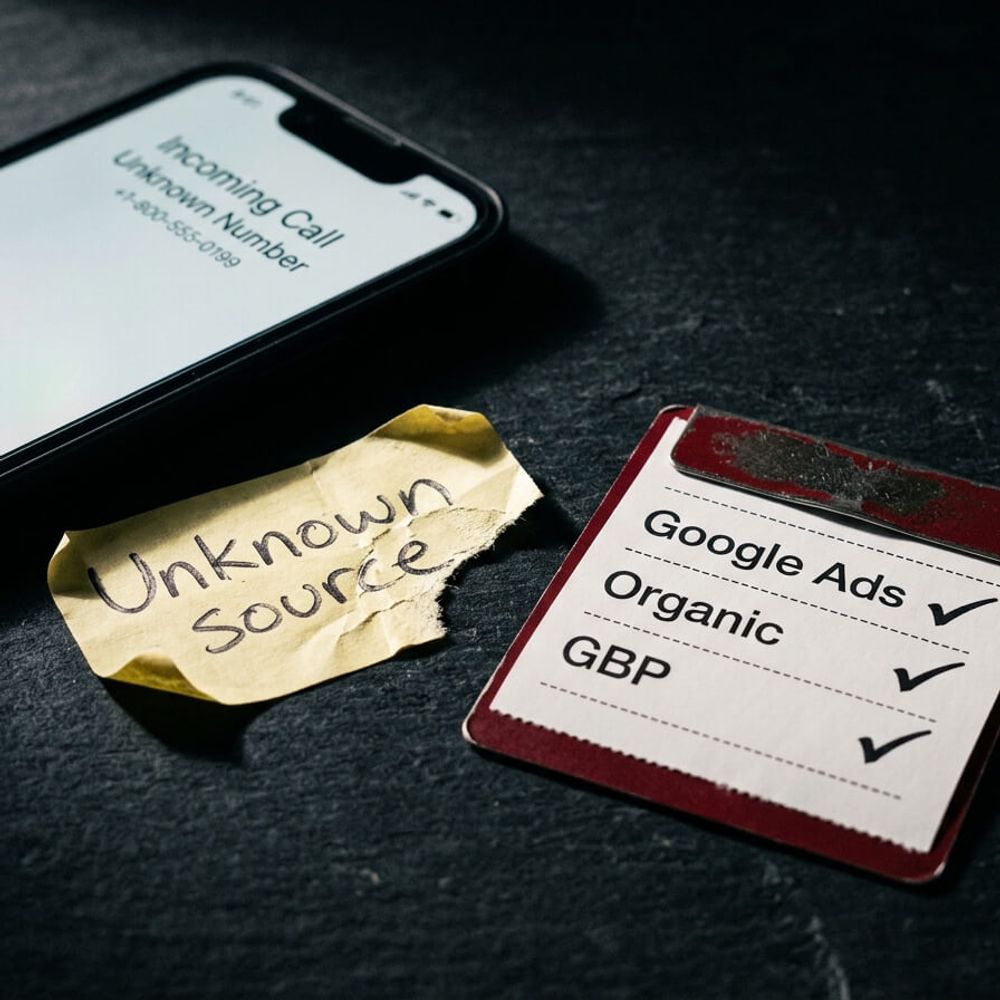
You're paying for Google Ads, investing in a website, and maybe running SEO on the side. The phone rings and you have no idea what made it happen. If you can't tell which channel is driving calls, you're guessing where to put your budget. This post shows you how to track phone calls from your website so you stop wasting money and start investing in what actually works.
You're Spending on Marketing and You Can't Prove What Works
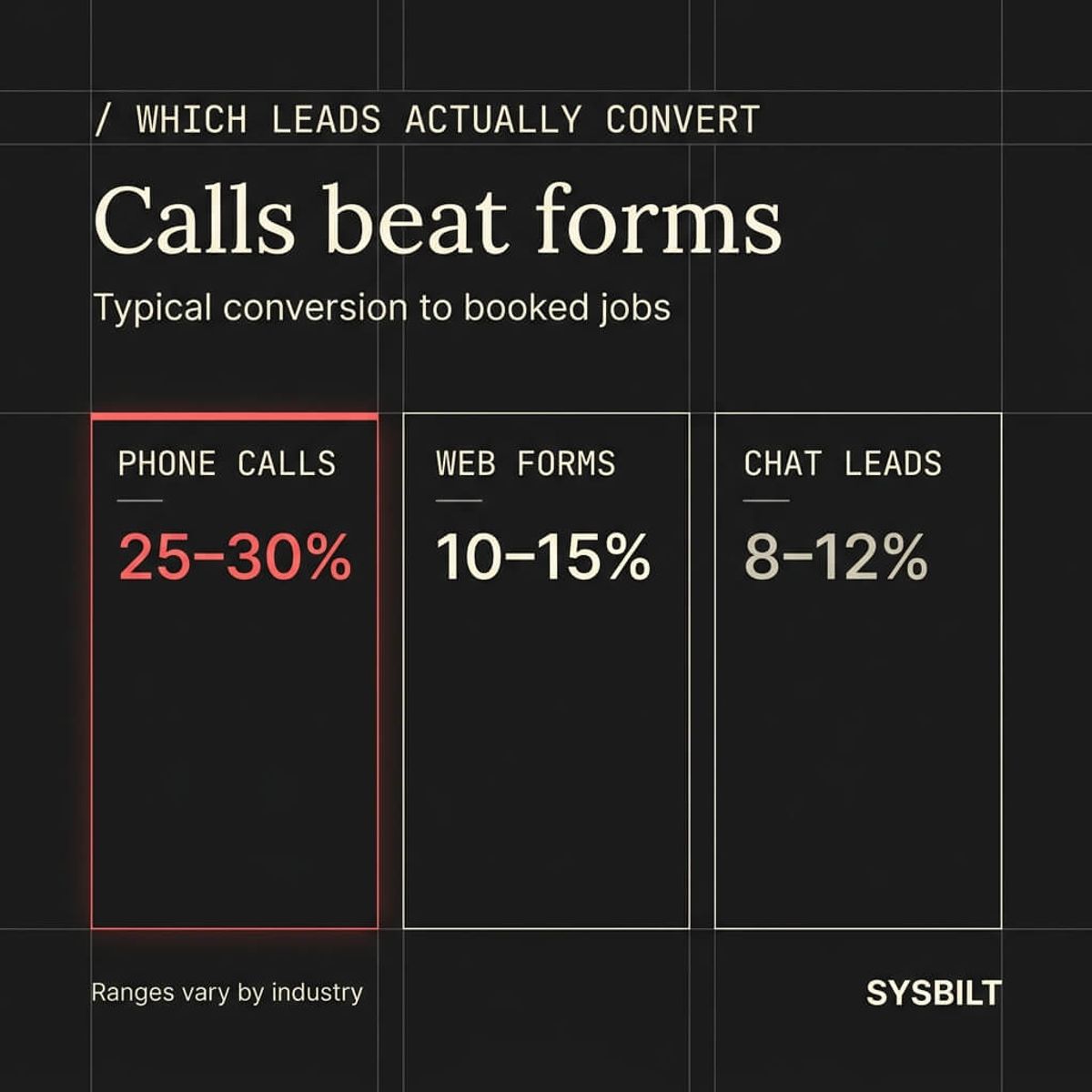
Here's the problem most business owners don't talk about: phone calls are still how real work gets booked. Calls convert to jobs at 25–30%, compared to 10–15% for web forms (PipelineOn, 2025). Your phone is your highest-value lead channel, and right now you probably can't tell which ad, which page, or which campaign made it ring.
That blind spot costs real money. You might be spending $3,000 a month on Google Ads and $1,500 on SEO, but without call tracking you can't tell which one is filling your calendar. You keep funding both because cutting either feels like a risk. That's not a strategy, it's a coin flip.
"It's amazing what data can do — not only are we able to hone our strategy and spend time working on the ads that really work, but we can also improve our engagements with clients by monitoring conversation quality and intelligently routing their calls. Once we integrate call tracking into our client's marketing campaigns, they can generally expect to see conversions increase by 25 to 30 percent."
How to Track Phone Calls From Your Website Without the Jargon
Call tracking works by showing different phone numbers on your website depending on how the visitor arrived. Someone who clicked a Google Ad sees one number. Someone who found you through organic search sees a different one. When either of them calls, you know exactly which channel drove it.
That technology is called dynamic number insertion. It sounds technical, but the setup is straightforward: a small piece of code on your website swaps the displayed number based on the traffic source. The visitor doesn't notice anything different, and you get a clear record of where every call came from.
There are four main ways to track calls, and they suit different budgets:
- Dedicated call tracking software (WildJar, CallRail, Jet Interactive): The most complete option. Tracks calls by source, records conversations, and integrates with your CRM. Best for businesses spending on multiple marketing channels
- Google Ads call conversion tracking: Free if you're already running Google Ads. Tracks calls driven by your ads but doesn't cover organic search, social, or direct traffic
- Google Analytics event tracking: Tracks when someone clicks a phone number link on your website. Tells you the click happened but doesn't confirm whether the call connected or what was said
- Asking the caller directly: The low-tech option. "How did you hear about us?" Works in a pinch but relies on the caller remembering, and your team recording the answer consistently
For most businesses spending money on more than one channel, dedicated call tracking software gives you the clearest picture.
How to Set Up Call Tracking for Your Business
You don't need to be technical to get call tracking running. Here's what the process looks like.
What you need
- A call tracking provider that offers Australian local and 1300 numbers
- A pool of tracking numbers (one per channel you want to measure)
- A small JavaScript snippet installed on your website (your developer or agency can handle this in under an hour)
The setup in plain terms
- 01Choose your provider and sign up for a plan that covers the number of channels you want to track
- 02Create tracking numbers for each source: one for Google Ads, one for organic search, one for your Google Business Profile, and so on
- 03Install the provider's code snippet on your website to enable dynamic number insertion so the right number shows for the right visitor
- 04Connect the tracking platform to your CRM (most providers integrate directly with HubSpot, Salesforce, and similar tools)
- 05Test each number to confirm calls are being logged with the correct source
Australian considerations
If you plan to record calls, know the rules. In most Australian states, call recording requires the consent of all parties on the call. Your provider should offer an automated disclosure message at the start of each recorded call. Check with your provider and your legal advisor before turning on recording, especially if you operate across state lines.
Make sure your tracking numbers are Australian. Local numbers build trust with local customers, and 1300 numbers give a professional impression for businesses that serve a wider area.
What the Data Tells You and What to Do With It
Once call tracking is running, you'll start seeing patterns within the first few weeks. The data answers three questions that matter.
Which channels are actually driving calls? You might discover that 70% of your phone leads come from Google Ads and only 5% from that social media campaign you've been spending hours on. Now you know where to invest and where to cut.
What's the real cost per lead for each channel? If you're spending $2,000 a month on Google Ads and it generates 40 tracked calls, your cost per phone lead is $50. Compare that to other channels and you've got a clear picture of what's working.
Which calls are turning into revenue? This is where connecting call tracking to your CRM changes the game. Every inbound call gets automatically logged as a lead with its source attached. You can trace the full journey from ad click to booked job, and you stop measuring activity and start measuring results.
If your website isn't built to capture and track every lead that comes through, see how we build websites that work as a complete system.
How Call Tracking Fits Into Your Broader Business System
Call tracking on its own tells you where a lead came from. That's useful, but it's only half the picture. The real value shows up when tracking connects to everything else.
Here's what that looks like in practice. A potential customer clicks your Google Ad, lands on your website, and calls the tracking number displayed on the page. The call is logged automatically in your CRM with the source, the time, and optionally a recording. If you don't answer, your automation sends a text message within 60 seconds apologising for the missed call and offering to schedule a callback.
That matters because the numbers are confronting. Only 37.8% of inbound calls to service businesses actually reach a person (411 Locals, 2026). Of the calls that go unanswered, 85% of those callers never ring back, and 62% contact a competitor instead (GetAira, 2026).
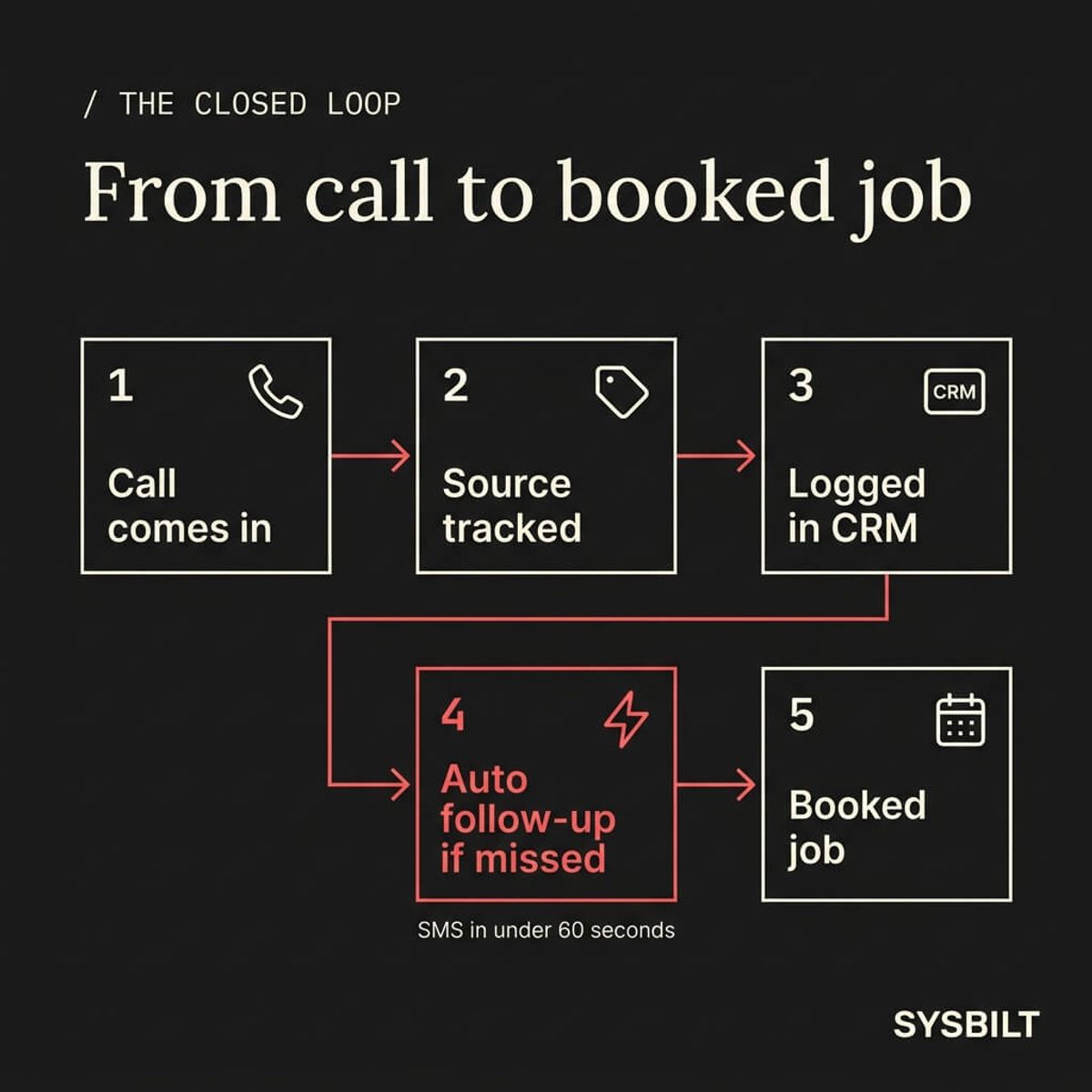
When call tracking feeds into your CRM and your CRM triggers your automation, the system catches what you can't. You stop losing leads to voicemail and start converting them into booked work, even when you're too busy to answer the phone.
Choosing the Right Call Tracking Setup for Your Business
The right setup depends on how much you're spending on marketing and how many channels you're running.
If you're spending under $2,000 per month on ads and running Google Ads only, Google's native call conversion tracking may be enough to get started. It's free, it tracks ad-driven calls, and it feeds directly into your Google Ads reporting. The limitation is that it doesn't cover any other traffic source.
If you're spending $2,000 or more per month across multiple channels, dedicated call tracking software is worth the investment. Expect to pay $50–$200 per month depending on the number of tracking lines and features you need. Look for a provider that offers:
- Australian local and 1300 number availability
- Direct CRM integration (HubSpot, Salesforce, or your existing tool)
- Call recording with automated consent disclosure
- Real-time reporting and source attribution
- Dynamic number insertion for your website
The point isn't to add another piece of software to your stack. It's to close the gap between spending money on marketing and knowing exactly what that money is doing. Every call that comes in should be traceable, logged, and followed up on without you having to remember anything.
If this sounds like your business, book a call and we'll walk you through how this applies to your situation.

WRITTEN BY
Felipe Chaparro
Systems Architect and Founder of SYSBILT. Felipe engineers custom automation, AI workflows, and performance web architectures for scaling Australian service businesses.