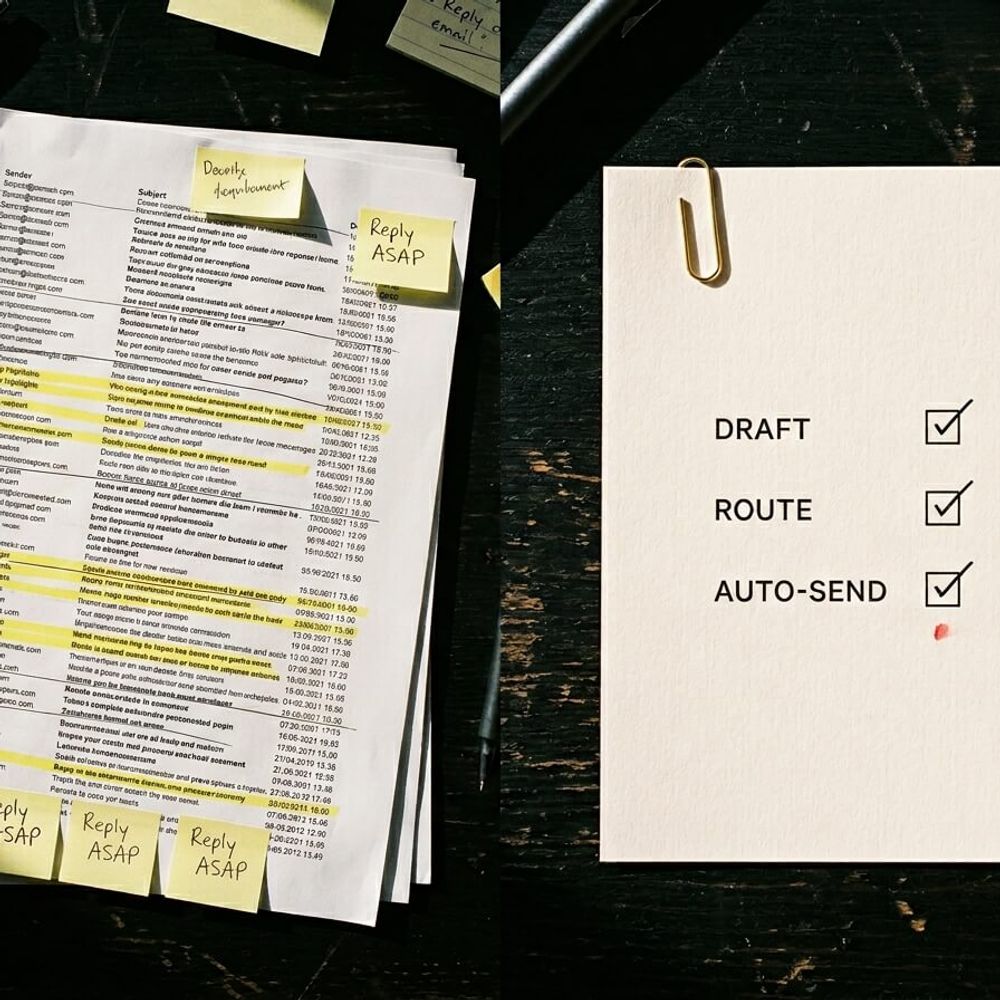
Falling behind in your inbox costs trust and sales. Use AI to answer customer emails fast, with guardrails, tone, and clean handoffs.
In this article
If your inbox is where good leads go to die, you’re not alone. Replying quickly matters, but stiff, robotic emails can do almost as much damage as replying late.
In this post, we’ll show you how to use AI to answer customer emails without sounding like a robot. You’ll get a simple workflow, practical tone rules, and clear guardrails for what should never be auto-sent.
Why your inbox becomes a growth bottleneck
When you’re scaling, the inbox is rarely “just emails”. It’s sales follow-up, support, scheduling, delivery questions, and all the small admin requests that keep interrupting your day.
The hidden cost is not the typing. It’s the context switching, the slow replies, and the dropped threads that quietly push people to a competitor.
Australians spent 123 million hours waiting on hold to make a customer service complaint or resolve an issue in 2024, which works out to 11.1 hours per person (ServiceNow, 2025). Even when wait times improve, patience is still thin. In Q2 2024, average wait times across Australia decreased to 2:07 minutes, but fast handoff and clear service still matter (ACXPA, 2024).
Email is part of the same story. People want a response, and they want to feel like there's a real person behind it.
"If they continue to deliver slow or subpar service, they risk losing customers, revenue, and market share."
The 3-tier workflow that keeps you fast and human
Most businesses either avoid AI completely, or they jump straight to auto-send. Both options create problems.
The better approach is a simple 3-tier workflow. Start with AI as a draft and triage layer, then automate only when the email is genuinely safe.
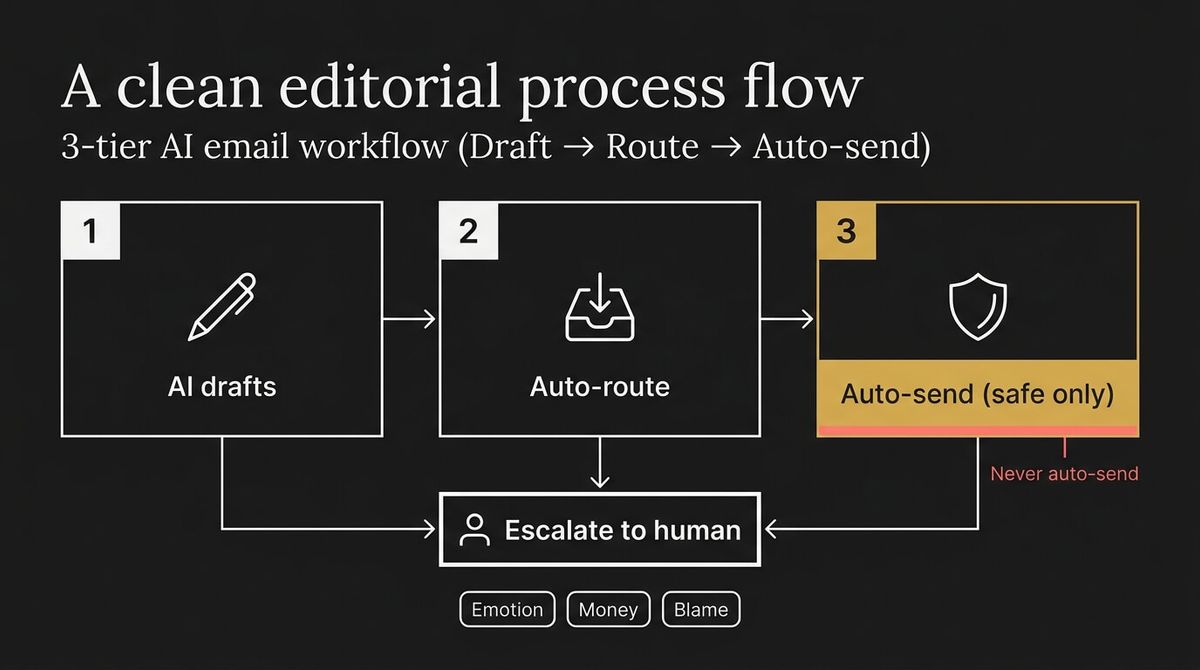
Tier 1: AI drafts, you approve
Use AI to draft replies, but a human hits send.
This is the right starting point when the business still depends on your judgement, the threads are nuanced, or most of the real context still lives in your head.
The day-to-day version is simple:
- AI creates the first draft
- you adjust the specifics
- you save the best replies as templates or reply blocks
This gives you speed without losing control.
Tier 2: AI drafts, auto-route to the right person
Once the drafts are good, the next bottleneck is deciding who should handle what.
AI can help by summarising the thread, tagging the topic, and routing the email to the right person or queue. That takes pressure off the founder inbox and gives the team a cleaner handoff.
Tier 3: Auto-send only for genuinely safe emails
Auto-send can be powerful, but it should be rare.
Use it only for emails like confirmations, receipts, or status updates that pull from a verified system of record. If the email involves emotion, money, blame, or ambiguity, a human owns it.
The escalation rule that protects trust
If any of these are true, route to a human and do not auto-send:
- the customer is upset, confused, or threatening to leave
- the request involves refunds, pricing disputes, or contract terms
- you do not have a confirmed answer in a system of record
- the customer is asking “why” rather than “what”
That matters because people want speed, but they also want a clean handoff when things get more serious. In Australia, 84% of consumers say easy transfer from AI to a human is important (Twilio, 2025).
How to make AI sound like you
Most “robotic” emails are not caused by AI. They’re caused by vague prompts, over-polished language, and zero specifics.
You do not need a giant style guide. You need a short tone system you can repeat.
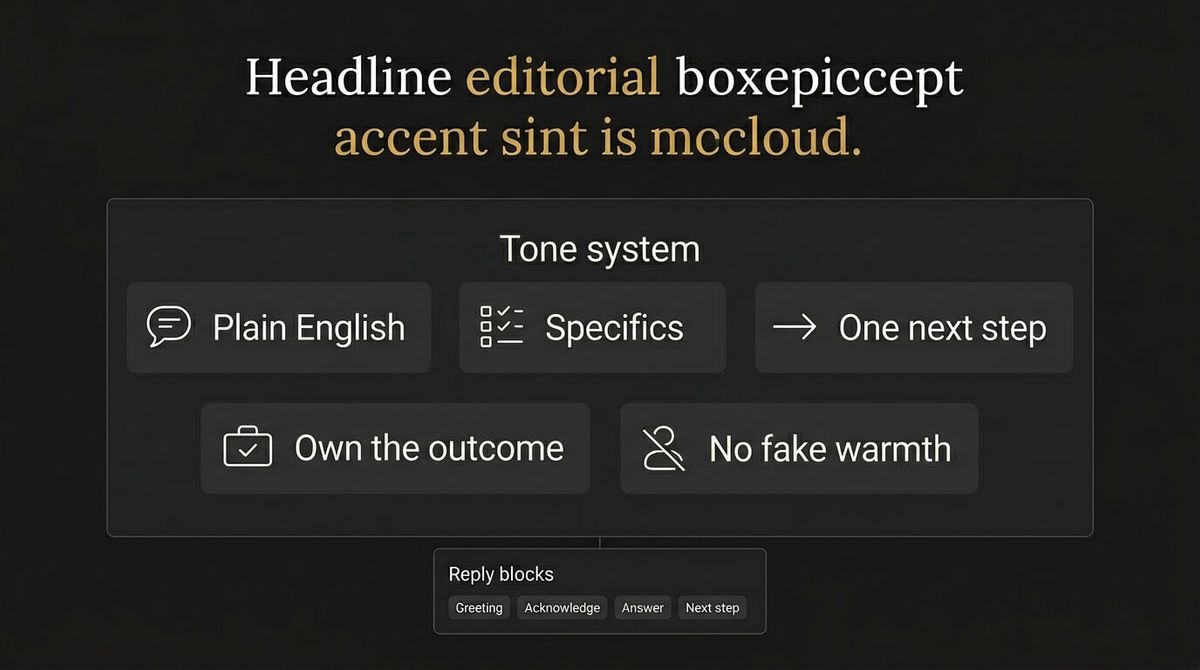
Your tone rules
Use these rules as the default:
- plain English, no corporate fluff
- short paragraphs, but not choppy fragments
- one clear next step per email
- less apology, more ownership
- no fake warmth or forced enthusiasm
Add human markers
These are the details that stop the message feeling generic:
- use the customer’s name when it helps
- reference the exact thing they asked
- include one honest sentence if context matters
- confirm the next step clearly
Build a reply block library
This section is worth keeping because it is what makes the system practical.
Instead of writing from scratch every time, build reusable blocks you can stitch together. That makes the team faster and trains the AI to sound consistent.
Start with these:
- greeting
- acknowledgement
- answer
- next step
- close
Simple examples:
- Acknowledgement: “Thanks for the details, that helps.”
- Next step: “If you send through [X], we can confirm [Y] today.”
- Close: “Once that’s done, we’ll let you know what’s next.”
Guardrails: what AI should never send
If you want to avoid wrong answers and awkward emails, the guardrails matter more than the tool.
Never let AI invent facts
If a reply needs a delivery date, booking time, price, or policy, it must pull that information from your systems or ask a clarifying question.
Never let AI make promises on your behalf
AI should not commit to refunds, timelines, discounts, or outcomes. It can draft the language, but a human should confirm the promise.
Use the one clarifying question rule
When the request is ambiguous, AI should draft one clean clarifying question instead of building a long reply on assumptions. That one habit prevents most confidently wrong answers.
Tool choices
Most businesses do not need a new platform just to start. Use the tools you already have for drafting, then add routing and QA only when the workflow proves itself.
If you are on Microsoft 365, Copilot in Outlook can help with drafting and tone edits. If you are on Google Workspace, Gemini for Gmail can help with drafts and summaries. If you run a shared inbox, look for routing rules, team assignment, saved replies, and approval controls before send.
The goal is not more AI. The goal is fewer dropped balls.
If you want AI email replies to stick, they need to connect to the rest of your operation. Customer history has to live in one place, outcomes have to be captured, and handoffs have to be tracked. That is why we build this as a system, not a plugin. If you want the workflow, the guardrails, and the handoff built into your business, start here: AI Assistants.
Final note: AI is the first draft, not the final voice
AI can make you faster, but it should not replace judgement.
Used well, it buys back hours, reduces delays, and keeps tone consistent across the team. Used badly, it sends the kind of emails that make customers feel like a ticket number.
See how we fix this
See the exact system we build to fix this
Book a call to set up a safe AI email workflow
WRITTEN BY
Felipe Chaparro
Systems Architect and Founder of SYSBILT. Felipe engineers custom automation, AI workflows, and performance web architectures for scaling Australian service businesses.