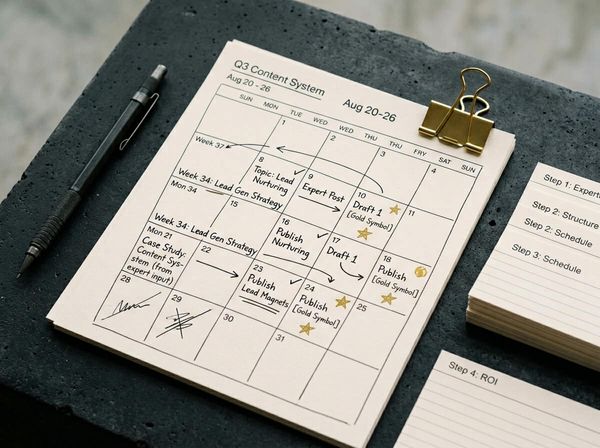
Your newsletter takes an hour because you start from scratch. Here's how to write a weekly email newsletter in 10 minutes with a repeatable system.
In this article
You know you should be emailing your clients. You've known for months. But every time you sit down to write, an hour disappears and you end up with three half-finished paragraphs and nothing sent.
The problem isn't willpower or writing ability. It's that you're starting from scratch every single week, with no template, no pre-stocked ideas, and no structure to follow. This post shows you how to write a weekly email newsletter in 10 minutes by building a repeatable system that removes the decisions before you start typing.
Why your newsletter takes an hour instead of ten minutes
Most business owners treat their newsletter like a creative writing exercise. Every week they open a blank email, stare at the cursor, and try to think of something worth saying. That's not a writing problem. It's a structural one.
Before a single word gets typed, you're making roughly 20 micro-decisions. What's the topic? What's the subject line? How long should it be? Should you include a photo? What's the call to action? Each decision burns time and mental energy, and for someone already juggling operations, staff, and clients, that energy ran out hours ago.
The result is predictable: the newsletter gets pushed to next week, and next week becomes next month. Email marketing returns an average of $36 for every dollar spent (Forbes Advisor, 2026), but only if you actually send something. The businesses that get that return aren't writing better emails. They're writing consistently, because they've removed the friction that makes every send feel like starting a new project from scratch.
The 10-minute email newsletter system
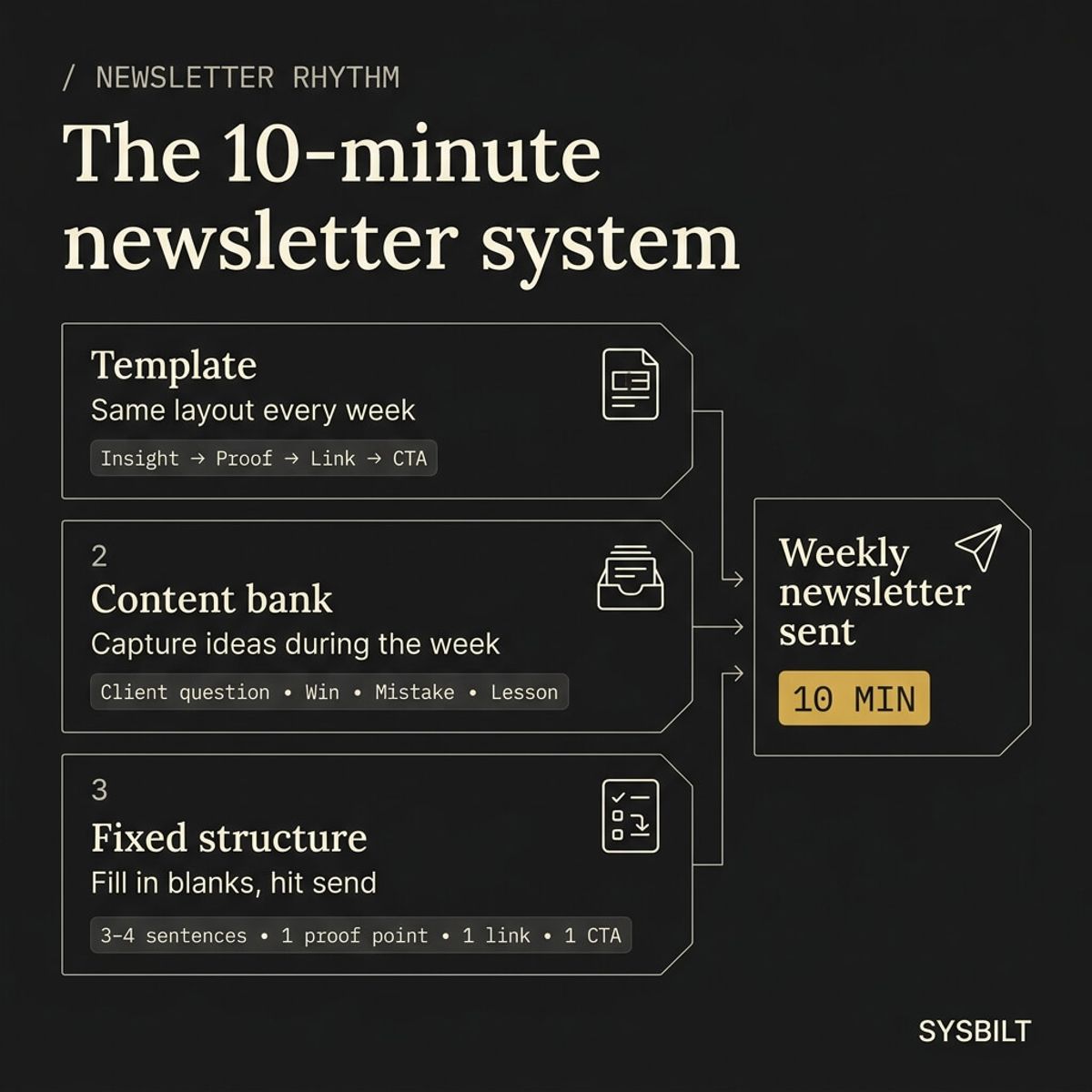
The system has three parts. Each one removes a layer of decision-making so the weekly send becomes routine instead of a project.
The reusable template
Build one email template and use it every week. Same layout, same sections, same CTA position. You're not designing a newsletter from scratch each time, you're filling in four blocks of text.
Most email tools, including HubSpot's free tier and Mailchimp, let you save and clone a template in seconds. Set it up once with your logo, your colours, and a simple layout: one short text section, one highlight box, one link block, and one button. That's the entire design decision made permanently. Every week you open the same template, swap the content, and send. No redesign, no layout choices, no wasted time on formatting.
The running content bank
This is a simple list, whether it's a note on your phone, a shared doc, or a Notion page, where you drop ideas throughout the week. Client questions you answered, interesting results from a project, things you explained more than once, or lessons from a mistake.
The key is capturing ideas when they happen, not trying to invent them at writing time. A question you answered on a Tuesday phone call is already a newsletter topic by Friday. A compliment from a client is a proof point. A process you changed last month is a lesson worth sharing. By the end of any normal working week, you'll have five to ten raw ideas without ever sitting down to brainstorm. Lower the bar for what counts as an idea: a single sentence like "client asked about X" or "fixed the issue with Y" is enough.
The fixed structure
Every newsletter follows the same four-part format:
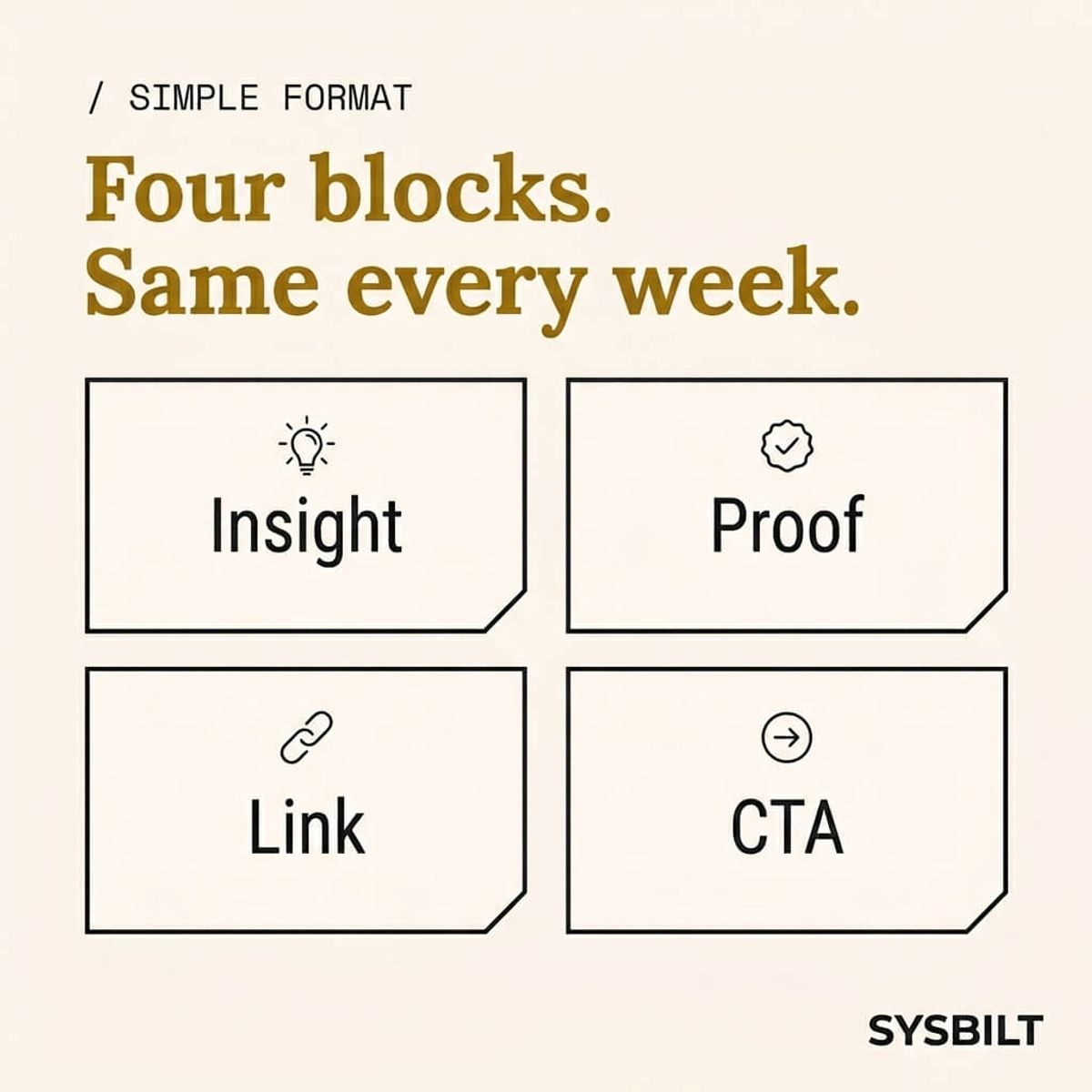
- One short insight or lesson (3–4 sentences)
- One proof point: a result, a client win, or a number
- One useful link: your latest blog post, a tool, or a resource
- One call to action: book a call, reply to this email, or visit a page
When all three parts are in place, writing the newsletter means picking one idea from your bank, dropping it into your template, and hitting send. That's where the 10 minutes comes from. You're not creating content from nothing. You're assembling it from parts you've already collected during the week.
What to write in a weekly email newsletter without overthinking it
The biggest stall isn't the writing itself. It's deciding what to write about. Here are four content types that work for any service business, and you can rotate through them week by week.
The lesson. Something you learned recently, explained in three or four sentences. "We changed how we handle X, and it cut our turnaround by two days." Your clients want to know you're thinking about your work, not just doing it. These don't need to be groundbreaking insights. A small process change or a common mistake you've stopped making is more relatable than anything polished.
The proof point. A result, a before-and-after, or a metric from a real project. You don't need a full case study. One specific number does more than a paragraph of claims, and it gives the reader a concrete reason to trust your expertise over a competitor who only talks in generalities.
The useful link. Share something your audience would actually click: your latest blog post, a tool you recommend, or a resource you've already published. If you've built a content system that produces multiple assets from one idea, your newsletter becomes another distribution channel rather than another thing to create from nothing.
The CTA. One clear action, not three options and a dropdown menu. "Reply to this email" or "Book a 15-minute call" is enough. Every newsletter should have one job, and the CTA is where that job gets done.
"Permission marketing is the privilege (not the right) of delivering anticipated, personal and relevant messages to people who actually want to get them."
Why your clients are more likely to read email than you think
If you've been putting off your newsletter because you assume nobody opens them, the data says otherwise. The average email open rate globally hit 43.46% in 2025, up from 42.35% the year before (MailerLite, 2025). In the APAC region specifically, unique open rates reached 37.3%, representing a 7.2% increase year on year (Dotdigital, 2026).
For Australian service businesses, a healthy open rate sits around 25–35% (LM Group AU, 2025). That means if your list has just 200 contacts, somewhere between 50 and 70 people are seeing your name and your expertise every single week. For a local business that relies on trust, repeat work, and referrals, that kind of consistent visibility is difficult to replicate on any other channel where algorithms decide who sees your content.
The average click rate is lower at 2.09% (MailerLite, 2025), but that misses the point. Your newsletter's primary job isn't to generate clicks. It's to keep you top of mind so that when your client needs your service again, or when someone asks them for a recommendation, your name is the first one that comes up. The click is a bonus. The open is the real win, and more people on your list are giving you that win each week than you probably expect.
Pick a tool and stop comparing
If you've spent more time comparing email platforms than actually sending emails, the tool isn't the bottleneck. The rhythm is.
For most Australian businesses, a simple starter stack is all you need:
- HubSpot free tier or Mailchimp free tier for sending
- One saved template (built once, cloned weekly)
- A fixed send day (Friday afternoon works well, but pick any day and commit to it)
The differences between these tools at the free tier level are marginal. Both offer drag-and-drop builders, list management, and basic open-rate reporting. Pick one, set it up in an afternoon, and move on. You can always switch later if your needs outgrow the free plan, but you can't switch if you never start.
The goal isn't to become an email marketer. It's to stay consistently in front of the people who already trust you. If you want to connect your newsletter to a broader content system that handles social posting, content repurposing, and distribution automatically, that's where the real leverage comes in. But the newsletter on its own is already a strong starting point that costs nothing except 10 minutes of your week.
Start this Friday
You don't need a perfect system to send your first newsletter. You need three things done before the end of this week:
- 01Build one template. Open your email tool, create a layout with four sections (insight, proof, link, CTA), and save it. This takes 15 minutes once and saves you hours over the coming months. Clone it every week so you never start from a blank screen again.
- 02Stock five content bank items. Open a note on your phone right now and write down five questions clients asked you this month, five things you explained more than once, or five results you're proud of. That's five weeks of newsletter content before you've written a single word.
- 03Send the first one. Pick one idea from your bank, drop it into your template, write a subject line under 50 characters, and hit send. It won't be polished, and it doesn't need to be. Your audience cares about hearing from you consistently, not about perfect formatting.
Consistency beats quality when quality is the excuse for not starting. A good-enough newsletter sent every week will do more for your business than a brilliant one sent twice a year. Once the habit is locked in, you can automate the distribution side so the same content reaches your social channels without extra effort.
Your newsletter isn't a creative project. It's a system. Build it once, run it weekly, and spend your time on the work that actually needs you.
If this sounds like your business, book a call and we'll walk you through how this applies to your situation.

WRITTEN BY
Felipe Chaparro
Systems Architect and Founder of SYSBILT. Felipe engineers custom automation, AI workflows, and performance web architectures for scaling Australian service businesses.