
Your team can't find anything and you're the answer machine. Here's how to choose between Notion and Google Drive for your company wiki.
In this article
- //Your Team Can't Find Anything (And You're the Search Engine)
- //Google Drive Is Familiar, But It Wasn't Built for Knowledge
- //Notion Is Structured, But Only If Someone Sets It Up
- //The Question That Actually Matters for Your Company Wiki
- //How to Make Either Tool Actually Stick
- //What We Tell Clients Who Ask Us This Question
Your team sends you the same question three times a week. Where's the pricing sheet? What's the onboarding process? How do we handle a refund? You've answered all of it before, but nobody can find where you put the answer. If you're weighing up Notion vs Google Drive for your company wiki, the real question isn't which tool has better features. It's which one your team will actually open.
Most comparison articles line up features and pricing tables, but that misses the point. The tool your team ignores is the one that actually costs you money, in repeated questions, slow onboarding, and knowledge that walks out the door when someone leaves. This post breaks down both options from a business operations perspective, with a focus on what works for Australian teams scaling from five to twenty staff.
Your Team Can't Find Anything (And You're the Search Engine)
The pain is familiar. You've documented a process, saved it somewhere reasonable, and two weeks later your team messages you asking how to do the exact same thing. The documentation exists, but your team doesn't know where it lives or they've given up looking.
This isn't a discipline problem, it's a systems problem. When information is scattered across emails, shared drives, chat threads, and random documents, searching becomes slower than just asking the boss. Research from Pryon found that 47% of professionals spend one to five hours every day searching for specific information, up to a quarter of someone's workday lost to finding things that should be at their fingertips (Pryon, 2025).
And it compounds with every hire. Each new person is another team member who doesn't know where things are, another person messaging you for answers, and another week spent explaining what you've already explained.
The decision between Notion and Google Drive isn't really about software. It's about whether your team can self-serve answers without interrupting you, and whether that system holds up as you grow from five people to fifteen.
Google Drive Is Familiar, But It Wasn't Built for Knowledge
Google Drive's biggest advantage is that your team already knows how to use it. Training isn't required, the learning curve is basically zero, and you avoid the risk of buying software nobody opens. For lean teams who just need to share documents, it works.
Where It Falls Apart as a Wiki
The problems start when you try to turn Google Drive into something it wasn't designed to be. It's a file storage system, not a knowledge management tool. Documents sit inside folders, and finding the right one means remembering the exact file name or scrolling through nested folders hoping for the best.
Search returns everything that matches your keyword, including six outdated versions of the same document and meeting notes from two years ago. There's no way to create linked, structured knowledge in Google Drive. You can't build a homepage that connects your onboarding guides, process documents, and policy pages in a logical flow, and you can't link one document to another in a way that makes navigation intuitive.
For a team of three sharing a handful of files, that's manageable. For a business scaling past ten staff who need to find answers quickly and independently, it creates the exact mess you're trying to escape.
Version control makes it worse. Google Docs tracks changes within a file, but it doesn't prevent duplicates. You end up with "Client Onboarding Process v2 FINAL (use this one)" sitting next to three other versions, and nobody knows which is current.
Notion Is Structured, But Only If Someone Sets It Up
Notion is purpose-built for this kind of work. You can create databases, link pages together, build navigation structures, and set up templates your team fills in consistently. A well-built Notion wiki looks and feels like a proper internal website for your business, complete with a sidebar, searchable pages, and content that connects logically from one topic to the next.
The Adoption Risk
The catch is that Notion requires setup. It doesn't organise itself, and someone has to design the structure, build the templates, create the navigation, and maintain it over time. For teams that aren't tech-comfortable, the learning curve can be steep enough to kill adoption entirely.
A powerful wiki that nobody opens is worse than a messy Google Drive that everyone uses daily. If adoption is a concern, we've written about why teams refuse to use new software and what you can do about it. The pattern is predictable: the business owner gets excited about the tool, sets everything up over a weekend, and the team quietly reverts to what they already know within a fortnight.
Cost matters too. Google Drive comes bundled with Google Workspace, which most businesses already pay for. Notion charges per user, typically $10 to $20 per month depending on the plan.
For a team of ten, that's an extra $100 to $200 a month on top of what you're already running. It's worth it if your team uses it, but it's wasted money if they don't.
The Question That Actually Matters for Your Company Wiki
The best company wiki isn't the one with the most features. It's the one your team opens without being reminded.
"The central issue is never strategy, structure, culture, or systems. The core of the matter is always about changing the behavior of people."
The data backs this up. A KM World survey found that 46% of executives and managers agree it takes too long to onboard new employees with the knowledge they need (KM World, 2025).
When onboarding goes wrong in Australia, the cost is real. Poor onboarding costs Australian SMEs $28,830 to $35,000 per failed hire in wasted recruitment, lost productivity, and replacement expenses (Scale Suite, 2026).
A structured wiki is one of the fastest ways to get new staff up to speed without repeating yourself every time someone joins the team. Here's a quick framework to guide your decision:
| Google Drive | Notion | |
|---|---|---|
| Team familiarity | High. Most teams already use it. | New for most teams. |
| Setup effort | Low. A shared folder is enough. | High. Someone has to build the structure. |
| Wiki structure | Weak. Files sitting in folders. | Strong. Pages that link together. |
| Scales with hiring | Limited, gets messy fast | Strong, built for growing teams |
| Cost for 10 users | Free to $18/month (bundled) | $100 to $200/month |
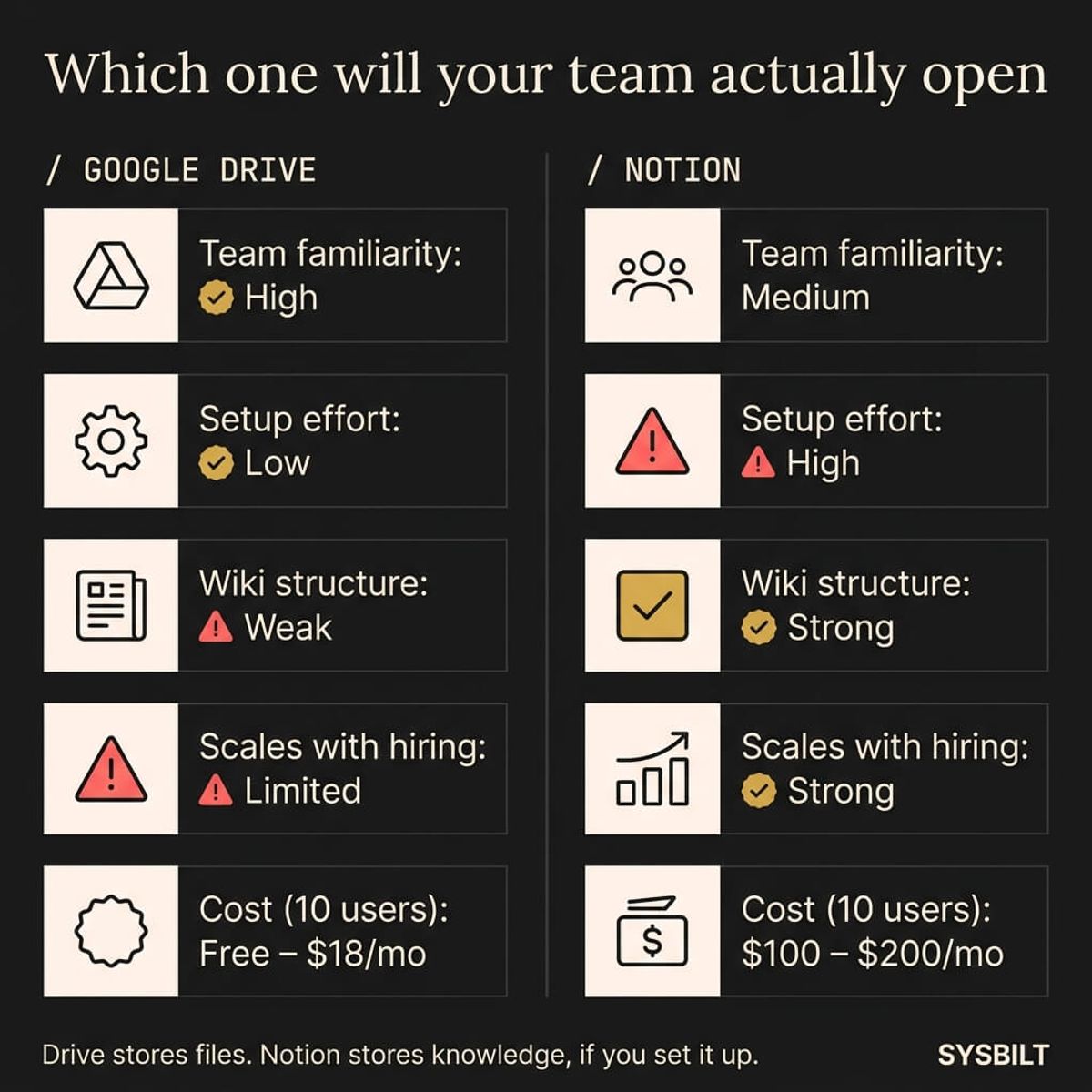
If your team is small, already lives in Google Workspace, and just needs a shared folder of key documents, Google Drive will do the job. If you're scaling past five to ten staff and hiring regularly, Notion is the stronger foundation because it gives your team onboarding materials, SOPs, and a single source of truth they can navigate without help.
Neither option is wrong. The wrong choice is picking based on a feature list and hoping your team figures it out.
If your team is growing and you need systems they'll actually follow, this is where we start.
How to Make Either Tool Actually Stick
The tool you choose matters less than what happens in the first two weeks after you set it up. Most company wikis fail not because the software was wrong, but because nobody built the habit of using it.
- One person owns it. Not the whole team, just one person who keeps the wiki current, reviews outdated pages, and fields questions when someone can't find something. Without an owner, the wiki drifts out of date within months and the team stops trusting it.
- Start with five pages, not fifty. Document the five processes your team asks about most often. Get those right, make them easy to find, and resist the urge to build the whole knowledge base in a weekend. A small wiki that's accurate beats a comprehensive one that's half-wrong.
- Make it the default answer. When someone asks a question that's already documented, send them the wiki link instead of typing out the answer. This is the hardest habit to build, but every time you answer directly instead of pointing to the wiki, you're training your team to skip it.
- Reference it in meetings. When a process question comes up in a standup or check-in, pull the wiki page up on screen instead of explaining from memory. This normalises the wiki as your team's go-to reference and reinforces the habit of looking there first.
If your team has already tried and failed to adopt a tool, that history matters. The problem was almost certainly the rollout, not the software.
What We Tell Clients Who Ask Us This Question
We get asked this regularly, and our answer is always the same: it depends on your team, not the tool. We've set up Notion wikis for service businesses scaling from five to twenty staff, and we've seen Google Drive work perfectly well for smaller operations that just need shared access to key documents.
The honest answer is that some businesses use both. Google Drive handles file storage, including contracts, receipts, and signed documents. Notion handles the knowledge layer, covering how things work, what to do when a new client starts, and where to find answers without messaging the boss.
They serve different jobs, and forcing one to do both usually creates frustration.
What we always say is this: the tool doesn't matter if nobody maintains it. A wiki that's six months out of date is worse than no wiki at all. Your team will open it, find wrong information, lose trust, and go straight back to messaging you.
Whichever tool you choose, someone needs to own it. That's the real investment, not the subscription fee, but the habit of keeping it current and making it the first place your team looks.
If the idea of building this yourself feels like another item on your already full plate, that's the point where it makes sense to get help setting it up properly from the start.
If this sounds like your business, book a call and we'll walk you through how this applies to your situation.

WRITTEN BY
Felipe Chaparro
Systems Architect and Founder of SYSBILT. Felipe engineers custom automation, AI workflows, and performance web architectures for scaling Australian service businesses.