Still retyping invoices and payments between tools? Fix manual data entry between Xero and HubSpot with a simple bridge that keeps records clean.
In this article
- //What manual re-entry is really costing you as you scale
- //What you actually want the system to do
- //The 3 failure points that keep things manual
- //Your options in 2026 and what each one is good for
- //The Monday-morning checklist to stop manual data entry
- //How this fits into the bigger Automation system
If you’re still retyping invoices, payments, and client details between your CRM and accounting software, you’re paying for the same work twice. Worse, you’re paying for the mistakes that come with it.
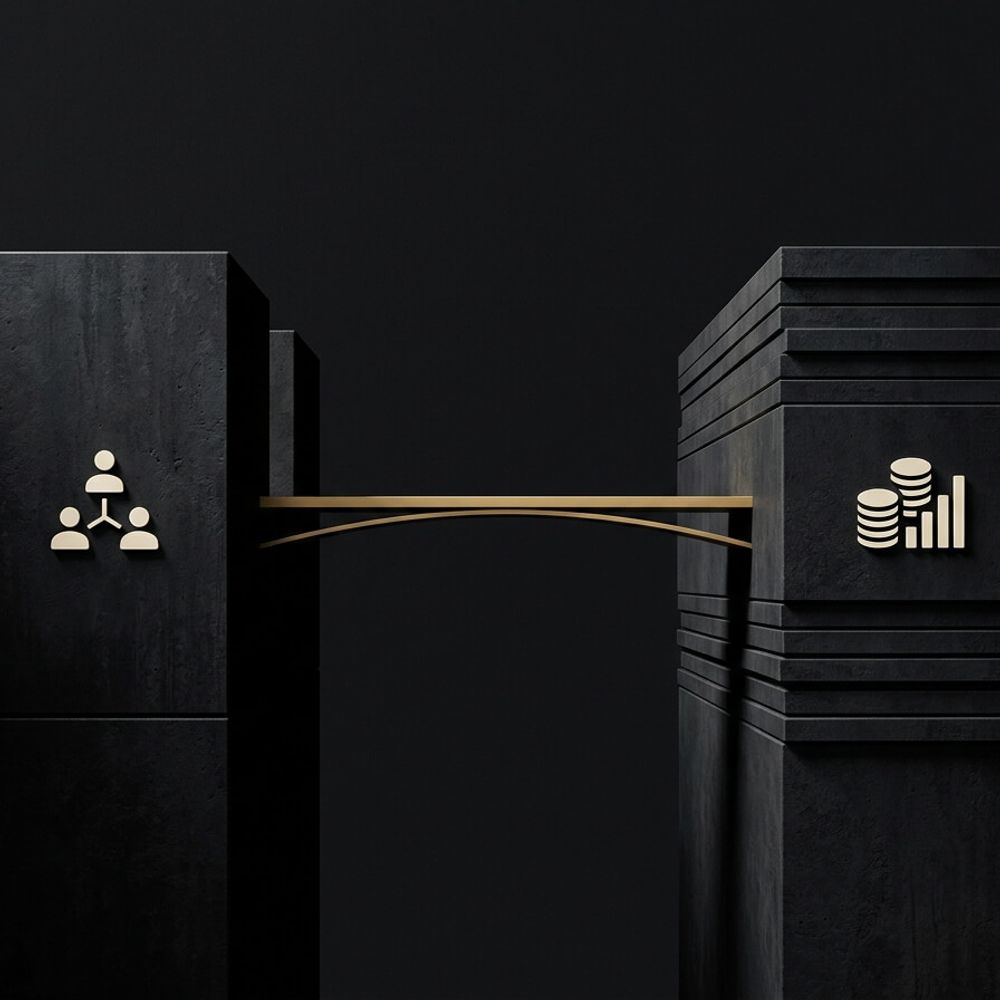
This post covers how to stop manual data entry between Xero and HubSpot by building a simple “invoice bridge”, so deals turn into invoices, payments flow back, and your team stops cleaning up duplicates.
What manual re-entry is really costing you as you scale
Manual re-entry feels like a few annoying minutes here and there. Then you grow, your team grows, and it turns into a weekly tax on everyone’s attention.
- Errors stack up fast. Over a third of Australian businesses (38%) say errors from manual data entry are their most common inefficiency (OFX, The state of SME financial management in Australia, 2025).
- Financial admin eats time. More than 1 in 3 Aussie business owners say financial admin is the most time-consuming administrative task (AMP research, 2025)
The real cost is not just time. It’s what happens because the work is manual.
- Invoices go out late because someone had to copy details across
- Payments are hard to reconcile because the “truth” sits in a different system
- Reporting becomes a guessing game because each tool tells a different story
- You become the human bridge, because you’re the only one who knows what’s right
What you actually want the system to do
Most people say “we need HubSpot and Xero to sync”. That’s not the outcome.
The outcome is a clean, boring workflow that runs the same way every time.
- 01Lead or customer exists once (no duplicates, no “which one is correct” arguments)
- 02A deal becomes an invoice without retyping names, line items, or amounts
- 03When the invoice is paid, payment status flows back so the team can see what’s happening
- 04Reporting pulls from one source of truth, so numbers match across the business
HubSpot’s Xero Data Sync can sync contacts, invoices, and payments applied to invoices. That’s useful, but it does not automatically mean your workflow is fixed.
The 3 failure points that keep things manual
This is why businesses “have an integration” and still end up copying and pasting.
01Duplicates and messy matching rules
If you don’t decide how records match, your systems will make guesses.
Common causes:
- The same customer exists as two contacts because one came from a form and one came from accounting
- Staff create new records instead of searching first
- Company name formatting differs between systems
What to do:
- Pick a single unique identifier you will use for matching wherever possible (email for people, ABN or company name rules for organisations)
- Create a clear rule for who is allowed to create new records and when
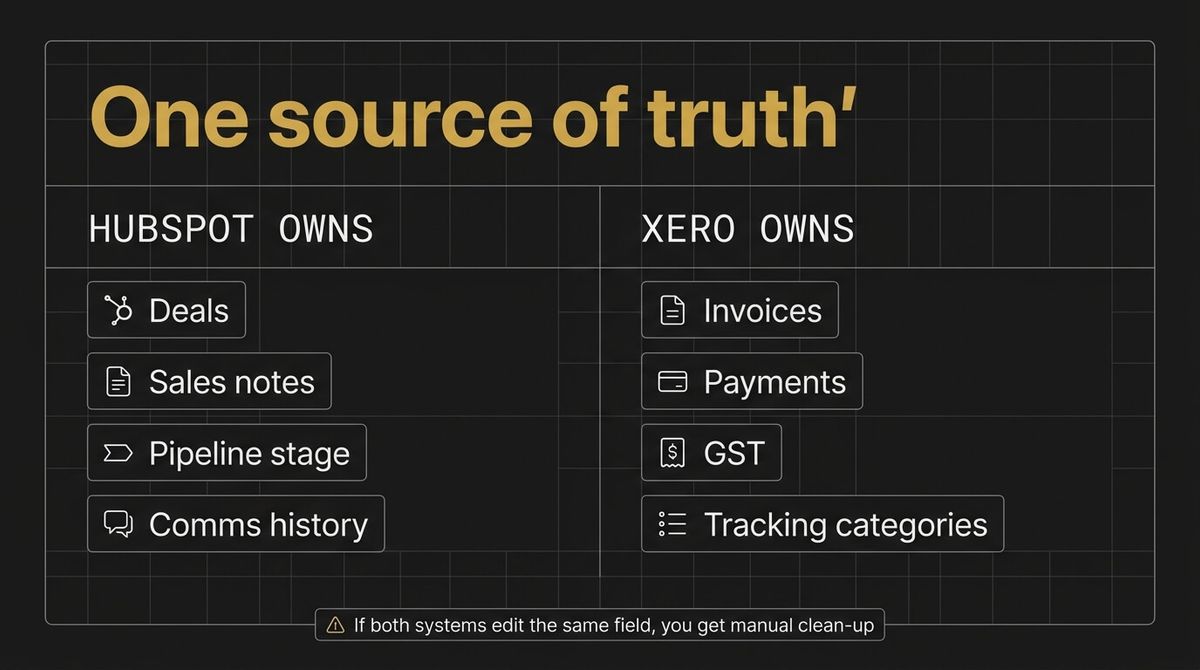
- Decide which system “owns” updates to key fields like billing email and address
02Field mapping and ownership (which system is the truth)
If HubSpot has one value and Xero has another, which one wins.
Without this rule, you will keep doing manual clean-up.
What to decide up front:
- Where do billing details live
- Where do service addresses live (these are not always the same thing)
- Who owns changes to phone numbers and email addresses
- Which fields should be synced both ways, and which should be one way only
03Invoice logic, GST, and approvals
This is where “sync” falls apart in the real world.
Invoices are not just a PDF. They include:
- Line items that need to match how you report revenue
- GST treatment
- Tracking categories (if you use them)
- Approval steps before an invoice goes out
If you do not design this logic, someone ends up retyping line items, fixing GST, or rebuilding invoices by hand.
Your options in 2026 and what each one is good for
A key change to be aware of is that Xero retired the Xero-owned built-in HubSpot CRM integration on 13 March 2026.
So the question becomes, what is the cleanest path now.
Option A: HubSpot Xero Data Sync
Good for:
- Keeping core records aligned (contacts, invoices, payments) if your data hygiene is already solid
- Reducing basic double entry
Not ideal for:
- Complex deal to invoice logic
- Businesses that already have duplicates and inconsistent field use
Option B: Marketplace connectors
Good for:
- More opinionated workflows if you want off-the-shelf behaviour
- Bridging gaps when you need extra objects or rules
Not ideal for:
- When you need strict control over matching and ownership, and you do not want “magic” updates
Option C: A simple custom invoice bridge
Good for:
- The “minimum viable” setup that matches your rules
- Keeping your CRM clean while letting accounting stay the legal source of truth
- Reducing founder involvement, because the system is predictable
This is usually where we land for scaling businesses. Not because it’s fancy, because it’s controlled.
If you want to see what an Automation system like this looks like end to end, our automation page walks through the building blocks.
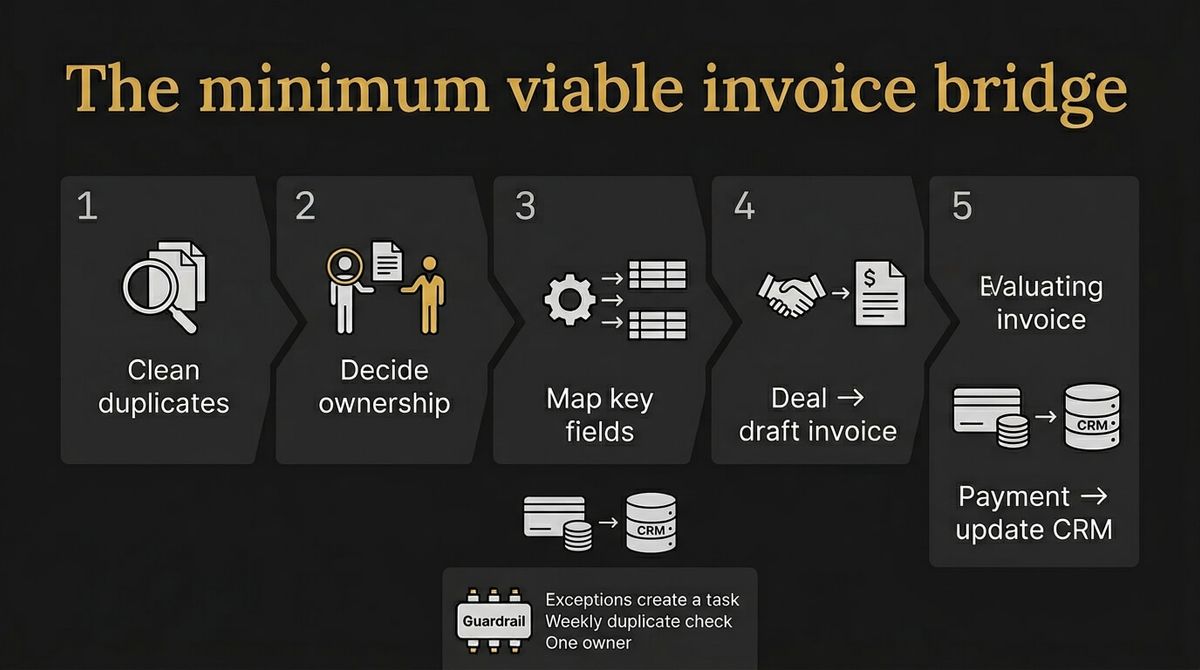
The Monday-morning checklist to stop manual data entry
Start with a small bridge that does one job well, then expand.
Step 1: Clean up the duplication problem first
- Pick the matching rule you will use (start with email for individuals)
- Merge or archive duplicates
- Lock down who can create new records
Step 2: Decide your ownership rules
Write this in plain English so your team can follow it.
- HubSpot owns: sales notes, deal stage, communication history
- Xero owns: invoices, payments, tax treatment
- Billing details live in: \[choose one and commit\]
Step 3: Map only the fields you actually need
More fields means more breakage.
Start with:
- Customer name
- Billing email
- Invoice number
- Invoice status (draft, sent, paid)
- Amount and due date
Step 4: Build the smallest working deal to invoice flow
Your goal is not automation everywhere. Your goal is one reliable path.
- When a deal hits \[your “ready to invoice” stage\], create a draft invoice in Xero
- When the invoice is paid, update the deal or customer record in HubSpot
- If anything fails, create a task for a human to review, do not silently fail
Step 5: Put simple guardrails around it
- A weekly check for duplicate creation
- A monthly audit of field mapping changes
- A single owner for changes to the workflow
ESSENTIAL: Where manual data entry hurts
| What changes | Manual re-entry | Simple invoice bridge |
|---|---|---|
| Invoice accuracy | Wrong amounts, wrong customer, wrong GST, missing line items | Mapping stays consistent, and exceptions get flagged |
| Payment visibility | Sales team cannot see if money landed without asking finance | Payment status flows back, everyone sees the same truth |
| Forecast confidence | Two tools, two numbers, and a spreadsheet to reconcile | One set of rules, cleaner data, reporting becomes dependable |
How this fits into the bigger Automation system
The invoice bridge is not the whole system, it’s one high-leverage piece.

WRITTEN BY
Felipe Chaparro
Systems Architect and Founder of SYSBILT. Felipe engineers custom automation, AI workflows, and performance web architectures for scaling Australian service businesses.