Your business website looks bad on mobile because it was built desktop-first. Here's what it's costing you in leads and how to fix it.
In this article
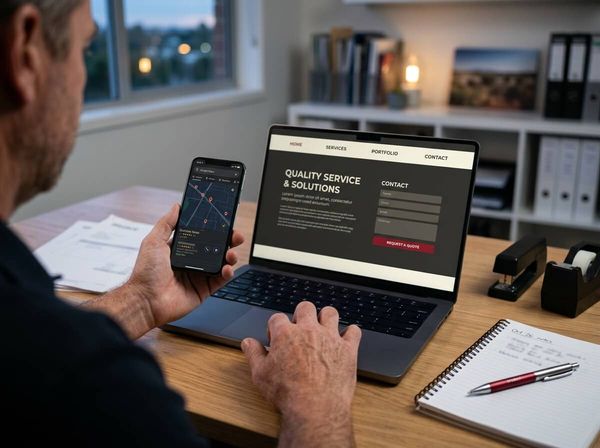
You've spent money on a website that looks great on your laptop, but when you pull it up on your phone the text is tiny, the buttons overlap, and half the page disappears off the edge of the screen. If you've ever wondered why your business website looks bad on mobile, the answer is almost always the same: it was built for a desktop and squeezed onto a smaller screen as an afterthought. That's not a cosmetic flaw you can ignore, it's costing you leads every single day.
Why Mobile Is Where the First Impression Actually Happens
Australia had 34.4 million mobile connections in early 2025, equal to 128% of the population (DataReportal, 2025). More Australians now use their phones to go online than any other device (ACMA, 2026). When someone searches for a business like yours, they're almost certainly doing it from their pocket.
That means your mobile site isn't a smaller version of your real website. It is your real website. If it loads slowly, looks cramped, or makes it hard to tap a phone number, the visitor doesn't think "I'll check this on my laptop later." They tap back and call whoever shows up next.
Five Reasons Your Website Looks Bad on Mobile
It was built desktop-first
Most older websites were designed on a wide screen and then expected to shrink gracefully. They don't. Text wraps awkwardly, images stretch or overlap, and the navigation collapses into something unusable. If your site was built more than three or four years ago without a mobile-first approach, this is likely the root cause.
It loads too slowly
Google reports that 53% of mobile site visitors will leave a page if it takes more than 3 seconds to load (Google/Tooltester, 2025). Heavy images, uncompressed code, and third-party scripts that made sense on a fast broadband connection become deal-breakers on a phone over mobile data.
Text and spacing don't fit the screen
If your visitor has to pinch and zoom to read a paragraph, they won't read it. Desktop font sizes, wide margins, and multi-column layouts all break on a 375-pixel-wide screen. The content might be there, but it's functionally invisible.
Buttons and forms are frustrating to use
Touch targets need to be at least 44x44 pixels to tap easily (Figma, 2025). If your "Call Now" button is the size of a fingernail, or your contact form has eight fields with tiny dropdown menus, you're asking the visitor to work hard for the privilege of giving you money. They won't.
Trust signals disappear or get buried
Reviews, credentials, location details, and contact information that sit prominently on your desktop layout often get pushed below the fold or hidden inside collapsed menus on mobile. When a visitor can't quickly confirm that you're a real, local business, they move on.
What That Bad Mobile Experience Is Costing You
This isn't a design problem. It's a revenue problem. Every visitor who bounces because the page loaded too slowly is a potential customer who called your competitor instead, and every person who couldn't find the phone number on a cluttered mobile layout is a quote you never sent.
68.2% of all website visits now come from mobile devices, yet mobile pages take an average of 8.6 seconds to load, well beyond the 3-second threshold most users will tolerate (Tooltester, 2025). Google recommends a Largest Contentful Paint under 2.5 seconds for a "Good" mobile experience (Google Search Central, 2025). If your site doesn't hit those numbers, you're losing people before they've read a single word.
The cost compounds when you're paying for ads. If you're running Google Ads that send traffic to a mobile page that bounces half its visitors in three seconds, you're paying for clicks that never had a chance to convert. That's not a marketing problem, it's a website problem.
How to Audit Your Own Site in 10 Minutes on Your Phone
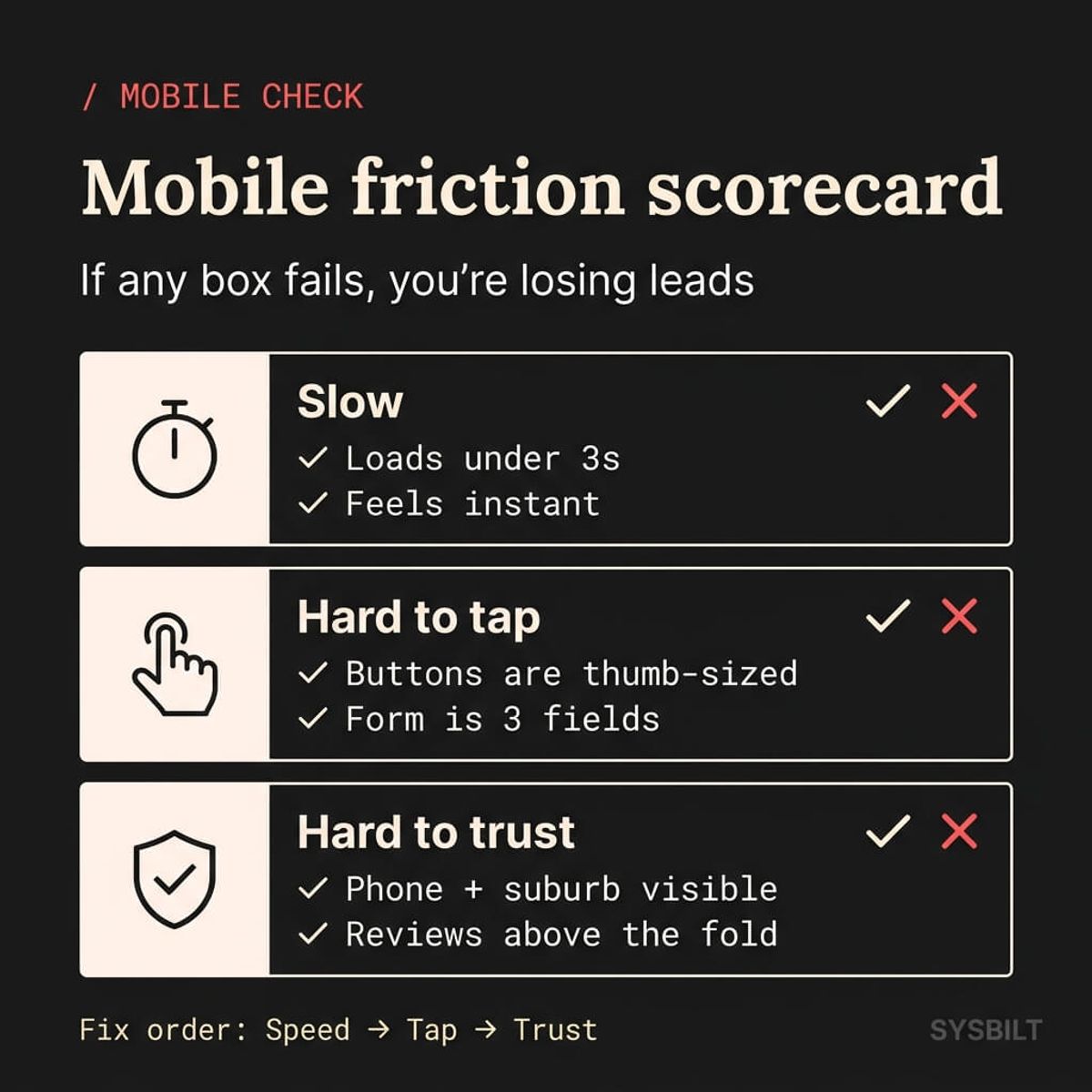
You don't need a developer to spot the biggest issues. Open your phone, load your homepage, and work through these checks:
- Speed: Does the page feel instant, or do you watch elements load in one at a time? If you're waiting, your customers are leaving
- Readability: Can you read every line of text without zooming? If you have to pinch to read, the font size or layout is wrong
- CTA visibility: Can you see a clear "Call" or "Get a Quote" button without scrolling? If it takes more than one thumb-swipe to find the action, it's buried
- Tap targets: Try tapping every button and link. Do you hit the right one on the first try, or do your fingers land on the wrong link?
- Forms: Open your contact form. Can you fill it in comfortably with one hand? Count the fields, and if there are more than four, it's too many for mobile
- Trust signals: Can you see your location, phone number, and at least one review or credential above the fold?
Now do the same for your main service page and your contact page. If any of these checks fail on any page, that's where your leads are leaking.
What to Fix First Without Rebuilding the Whole Site
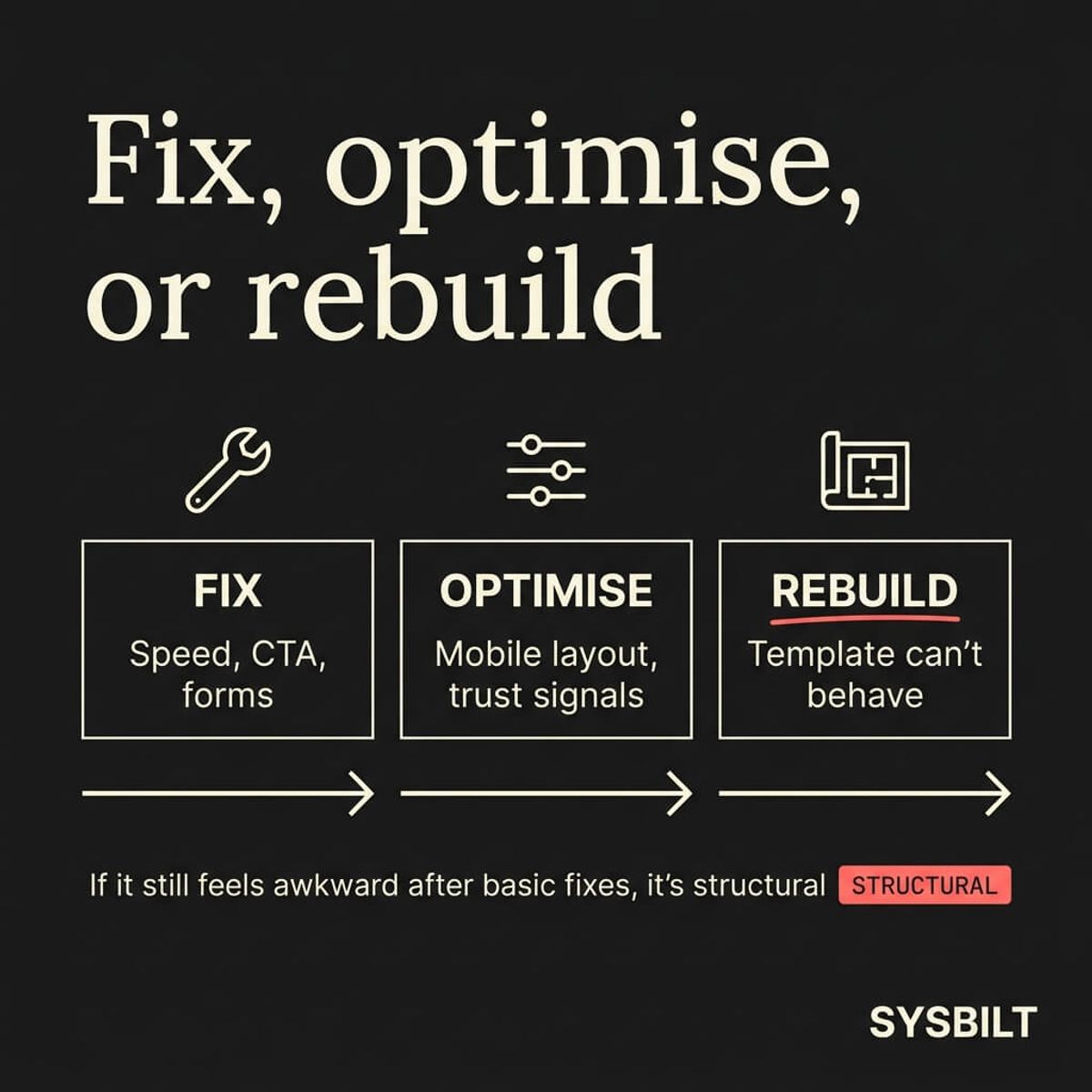
Not every mobile problem requires a full rebuild. Some of the highest-impact fixes are straightforward:
- Compress your images. Large, unoptimised photos are the most common cause of slow mobile load times. Tools like TinyPNG or ShortPixel can reduce file sizes by 60 to 80% without visible quality loss
- Simplify your header. If your mobile navigation is a wall of links, strip it back to the logo, one menu button, and a visible "Call" or "Contact" button
- Make one CTA obvious. Pick the single action you want a mobile visitor to take and make it impossible to miss. A sticky call button at the bottom of the screen works well for service businesses
- Shorten your forms. Name, phone, and one message field. That's it. Every additional field reduces completions
- Remove clutter above the fold. Sliders, pop-ups, and auto-playing videos that look dramatic on desktop become annoying obstacles on a phone. Cut anything that gets between the visitor and the information they came for
These fixes won't turn a fundamentally broken site into a great one, but they'll stop the worst of the bleeding while you decide on the right long-term approach.
When It Needs More Than a Tweak
If you've compressed the images, simplified the header, and shortened the forms and the site still feels awkward on mobile, the problem is structural. It was built on a framework or template that doesn't support proper responsive behaviour, and no amount of patching will fix the foundation.
This is where most business owners get stuck. They've already spent money on a website, and the idea of rebuilding feels like throwing that investment away. But keeping a site that quietly turns visitors away is more expensive in the long run. Every month it stays broken is another month of lost calls, lost quotes, and ad spend that doesn't convert.
A properly built website isn't just a brochure. It's the front door of your business, the first system in a chain that captures a visitor, turns them into a lead, and moves that lead into a pipeline where it actually gets followed up. When that front door works properly on mobile, everything downstream works better too. See how a website fits into the full system.

WRITTEN BY
Felipe Chaparro
Systems Architect and Founder of SYSBILT. Felipe engineers custom automation, AI workflows, and performance web architectures for scaling Australian service businesses.