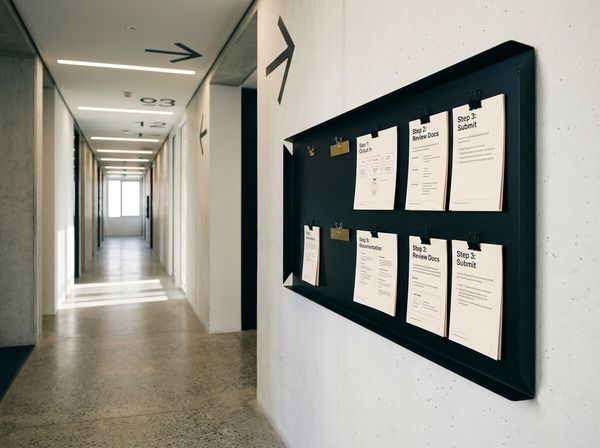
If your team keeps ignoring new software, the problem is usually rollout design, not attitude. Here is how to fix adoption in a real service business.
In this article
- //Why the new software gets rejected so quickly
- //The four real reasons your team is not using it
- //Why launch-day demos and SOP manuals are not enough
- //What to do instead: a simple adoption system
- //What this looks like in a real service business
- //The real job is not buying software. It is engineering behaviour.
Your team usually is not refusing the new software because they hate change. They are refusing it because the rollout made their job harder, not easier.
A founder buys a CRM, job management tool, or quoting system hoping it will clean up operations. Two weeks later, the office team is back in spreadsheets, the field team is sending updates in WhatsApp, and the owner is wondering why nobody is “getting on board.”
That is not usually a motivation problem. It is an adoption design problem.
Why the new software gets rejected so quickly
Every software rollout starts with optimism. There is a demo, a subscription, a kickoff meeting, and a belief that the new platform will fix the mess.
Then the real world shows up. The new tool sits on top of messy processes, unclear responsibilities, missing data, and rushed training. When that happens, people do what humans always do under pressure: they go back to the easiest path.
Gartner found that only 32% of business leaders said the last change they led achieved healthy employee adoption. That matters because most businesses do not fail at the buying stage. They fail at the behaviour-change stage.
If the old way is faster, more familiar, or safer, your team will use it. That is true even if the software itself is good.
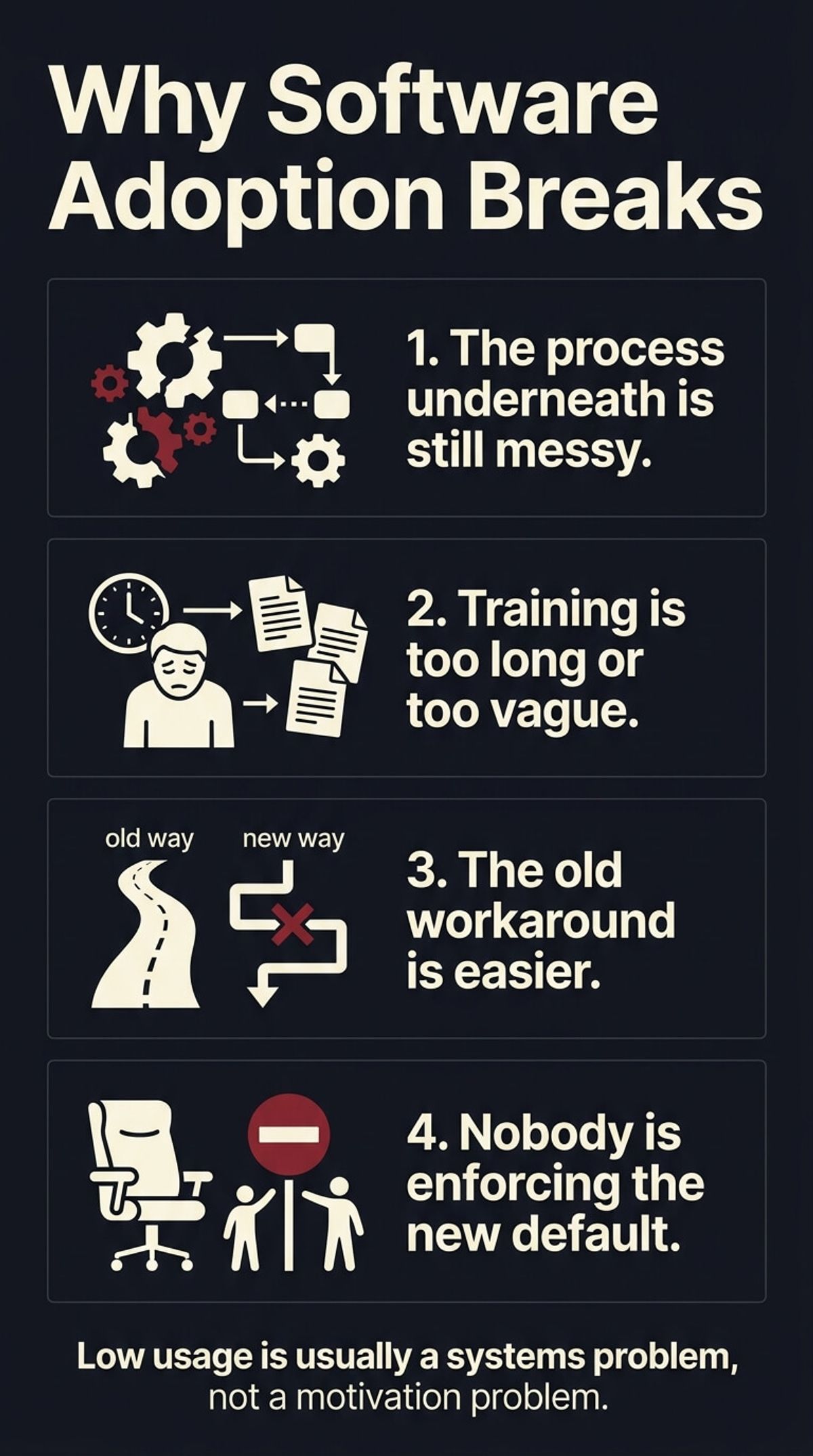
The four real reasons your team is not using it
01You digitised a bad process
Software does not clean up a broken workflow on its own. It usually exposes it.
If quoting is inconsistent, approvals are vague, job data is incomplete, or handoffs are already messy, the new tool will feel clunky from day one. Staff are not rejecting the platform in isolation. They are reacting to the extra friction created by a bad process moving into a new system.
02The training format is wrong
Most rollouts rely on one long demo, a PDF, or a rushed handover call. That is not training. It is information dumping.
People doing real work need short task-level guidance in the moment they are stuck. If someone is in the warehouse, on the road, or chasing ten things at once, they will not rewatch a 45-minute walkthrough to remember one step.
If training is too long, too generic, or too hard to find, they will ask a human or go back to the old method.
03The old workaround is still available
This is the part most owners miss.
If staff can still quote in Excel, message updates in WhatsApp, save files to random folders, or skip the CRM without consequences, they will. The old path has habit on its side.
Adoption only sticks when the new tool becomes the easiest and most reliable way to get the job done.
04Nobody built the accountability loop
A lot of business owners announce the new system, assume people will adapt, and move on.
But if there is no checkpoint for usage, no task ownership, no clear default behaviour, and no quick support loop, the rollout quietly dies. The tool becomes “optional” even if nobody says that out loud.
Why launch-day demos and SOP manuals are not enough
A long SOP manual feels responsible. It looks like training has been done.
In practice, it usually creates more avoidance. People do not want a library of screenshots. They want the exact answer to the exact task in front of them.
That is why the best training systems use short, searchable, task-based guidance. One clip for creating a quote. One clip for logging a material cost. One clip for updating a job status. One answer per moment.
That approach works because it matches reality. Your team is not sitting in a classroom. They are trying to keep work moving.
If you want the training side done properly, The Fastest Way to Train New Staff in an Australian Service Business shows the format in more detail.
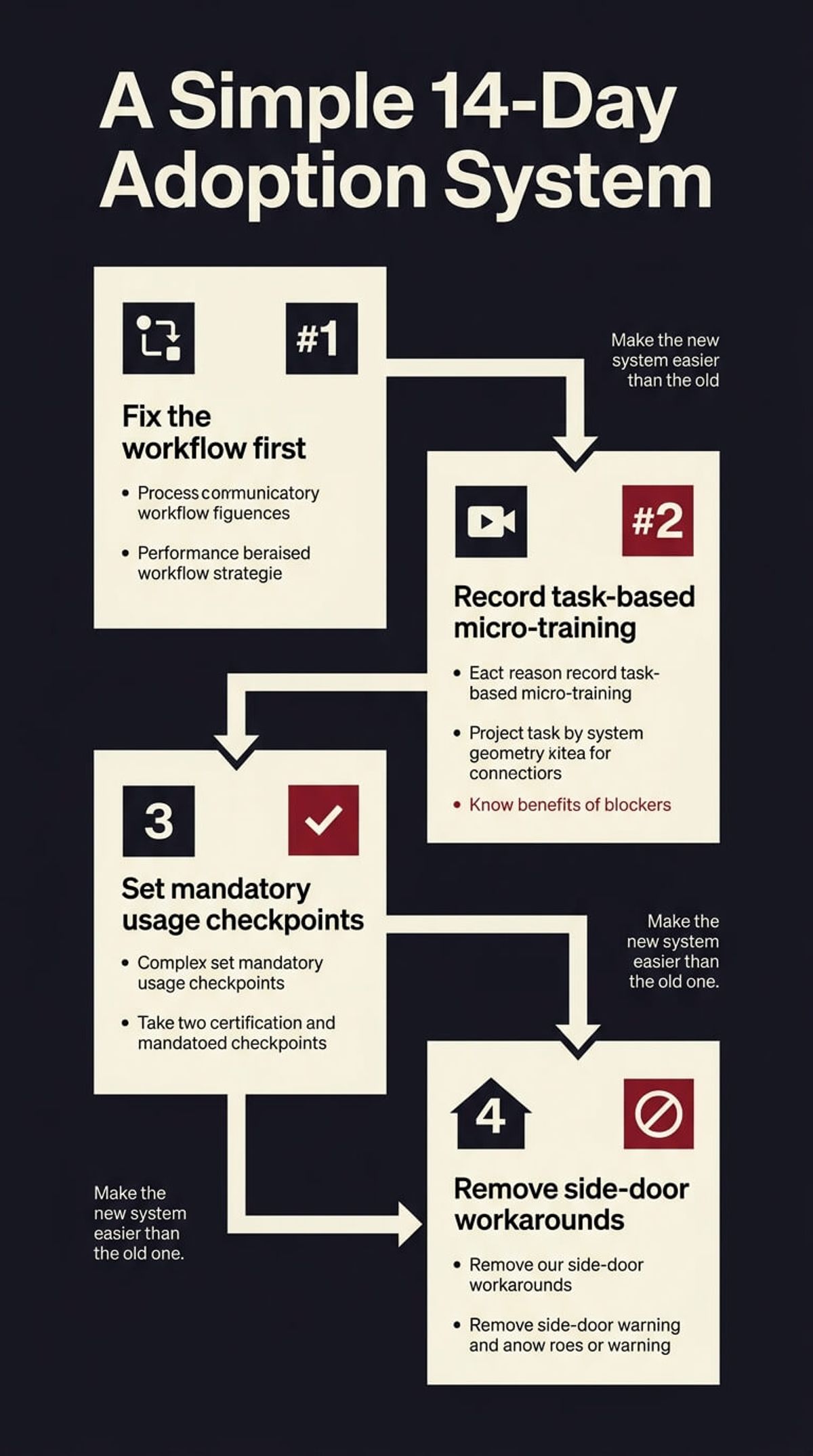
What to do instead: a simple adoption system
If you want people to use the software you bought, do these four things.
01Fix the workflow before you force the tool
Map the actual job flow first.
- What starts the task?
- Who owns the next step?
- What data must exist before the record moves forward?
- Where are people currently using side systems?
Do not automate confusion. Clean the path before asking software to carry it.
02Record micro-training for the exact tasks that matter
Break training into small searchable modules.
Do not create one giant tutorial. Record the 10 to 20 high-frequency actions that people need every week, then organise them in one place your team can actually find.
This is also where process documentation matters. How to Document Business Processes Your Team Will Actually Read fits naturally underneath the adoption layer.
03Set mandatory usage checkpoints
Pick the moments where the system is no longer optional.
Maybe every quote must be created in the new platform. Maybe every job update must be logged there before handoff. Maybe every client note must live in the CRM or it does not exist.
Without a hard default, adoption turns into preference. Preference turns into drift.
04Remove side-door workarounds
If the spreadsheet, group chat, or paper form is still the faster path, people will keep using it.
Close the side doors where you can. That does not mean being heavy-handed. It means making the new system the cleanest way to complete the task and the old way the inconvenient one.
What this looks like in a real service business
Say you roll out a new job management system.
If nothing changes underneath, the scheduler still texts the team, the crew still writes notes elsewhere, the office retypes job data later, and the owner still gets dragged in when details are missing. The software becomes an extra layer, not an operating system.
But if the process is cleaned first, the training is broken into quick answers, the update points are mandatory, and the side-door workarounds are removed, the tool starts to behave differently. It becomes the path of least resistance.
That is when adoption stops feeling like management pressure and starts feeling like normal work.
The real job is not buying software. It is engineering behaviour.
This is the mistake behind a lot of wasted tech spend. Owners buy the system and assume the purchase created the outcome.
It did not. The outcome comes from process design, training design, rollout discipline, and clear defaults.
That is also why software adoption has to sit inside a bigger scaling system. If you want the business to grow without adding more admin chaos, How to Scale Without Hiring More Staff is the broader version of the same conversation.
The training layer is what makes the software stick. See how we handle team training when a new tool has to become the default.
See how we fix this
See the exact system we build to fix this
Show me where software adoption is breaking in my business
WRITTEN BY
Felipe Chaparro
Systems Architect and Founder of SYSBILT. Felipe engineers custom automation, AI workflows, and performance web architectures for scaling Australian service businesses.