How to Build a Website That Actually Works for Your Business
The 2026 Guide to Building a Website That Captures Leads, Converts Visitors, and Works While You Sleep
For Australian businesses who know their website should be doing more
Why Most Business Websites Fail
The bar for what a website needs to do has moved. Five years ago, having a website was enough. Today, a website that just exists is a liability. Three things have changed in the last two years that most business owners have not caught up with.
1. AI search is replacing page-one rankings
Google, Bing, and AI assistants now pull answers directly from websites and present them without the user ever clicking through. If your site is not structured for AI to read and recommend, you are invisible to a growing percentage of potential customers. This is not coming. It is already here.
2. Customers expect instant responses
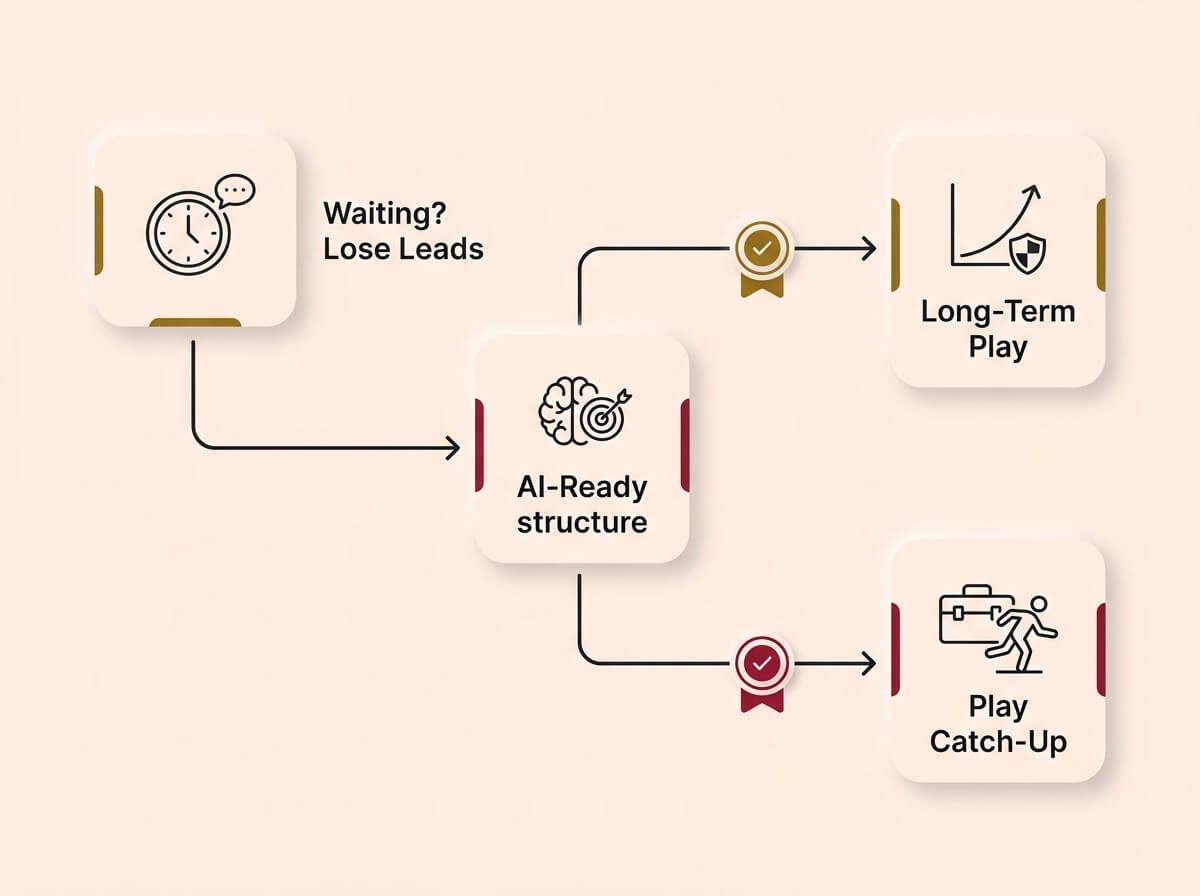
Someone searches for your service at 8pm. They find three businesses. The one that responds first, whether through a form confirmation, an automated text, or a booking link, wins the job. If your website makes them wait until you check your email tomorrow morning, they are already talking to your competitor.
3. A rebuild with old technology is money wasted twice
If you spend $5,000–$15,000 rebuilding your website using the same approach that was standard in 2020, you will need to rebuild again within three years. The technology landscape is moving too fast. The cost of doing it right once is less than the cost of doing it wrong twice.
Old Approach (2020)
Spending $10,000 on a static digital brochure that just sits there.
New Approach (2026)
Building an AI-ready system that routes leads and responds instantly.
The bottom line is this: a modern website is not a brochure. It is a system that captures attention, converts it into enquiries, and feeds those enquiries into your business operations automatically. Everything in this guide is about how to build that system.
→ How we do it
We audit every client’s existing site against 23 baseline checks before recommending anything. A recent client was paying $400 a month for hosting on a site that loaded in 6.2 seconds. We rebuilt it in code, moved it to modern infrastructure, and it now loads in under 1.5 seconds for $150 a month. They stopped losing after-hours leads within the first week.
Before You Touch Design or Code
This is the section that most website projects skip entirely, and it is the reason most websites underperform. The decisions made here determine whether everything that follows works or fails.
Before you write a word of copy or pick a colour, you need to define exactly who your website is for. Not in vague terms like "small business owners" but in specific, practical detail.
- How do they find you? Google search, word of mouth, social media, or something else? This determines what pages you need and how they should be structured.
- What stops them from buying? Price uncertainty, trust, confusion about what you offer, or not knowing where to start? Your website needs to address these objections before they pick up the phone.
- When do they look? If your customers search after hours, your site needs to convert without you being available. If they search during business hours, your response time matters more.
A website built to satisfy the owner’s personal preferences will fail. The website is not for you. It is for the person you are trying to sell to. They have to like it. They have to find value in it. They have to see themselves in it.
→ How we do it
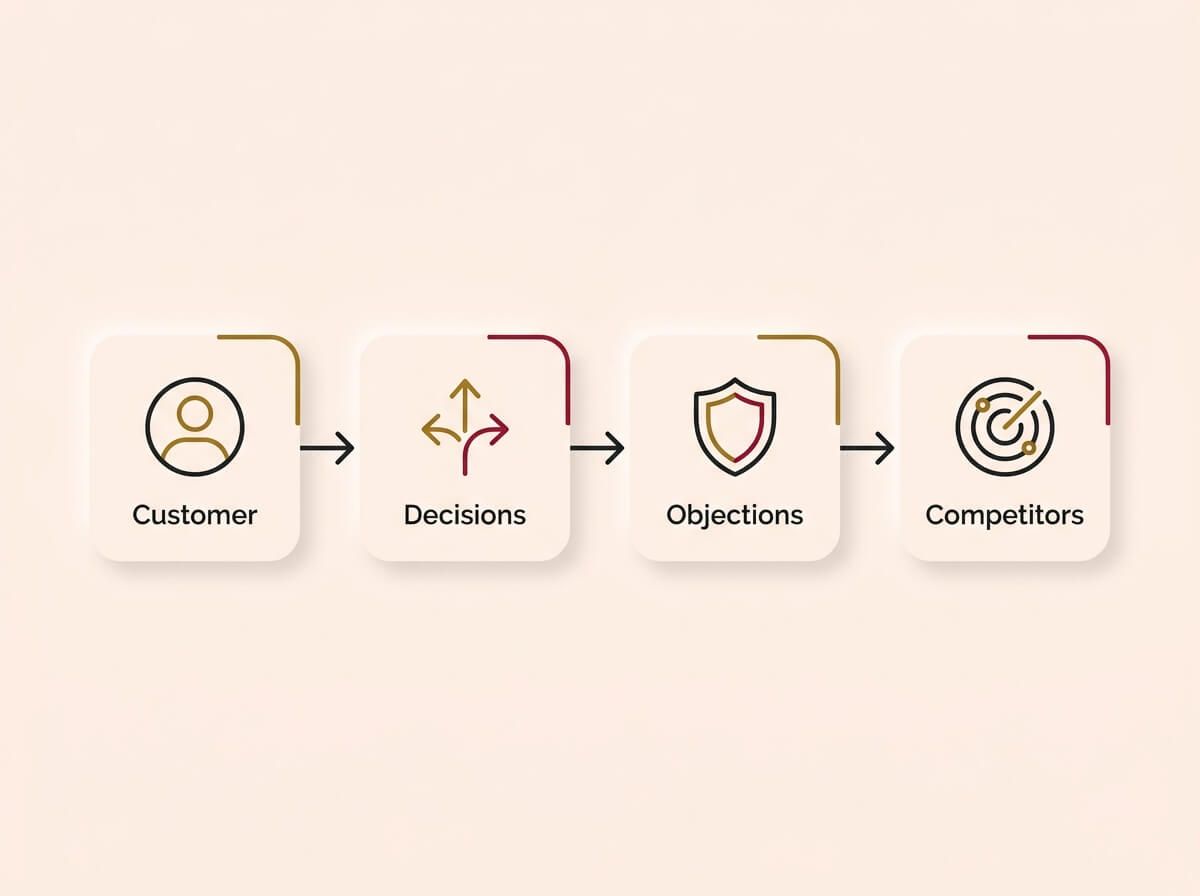
We run a structured discovery session before any design work starts. We map out who the target customer is, how they make decisions, what objections they carry, and what your competitors are doing online. This takes half a day and it changes everything that follows. Every design and copy decision traces back to this research.
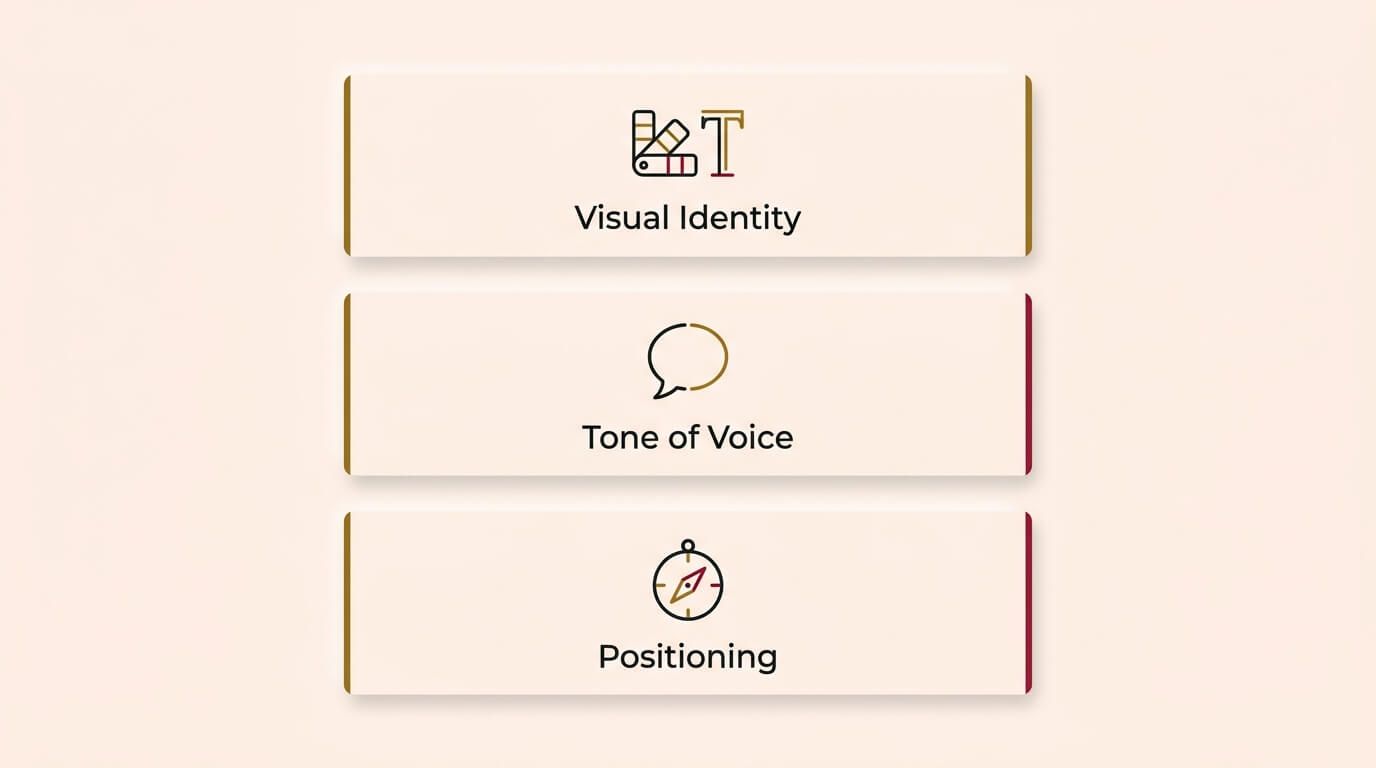
Brand guidelines are not just a logo and a colour palette. They are the rules that make your business look, sound, and feel consistent across every touchpoint.
- Visual identity: colours, fonts, image style, layout principles. These should be documented so that anyone creating content for your business can stay consistent.
- Tone of voice: how you communicate. Are you formal or conversational? Technical or plain-spoken? This affects every word on your website.
- Positioning: how you sit against competitors. What makes you different? This is not a tagline. It is a strategic decision that shapes your messaging.
If you do not have brand guidelines, every page of your website will feel slightly different. Your social media will not match your site. Your emails will not match your social media. The customer sees inconsistency and reads it as unprofessionalism.
→ How we do it
We build a brand guidelines document for every client as part of the website project. It covers visual identity, tone of voice, and positioning rules. This document becomes the single reference point for all future content, whether it is a social post, an email, or a new page on the site.
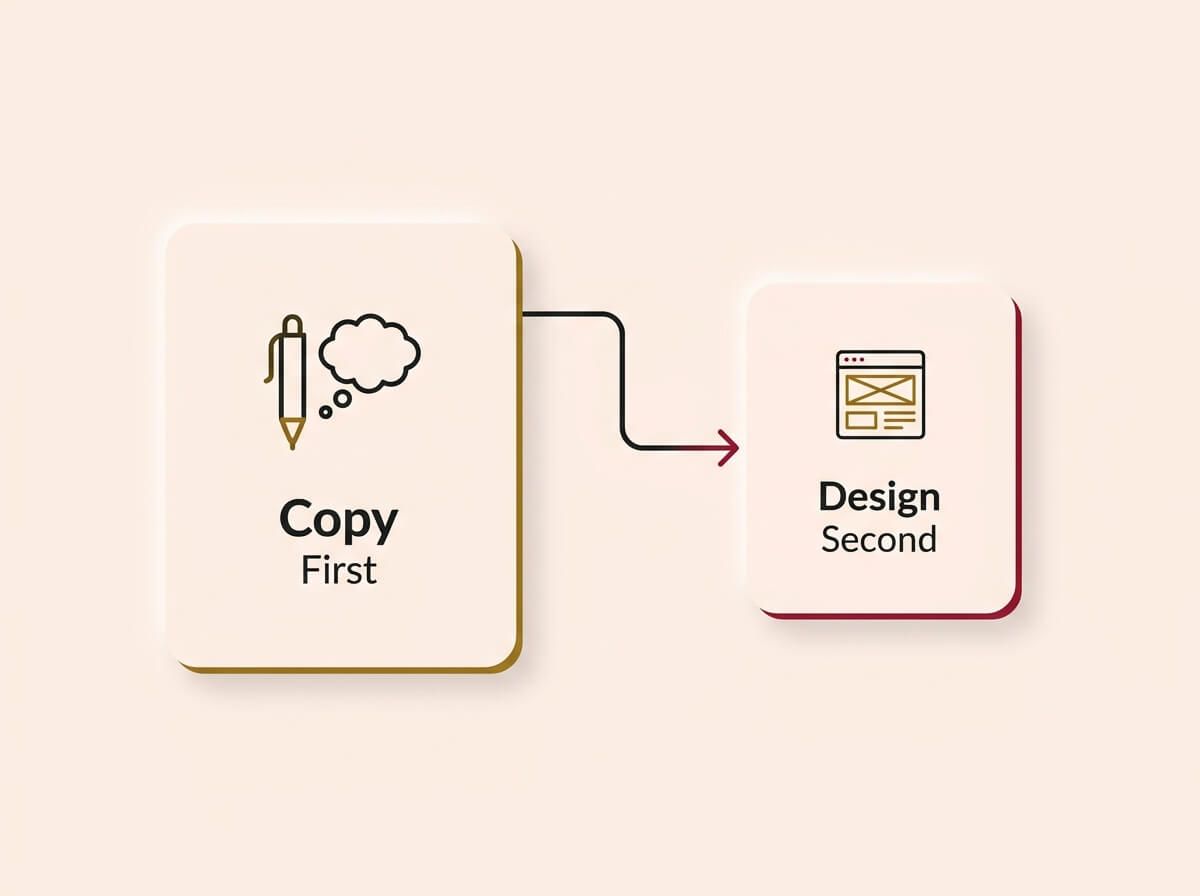
Content is the hardest part of any website project, and it is the part that gets left until last. That is a mistake. The copy should be written before the design starts, because the design needs to serve the message, not the other way around.
- Every headline needs to address the reader’s situation, not describe your services. "Stop losing leads after hours" works harder than "Our Services".
- Every page needs a single, clear next step. If the reader finishes a page and does not know what to do, the page has failed.
- The content must be written to the brand guidelines and directly address the persona’s pain. Generic copy converts nobody.
Here is the uncomfortable truth: you can have the best-designed website in your industry, and if the words on it are generic, it will not convert. Copy is what sells. Design is what supports the sale.
→ How we do it
We write conversion-focused copy based on the persona research, not from a template. Every headline is tested against one question: does this make the target customer nod and keep reading? The copy is approved before we open the design tool.
Planning Your Site Structure
Not every business needs the same website. The pages you build, how they connect, and what job each one does should be driven by your business model and how your customers make decisions.
Pages every business website needs
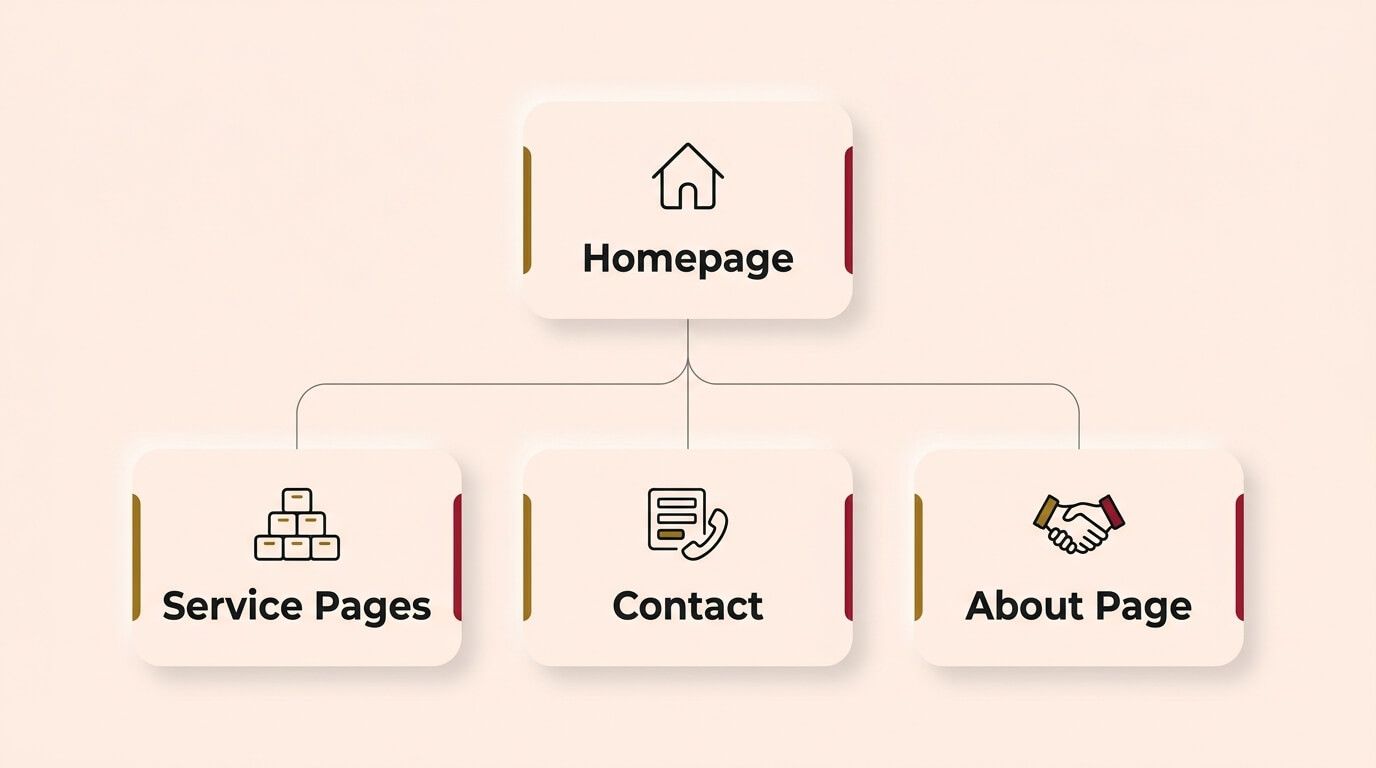
- Homepage: The most important page. It needs to answer three questions in under 10 seconds: what do you do, who is it for, and what should the visitor do next. If it cannot do that, nothing else matters.
- Service or product pages: One page per major offering. Each page explains what it is, who it is for, and what the result looks like. These pages exist to convert visitors who already know they have a problem.
- Contact or booking page: Simple, fast, friction-free. A short form, a phone number, and ideally an online booking option. Every extra field you add to the form reduces submissions.
- About page: Not a corporate biography. A trust page. Who are you, why should they believe you, and what makes you different from the other three businesses they are comparing you to.
Pages you might need
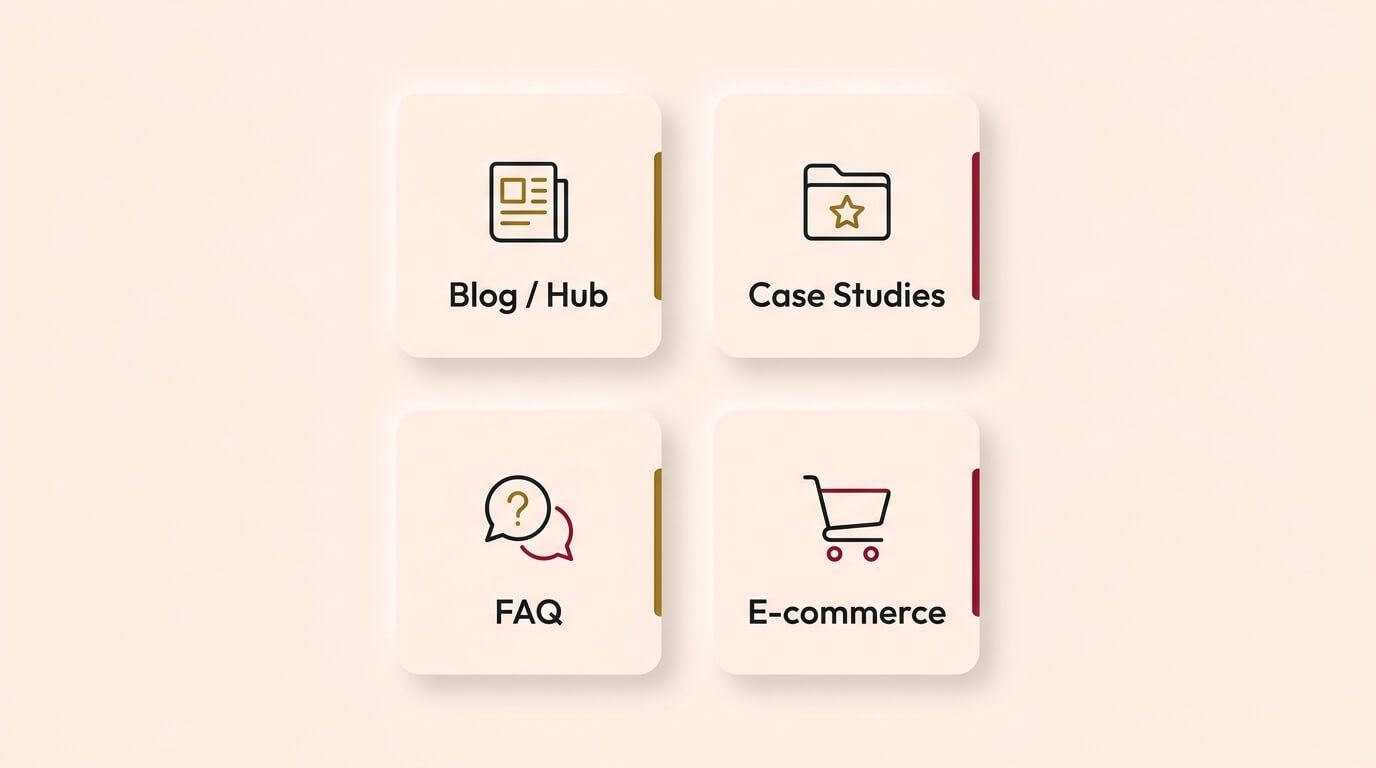
- Blog or content hub: If you want to rank in search engines for topics your customers are researching, you need informational content. This is a long-term play that compounds over time.
- Case studies or portfolio: If your service is high-ticket or complex, proof of past work reduces buyer hesitation faster than any headline.
- FAQ page: Structured answers to common questions. This reduces support enquiries and, when structured correctly, gets picked up by AI search.
- E-commerce or product catalogue: If you sell products, this is an entire category with its own architecture: inventory management, payment processing, shipping, and returns.
Transactional vs informational
Every page on your site is either transactional (designed to convert a visitor into an enquiry or sale) or informational (designed to attract visitors through search and educate them). Knowing which is which changes how you write the content, where you place the calls to action, and how you measure success.
Your homepage, service pages, and contact page are transactional. Your blog posts and FAQ are informational. Mixing these up is one of the most common structural mistakes.
→ How we do it
We map every page to a business goal before it gets designed. Each page has a defined job: capture a lead, answer a question, build trust, or rank in search. If a page does not have a clear purpose, it does not get built. A recent client came to us with 34 pages. After the audit, they needed 12. The site converted 3x better with less content.
Design That Converts
Design is not about making the website look good. It is about making the website work. Every visual decision, from where a button sits to what colour it is, affects whether someone takes the next step or leaves.
Decisions that seem subjective but are not
- Button placement: Your primary call to action needs to be visible without scrolling on both desktop and mobile. This sounds obvious, but most business websites bury their CTA below three paragraphs of text that nobody reads.
- Colour: Colour is not a preference, it is a tool. Your CTA button should be the most visually distinct element on the page. If your brand colour is blue and your button is also blue, it disappears. Contrast drives clicks.
- White space: More space between elements makes each element more visible. Cramming information onto a page does not communicate more. It communicates chaos. The reader’s eye needs room to find the important things.
- Typography: Two fonts maximum. One for headings, one for body. Readable size on mobile (minimum 16px). If someone has to pinch and zoom, you have already lost them.
Mobile-first is not optional
More than 70% of website traffic in Australia comes from mobile devices. If your website was designed on a desktop monitor and "also works on mobile", that is backwards. Design for the phone first. Then adapt it for the bigger screen.
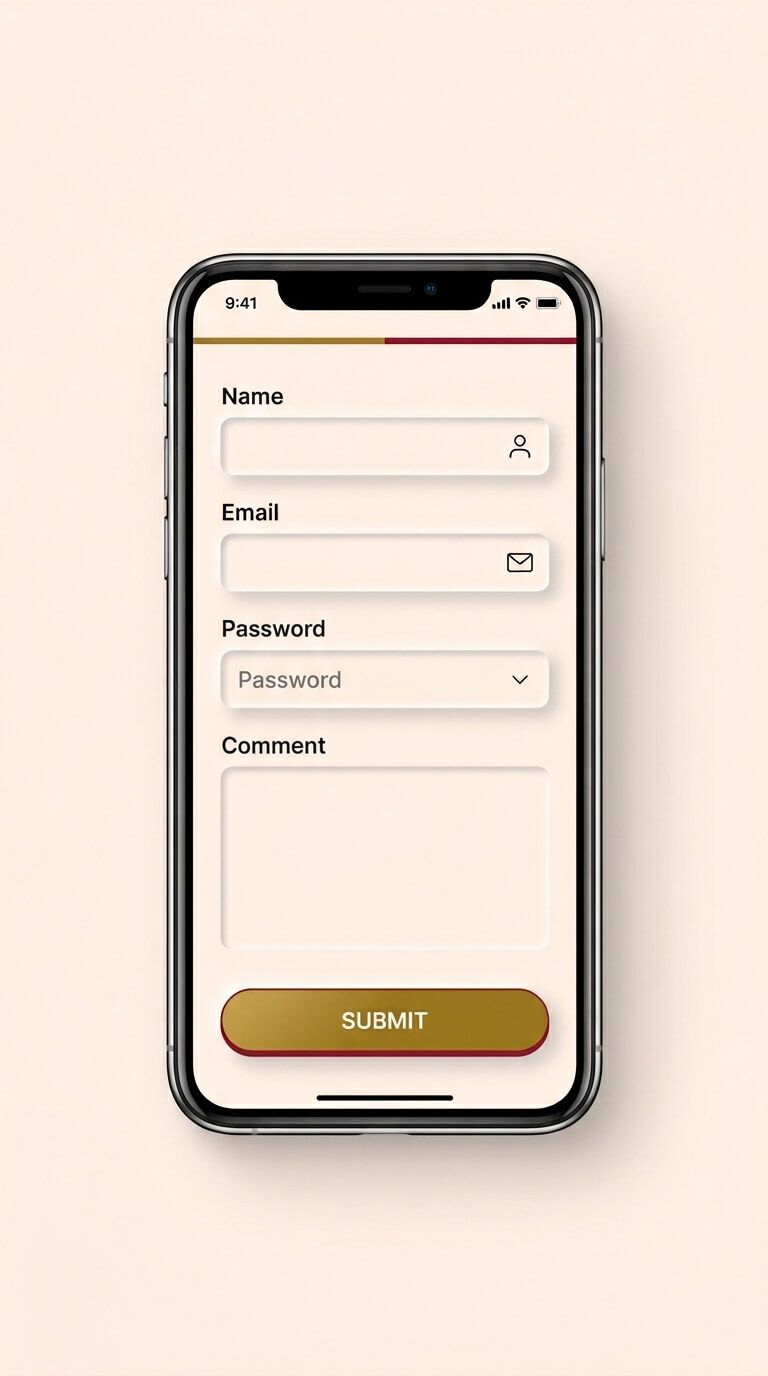
This means forms that are easy to fill in with a thumb, buttons large enough to tap without zooming, and content that flows vertically without awkward horizontal scrolling.
The design is not for you
This is worth repeating. Your personal taste is not the customer’s taste. A website designed to make the business owner happy is a website designed for an audience of one. The design should reflect your brand guidelines, speak to your target persona, and guide them toward the action you want them to take. If it does those three things, it is working.
→ How we do it
We design every interface against conversion benchmarks, not personal preference. Button placement is based on scroll-depth data. Colour contrast is tested for accessibility compliance. Mobile layouts are built first and tested on real devices before the desktop version exists. We show clients competitor sites that serve a similar audience so the design decisions are grounded in market reality, not guesswork.
The Build: Platforms and Options
There are more ways to build a website today than at any point in history. That is both an advantage and a trap. Picking the wrong platform costs time and money. Here is an honest breakdown.
AI website builders
Tools like Wix AI, Framer AI, and others can generate a website in minutes. For a business that needs a simple online presence fast, these can work. The trade-off is limited control over performance, SEO structure, and long-term scalability. If your website is a core revenue driver, an AI builder will eventually become a bottleneck.
Page builders (WordPress, Squarespace, Wix)
These platforms give you a visual editor and pre-built templates. WordPress with a quality theme is still the most common choice for service businesses. The risk is bloated code, slow load times, and plugin dependency. A WordPress site with 30 plugins is a maintenance liability.
Custom code (React, Next.js, Vite)
Custom-coded websites load faster, give you complete control over performance, and eliminate plugin dependencies. The trade-off is higher initial investment and the need for a developer to make changes. For businesses where website speed and conversion directly affect revenue, this is the strongest long-term option.
How to choose
Ask yourself three questions: How important is website speed to my conversion rate? How often will I need to make changes without a developer? Am I building for the next 12 months or the next 5 years? The answers will point you to the right platform.
→ How we do it
We build with modern code frameworks (React and Vite) because it gives us complete control over speed, structure, and scalability. Our sites load in under 1.5 seconds with no plugin dependencies. We reduce the cost of custom builds by using AI to accelerate the development process, so the client gets code-level performance at a fraction of the traditional agency price.
Security and Performance
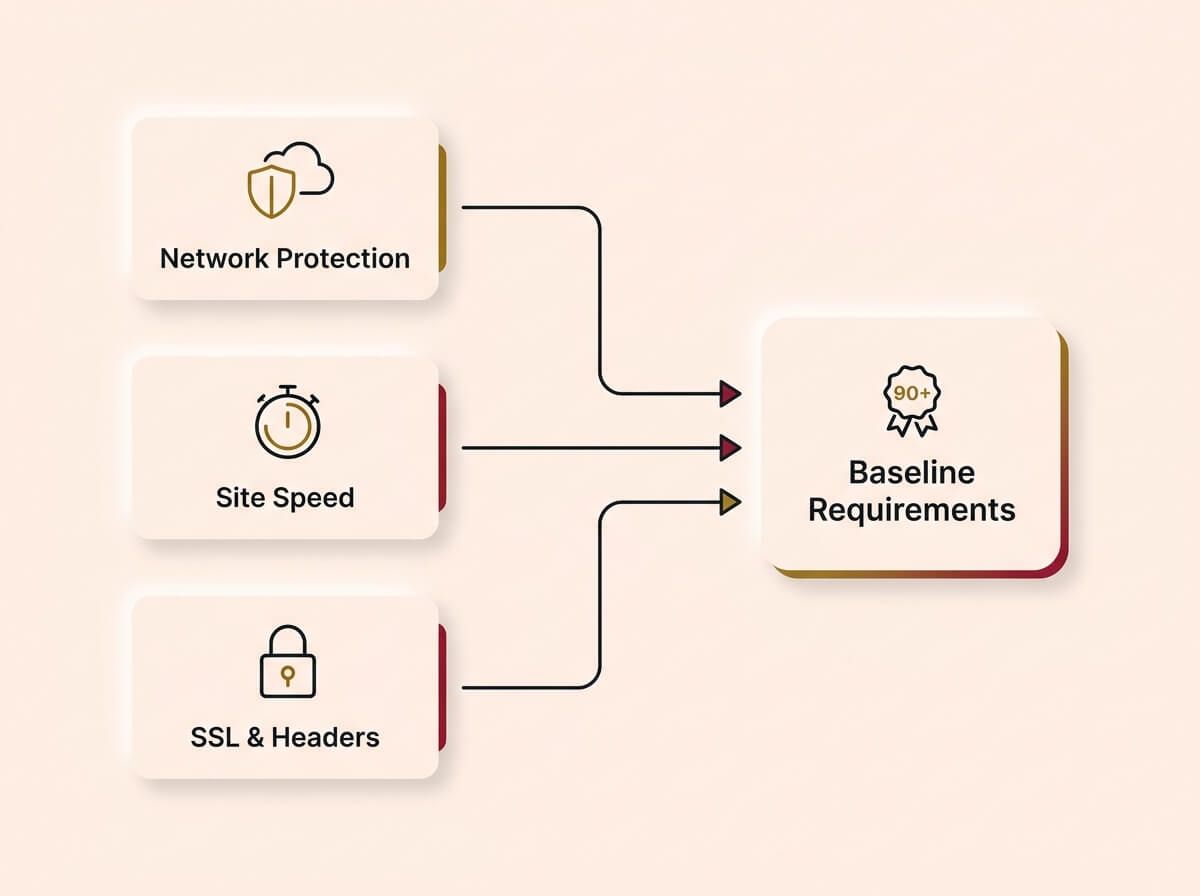
These are not features. They are baseline requirements. A website without proper security and performance infrastructure is a liability, regardless of how good the design is.
Network protection
Every website should be routed through a content delivery network (CDN) that provides DDoS protection, spam filtering, and global delivery. Cloudflare currently secures over 30% of the global web. It provides enterprise-grade protection at a cost that works for small business. It keeps your site fast for users in Sydney, Melbourne, and Perth without you managing servers.
If your website is not behind a CDN, it is exposed to bot traffic, spam form submissions, and performance issues that you may not even know about.
Site speed
Google uses page speed as a ranking factor. Users use it as a trust signal. If your website takes more than 3 seconds to load on a mobile connection, roughly half of your visitors will leave before seeing your content. That is not an opinion. That is Google’s own published research.
Speed is not just about the code. It is about image compression, server response time, code splitting, and caching strategy. Every millisecond matters.
SSL and security headers
SSL (the padlock in the browser) is mandatory. Without it, browsers display a "Not Secure" warning that kills trust instantly. Security headers protect against common attacks like cross-site scripting and clickjacking. These are invisible to the user but critical to the integrity of the site.
→ How we do it
We route every site through Cloudflare with full security headers, SSL, and performance optimisation configured from day one. We set up image compression pipelines, code splitting, and lazy loading as standard. Every site we deliver scores 90+ on Google PageSpeed Insights. Security is not an add-on. It is baked into the deployment.
What Happens After Launch
This is where most website projects stop, and it is where the real value starts. A website that is not connected to your business operations is just a digital brochure. The moment you launch, four things need to happen.
1. Connect your forms to a CRM
Every form submission should land in a customer relationship management (CRM) system, not a generic email inbox. When a lead comes through your website, it should be tagged, timestamped, and queued for follow-up. If you are still checking a shared inbox to find new leads, you are losing them.
The CRM does not need to be expensive. HubSpot's free tier handles forms, contacts, and basic follow-up for most small businesses. What matters is that the connection exists and that nothing falls through the cracks. For a complete guide on setting up lead tracking, see our CRM & Lead Tracking guide.
→ How we do it
We connect every website form to the client’s CRM on launch day. The lead is captured, tagged by source, and an automated follow-up is triggered within 60 seconds. The business owner gets a notification. The prospect gets a confirmation. Nobody has to remember to check an inbox.
2. Install tracking and analytics
If you do not know where your traffic comes from, you cannot make informed decisions about where to spend your marketing budget. At a minimum, you need:
- Google Analytics or equivalent: to see how many people visit, where they come from, and what they do on your site.
- Social media pixels: Facebook, Instagram, LinkedIn. These let you retarget visitors who did not convert on the first visit.
- Conversion tracking: so you know exactly which page, ad, or post generated each enquiry. Without this, every marketing decision is a guess.
→ How we do it
We install and configure Google Analytics, social pixels, and conversion tracking as part of every website launch. We set up event tracking on forms, phone number clicks, and booking buttons so the client can see exactly where their leads are coming from. No spreadsheets, no guessing.
3. Accessibility and SEO foundations
Accessibility means your website is usable by everyone, including people using screen readers, keyboard navigation, or assistive technology. In Australia, accessibility compliance is increasingly expected and in some industries, legally required.
SEO foundations mean the site is structured so search engines can read, categorise, and rank it. This includes proper heading hierarchy, meta descriptions, image alt text, structured data markup, and fast load times. These are technical requirements, not creative decisions.
→ How we do it
We run WCAG accessibility checks and SEO audits on every site before it goes live. Heading structure, alt text, keyboard navigation, and schema markup are part of our standard build checklist, not an optional extra. We also add FAQ schema and business schema so the site is eligible for rich results in Google.
4. Structure for AI search
AI models like ChatGPT, Gemini, and Perplexity are increasingly used to find and recommend businesses. If your website is not structured in a way that AI can parse and reference, you are invisible to a growing channel.
This means clean HTML structure, structured data markup, clear and specific content, and authoritative backlinks. The businesses that start optimising for AI search now will have a significant advantage over those that wait.
→ How we do it
We structure every site with clean semantic HTML, JSON-LD schema, and content specifically written to be referenced by AI models. We also ensure the site is indexed on Google, listed on relevant directories, and linked from social profiles so AI has multiple sources to confirm the business is real and reputable.
Why Now, Not Later
If you are reading this guide and thinking "we will get to it next quarter," consider this:
* Every month your website underperforms, you are losing leads to competitors who have already made the switch. * AI search adoption is accelerating. The businesses that structure their sites for AI now will be the ones recommended. The ones that wait will play catch-up. * Rebuilding with yesterday’s technology means paying twice. Once now, and once in two to three years when the platform can no longer keep up. * The cost of building it right the first time is lower than the cost of patching, rebuilding, and losing leads in the meantime.
This is not a trend to watch. This is the new baseline. The question is not whether your website needs to do these things. It is how quickly you can close the gap.
→ How we do it
We build for the next five years, not the next five months. Every site we deliver includes AI-ready structure, performance infrastructure, and CRM integration from day one. The client gets a system that does not need rebuilding when the market shifts, because we have already built for where the market is going.
How We Build It
You can take everything in this guide and do it yourself. We have written it specifically so that you can. But if you want a team to do it for you, here is exactly how we work. No surprises.
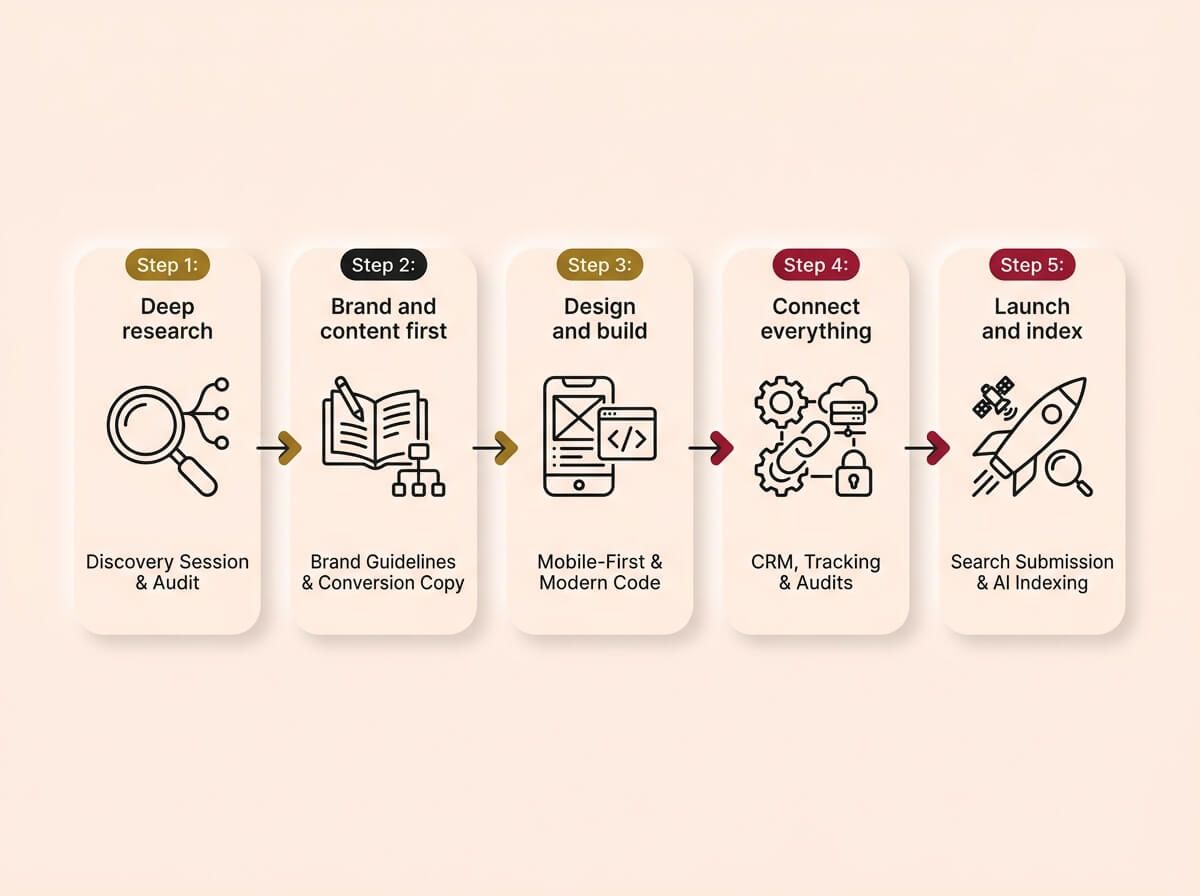
Step 1: Deep research
We start with a structured discovery session. We interview the business owner, audit the current website, analyse competitors, and map out the target customer. We use AI tools to process large datasets, but the core strategy is manual, intensive research. This is the step that most agencies skip and it is the step that determines whether the website works or just looks good.
Step 2: Brand and content first
We define the brand guidelines, write the conversion-focused copy, and plan the site structure before any design work begins. The content is approved before we open the design tool. This means the design serves the message, not the other way around.
Step 3: Design and build
We design mobile-first, test on real devices, and build with modern code frameworks for speed and control. We use AI to accelerate the development process, which reduces the cost and timeline without sacrificing quality. The client sees the design before it is coded and approves it before we build.
Step 4: Connect everything
Before the site goes live, we connect it to the CRM, install tracking pixels, configure security, and run performance and accessibility audits. The client receives a fully functioning system, not just a design file.
Step 5: Launch and index
We submit the site to search engines, structure it for AI indexing, connect social profiles, and list it on relevant directories. The site is not just live, it is findable.
That is the process. Start to finish. Everything we described in this guide, delivered.
Website Diagnostic Checklist
Run your current website against these checks. If you fail more than three, your site is actively leaking revenue.
Foundations
- Does the homepage state what you do and who you serve within 3 seconds?
- Is your copy written for the customer’s pain, not your service descriptions?
- Do you have documented brand guidelines (colours, fonts, tone of voice)?
- Have you defined your target persona with specific detail?
Structure and design
- Does every page have a single, clear call to action?
- Is the site designed mobile-first (not just "mobile friendly")?
- Can a visitor contact you in under 2 taps on mobile?
- Is the site structure mapped to business goals (transactional vs informational)?
Performance and security
- Does the site load in under 2.5 seconds on a 4G mobile connection?
- Is the domain routed through a CDN with DDoS protection?
- Is SSL active with no mixed-content warnings?
- Are security headers configured (CSP, X-Frame-Options, HSTS)?
Post-launch systems
- Are all forms connected directly to a CRM (not a generic email inbox)?
- Are social media tracking pixels installed and firing correctly?
- Is Google Analytics or equivalent configured with conversion tracking?
- Is the site indexed on Google Search Console?
- Is the site structured with schema markup for rich results?
- Is the content structured for AI search models to reference?
Accessibility and SEO
- Does the site pass WCAG accessibility standards?
- Do all images have descriptive alt text?
- Is the heading hierarchy correct (H1 → H2 → H3, no skipping)?
- Are meta titles and descriptions written for every page?
Count your failures. If you scored under 15 out of 22, your website is costing you money that you cannot see.
Ready to fix this?
Book a call and we will walk you through how this applies to your business. We will give you an honest read on whether it is worth doing right now, and if so, exactly where to start.
BOOK A CALLWe do not upsell. We do not surprise you with hidden costs. We tell you what you need, what it costs, and how long it takes. If it is not worth doing, we will tell you that too.