In this tool
// What it is
Canva is a visual workspace that lets anyone build graphics, presentations, and social media posts without learning professional design software. It is built around drag-and-drop templates and a massive library of stock assets. For a business owner, it replaces the bottleneck of waiting for an external designer with the ability to produce on-brand marketing material in ten minutes.
// How it helps your business
- →Turns a blank screen into a finished social post or flyer in minutes using built-in templates
- →Stores your exact colours, fonts, and logos so your team stays on-brand
- →Edits images and removes backgrounds automatically without complex photo software
- →Connects directly to your social accounts to schedule posts without leaving the platform
- →Generates layout ideas and resizes designs for different platforms in one click
//What it can actually do
It removes the technical barrier to making your business look presentable.
- →It builds from a head start. You pick a layout that already works, swap in your text and photos, and download a finished flyer or social tile. You are editing, not designing from scratch.
- →It holds the brand rules. Load your logo, typography, and specific colour codes into a brand kit. When a staff member makes a quick promo graphic, they pull from those rules, keeping your marketing consistent.
- →It cleans up your photos. The built-in editing tools let you strip the background out of a product shot, erase a stray coffee cup from a team photo, or adjust the lighting, all without opening a heavy program like Photoshop.
- →It writes and generates. The AI additions mean you can type a prompt to generate a specific stock image, or ask the system to draft the text for a presentation slide while you lay it out.
//What it connects to
It runs entirely in your browser or phone app, and its real power is how it connects to where you publish.
- →On the free tier, you get enough templates and basic tools to run a simple social media presence without paying a cent.
- →The paid upgrade is where it becomes a business tool, opening up the brand kit, the background remover, the full stock library, and team folders.
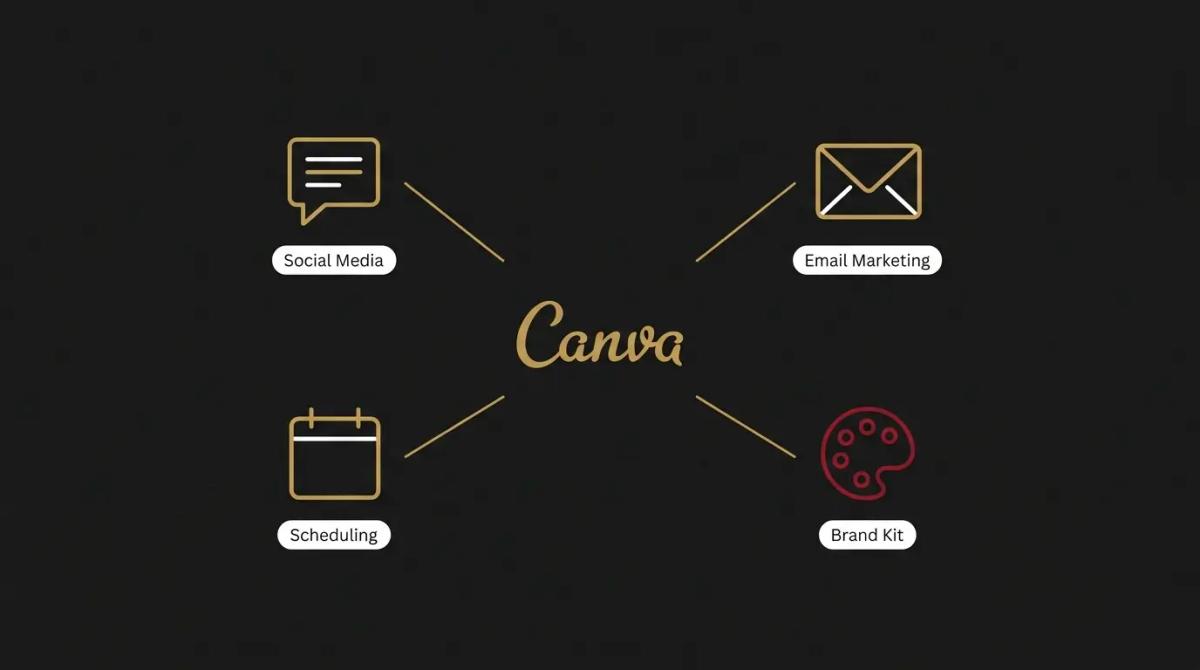
- →It links straight into your social platforms, meaning you can design a post and schedule it to Facebook, Instagram, or LinkedIn directly from the canvas.
- →It connects to email marketing tools like Mailchimp and Klaviyo, letting you push custom graphics straight into your newsletter drafts.
//How it makes you more money
Marketing only brings in revenue if it actually gets published.
- →You catch the fleeting opportunities. If a competitor drops their prices or a sudden weather event makes your service highly relevant, you can design and publish a targeted campaign the same morning, instead of waiting three days for a freelancer.
- →You look bigger than you are. A tidy, consistent visual presence across your website, quotes, and social feeds builds immediate trust. Clients naturally gravitate towards businesses that look established, and sharp design is how you fake scale until you make it.
//How it saves you money
It collapses the routine design expenses that add up across a financial year.
- →You stop paying the hourly rate for basic edits. When a menu price changes or a date on a flyer moves, you change the text yourself instead of paying an agency's minimum charge just to update a PDF.
- →It replaces the stock photo subscription. The paid plan includes access to millions of premium photos, videos, and graphics, which means you can cancel any separate stock media accounts you are still carrying.
//How it lowers your stress
It democratises the marketing work so it stops piling up on the owner.
- →You can delegate the visuals safely. When your brand kit is locked in, you can hand the social media scheduling to a junior staff member knowing they literally cannot use the wrong shade of blue.
- →The format headache disappears. You design a poster once, click a button, and the system automatically resizes it into a square for Instagram and a banner for your email, taking the tedious maths out of multi-channel publishing.
//Where it falls down, and what it can cost you
It makes average design incredibly easy, which is a double-edged sword.
- →You will look exactly like your competitors. The templates are brilliant, but everyone else in your industry is looking at the same ones. If you rely entirely on the defaults without customising them, your brand becomes a beige copy of every other business using the tool. We have found the quickest way to spot a lazy business is a completely unedited Canva template.
- →It builds an unstructured mess quickly. Because it is so easy to start a new file, your account will become a dumping ground of files named Untitled Design 14 within a month. If you do not enforce a strict folder structure early, nobody will be able to find the master logo when they need it.
- →It handles the everyday, not the heavy lifting. It is not built for designing complex multi-page magazines, intricate vector logos, or deep technical diagrams. When you try to force it into those jobs, the browser slows down and the limitations become obvious.
//When to try it, pay for it, or build it in
Sign up for the free tier today to make your next social post. The moment you find yourself manually typing your brand's colour codes or wishing you could remove a background, pay for the upgrade. It is one of the easiest subscription choices a business can make. Build it into your daily operations when you have a team, setting up strict templates so anyone can generate a quote or a flyer that stays on-brand.
//How we do it
We use Canva to give a business back control of its everyday output. When we set up a marketing system for a client, we do the heavy lifting up front, loading the exact typography, colour palettes, and high-resolution logos into the brand kit. We build master templates for the specific things they use daily, like client proposals, social media updates, and team announcements. The goal is to build a sandbox where any staff member can safely play, knowing the output will always look professional, and keeping the expensive design agencies for the major brand work where they actually add value.
WRITTEN BY
Felipe Chaparro
Systems Architect and Founder of SYSBILT. Felipe engineers custom automation, AI workflows, and performance web architectures for scaling Australian service businesses.