In this tool
// What it is
Descript is an AI-powered media editor that changes how you produce video and audio. Instead of splicing tracks on a timeline, it transcribes your recording and lets you edit by deleting text. For a business wanting to publish social clips, podcasts, or training videos without hiring a full-time editor, it is the fastest way to hit publish.
// How it helps your business
- →Edits video and audio as easily as deleting words in a text document
- →Strips out filler words, awkward pauses, and background noise in one click
- →Clones your voice to fix minor script mistakes without having to re-record
- →Generates captioned social media shorts automatically from a long-form video
//What it can actually do
It makes heavy video and audio production accessible to people who have never opened professional editing software.
- →It edits via text. You upload raw footage, and it generates a highly accurate transcript. If you delete a sentence from the text, the corresponding video clip vanishes. You cut, copy, and paste paragraphs to seamlessly rearrange scenes.
- →It cleans up bad production. The Studio Sound feature uses AI to strip out room echo and background noise, making a cheap laptop microphone sound like a treated studio. The Underlord AI instantly removes every um, ah, and awkward silence across an hour-long recording.
- →It fixes your spoken mistakes. If you say the wrong number during a presentation, you just highlight the text and type the correct one. The AI voice cloning feature seamlessly synthesizes the new word in your exact voice and drops it into the audio track.
//What it connects to
It handles the bulk of your content pipeline and plugs directly into your distribution channels.
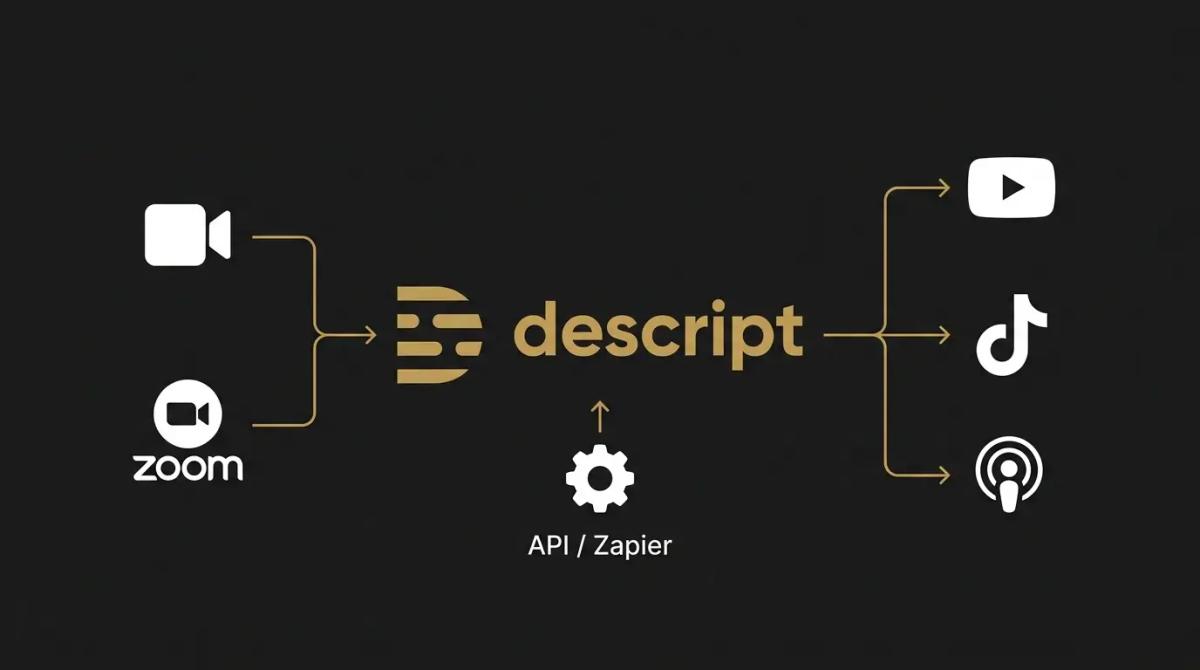
- →It links to automation tools. It integrates natively with Zapier and Make, allowing you to automatically pull raw Zoom recordings into a new project or send finished transcripts to Notion to be published as blog posts.
- →It features a programmatic API. For enterprise workflows, the platform has an API that lets you automate video production at scale, triggering transcriptions, clipping, and captioning directly from your own software without opening the app.
- →It exports straight to social. You push finished, auto-captioned clips directly to YouTube, TikTok, or your podcast host. If you need heavy post-production, it can hand off the timeline to Adobe Premiere Pro for a professional editor to finish.
//How it makes you more money
It radically increases your content output and gives you more surface area in the market.
- →You ship more volume. Because editing takes a fraction of the time, you can turn a single podcast episode into ten captioned social media clips in minutes. This allows you to dominate feeds on LinkedIn or TikTok without a massive production budget.
- →It monetises your archives. You can pull years of old webinars and unlisted YouTube tutorials into the platform, run the AI over them to extract the most valuable insights, and release them as fresh, bite-sized marketing assets.
//How it saves you money
It eliminates the need to pay skilled professionals for entry-level production tasks.
- →You avoid the contractor trap. Paying a freelance video editor $80 an hour just to chop out silences and add captions to a talking-head video is a waste of capital. This automates the grunt work for a flat monthly subscription.
- →No expensive gear is required. Because the AI fixes terrible audio and can automatically correct your eye contact to look at the camera lens, you do not need to buy a $500 microphone or a dedicated teleprompter setup to look established.
//How it lowers your stress
It removes the technical intimidation of video creation for business owners and executives.
- →The learning curve vanishes. Traditional timeline editors like Premiere Pro or DaVinci Resolve are complex and unforgiving. If you know how to edit a Word document, you already know how to edit a video in Descript.
- →Re-recording is dead. Realising you flubbed a statistic 20 minutes into a take used to mean setting up the camera again. Now, you just type over the mistake or let the AI completely swap your messy background for a clean office environment.
//Where it falls down, and what it can cost you
It is a rapid assembly tool for spoken-word content, not a Hollywood post-production suite.
- →It chokes on complex visuals. If you need heavy colour grading, intricate motion graphics, or cinematic multi-camera syncing, this is the wrong platform. It is built for podcasts, tutorials, and marketing clips, not short films.
- →The free and cheap tiers are traps. The free tier restricts your exports to 720p with watermarks. You have to buy the $24/month Creator tier or the $50/month Business tier to get the 4K exports and the advanced AI tools that actually make the software worthwhile.
- →It is heavy on performance. Because it relies on a hybrid of cloud AI processing and intense local caching, it can run slow or freeze on older laptops, particularly when handling massive 4K files or lengthy transcripts.
//When to try it, pay for it, or build it in
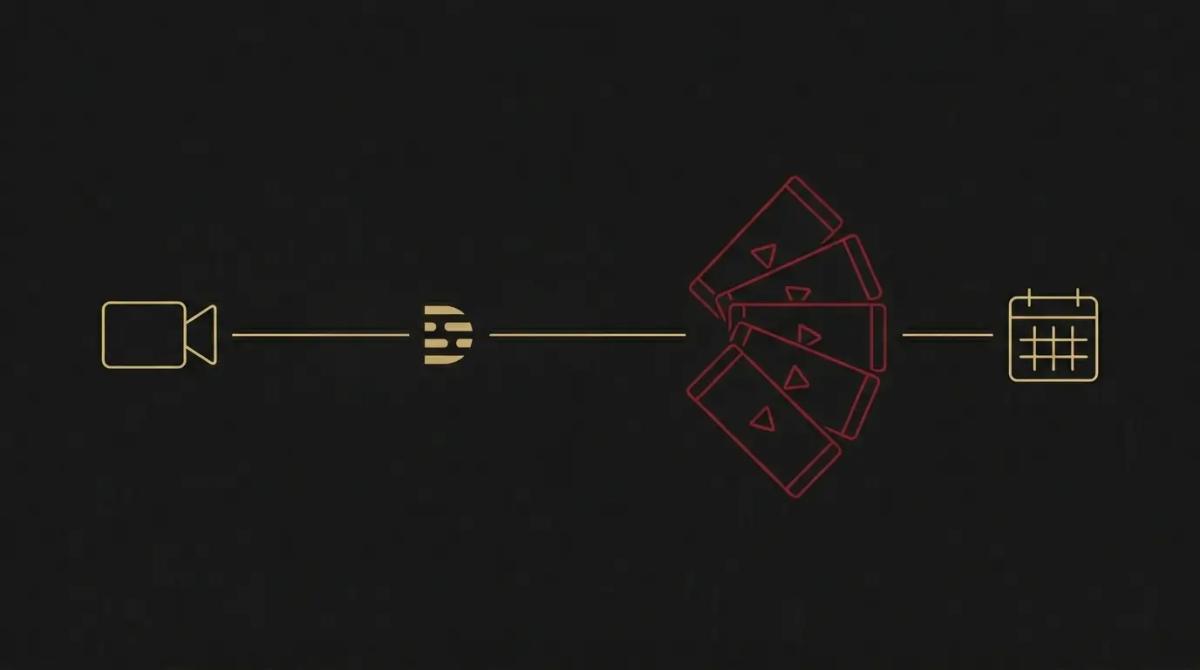
Try the free version with a short 5-minute talking-head video just to experience the magic of editing by text. Pay for the Creator tier immediately when you are ready to produce regular content, as you cannot operate without the 4K exports and full AI suite. Build it into your core marketing pipeline by routing all company Zoom calls and leadership updates through it for automatic cleanup and repurposing.
//How we do it
We treat Descript as the engine for content velocity. When a founder needs to build a personal brand but has zero technical skills, we set them up here. We establish a workflow where they record directly into the platform, use the AI to strip out filler words, apply a branded template, and export the clips. For larger client operations, we use the API to automatically pull webinar recordings, run the audio cleanup, and drop a polished rough cut into a Slack channel for final human review. We skip the cheap plans and mandate the Business tier to secure the highest resolution files and the robust team collaboration features.
WRITTEN BY
Felipe Chaparro
Systems Architect and Founder of SYSBILT. Felipe engineers custom automation, AI workflows, and performance web architectures for scaling Australian service businesses.